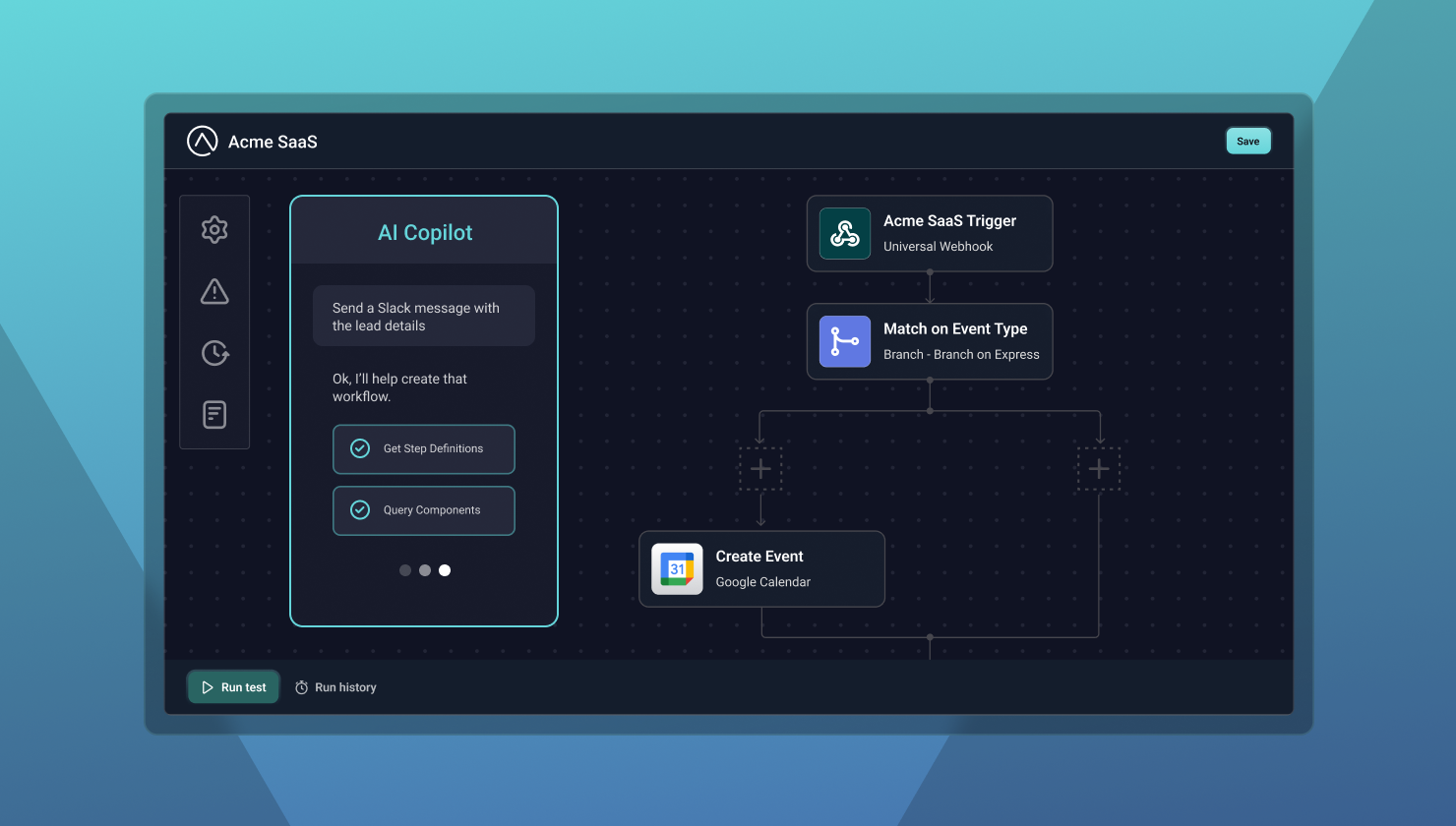
Your customers can now describe what they want and watch workflows come to life on the canvas. AI Copilot for embedded workflow builder is available in early access.
Your customers need workflows tailored to their processes
B2B software companies face a familiar challenge: customers need integrations and workflows tailored to their specific processes, but your team can't build everything for everyone.
That's why we built the embedded workflow builder, a visual workflow canvas you can embed directly into your product so your customers can build workflows themselves, without writing code.
But even with a visual builder, there's a learning curve. Some users get stuck choosing the trigger. Others aren't sure how to configure a multi-step flow. For less technical users, that friction can be a real barrier to adoption.
Today, we're removing that barrier.
Introducing AI Copilot for embedded workflow builder
AI Copilot lets your customers build workflows by describing what they want in plain language. Rather than navigating menus, selecting triggers, and configuring steps one by one, users simply type a request, and AI Copilot builds the workflow directly on the canvas, in real time.
Users can invoke AI Copilot at any point, whether they're starting a workflow from scratch or picking up mid-build. Need to add a few steps to an existing flow? Describe what's missing, and AI Copilot extends the workflow from where it left off. Users can also work iteratively, starting with a broad prompt and refining step by step, or provide a detailed request and let AI Copilot handle it in one shot.
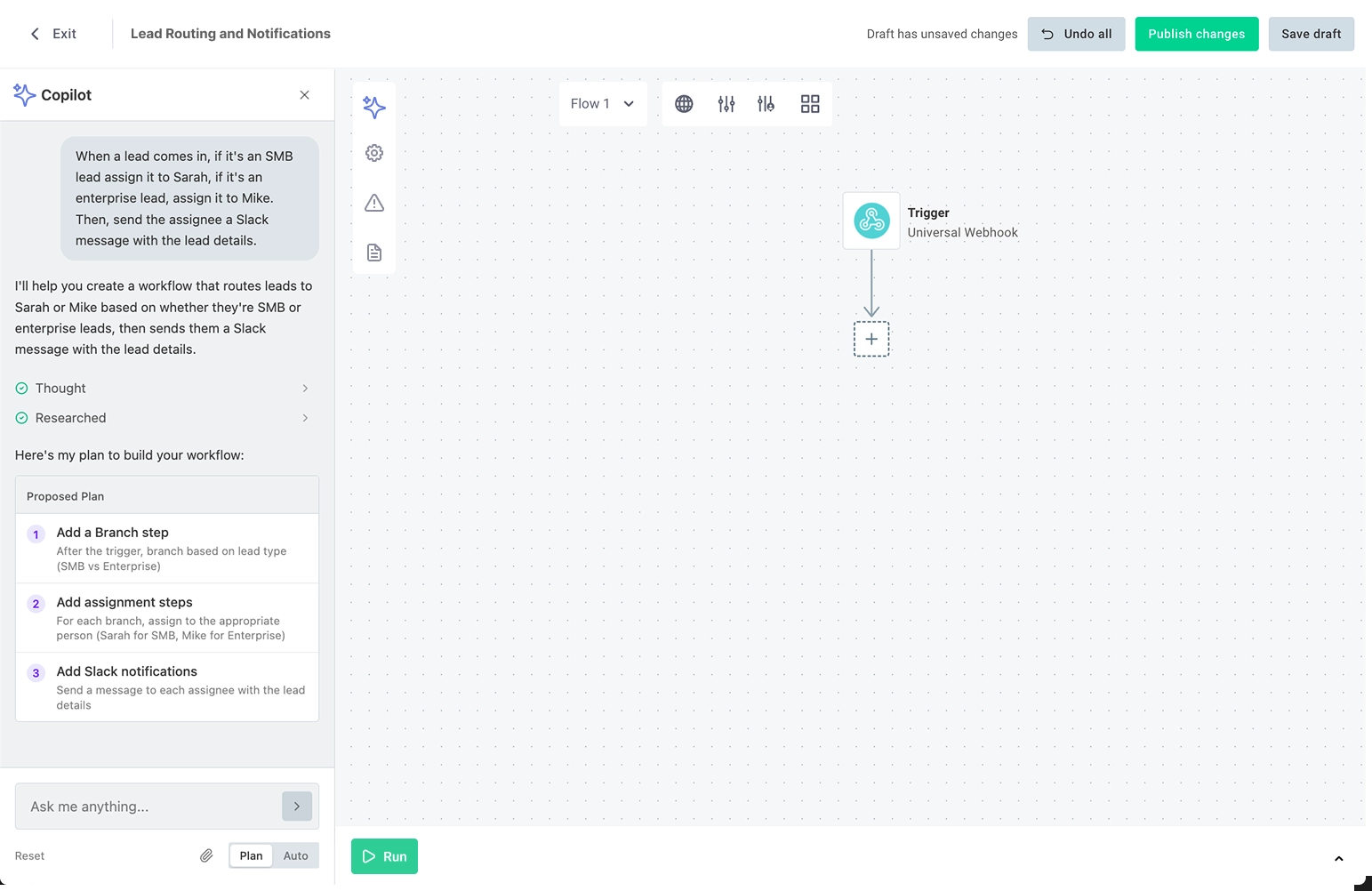
AI Copilot chat panel with a natural language prompt
As AI Copilot works, users watch each step appear on the canvas. There's no hidden logic. No black box. Every action is visible and editable the moment it's created.
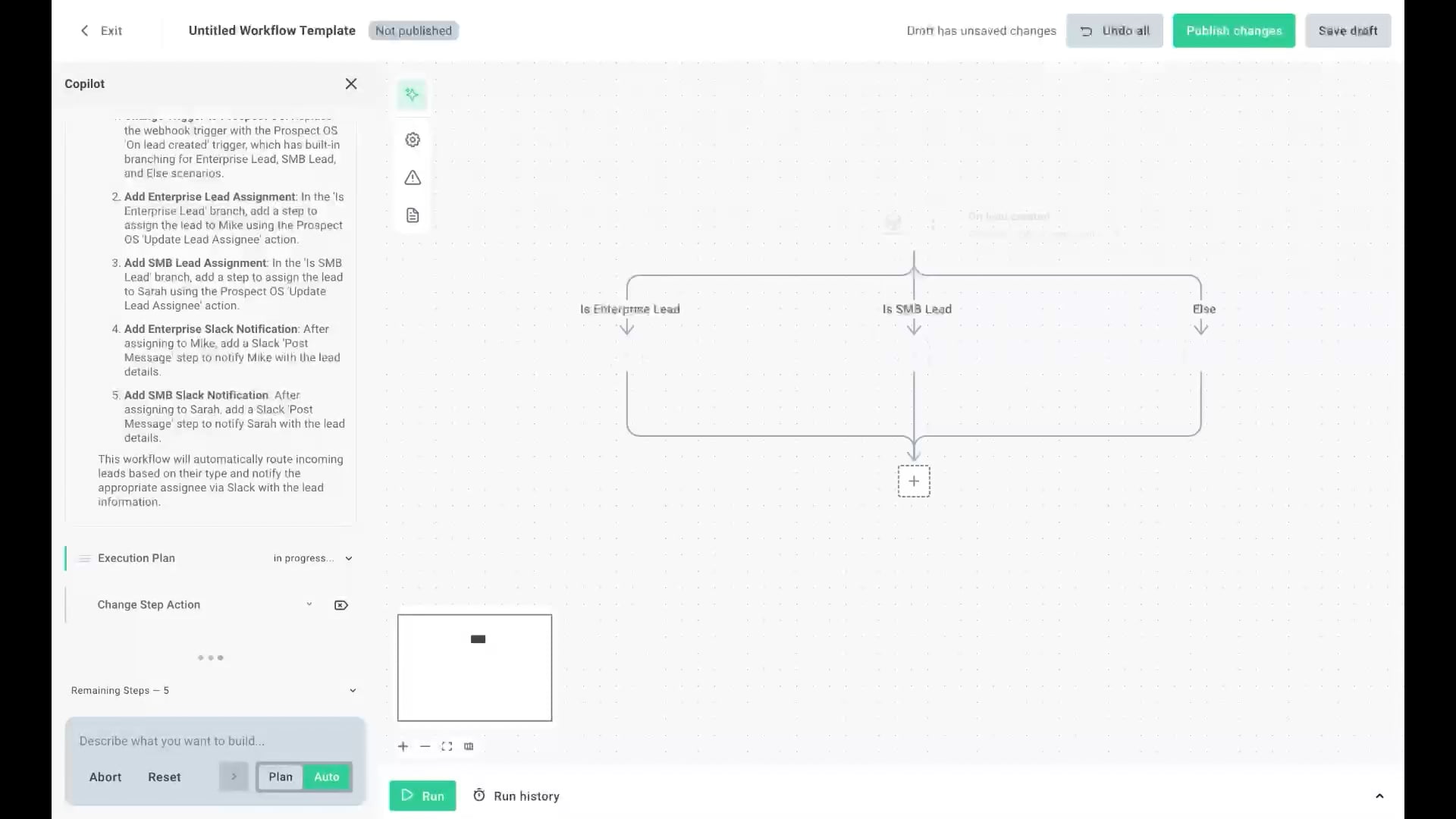
Workflow building in real time on the canvas
And users stay in control throughout. In Plan mode, AI Copilot shares its approach before building so users can review, approve, or request changes. In Auto mode, AI Copilot skips the review step and starts building immediately, which is useful for experienced users or simpler workflows. Either way, the canvas is fully editable at every step.
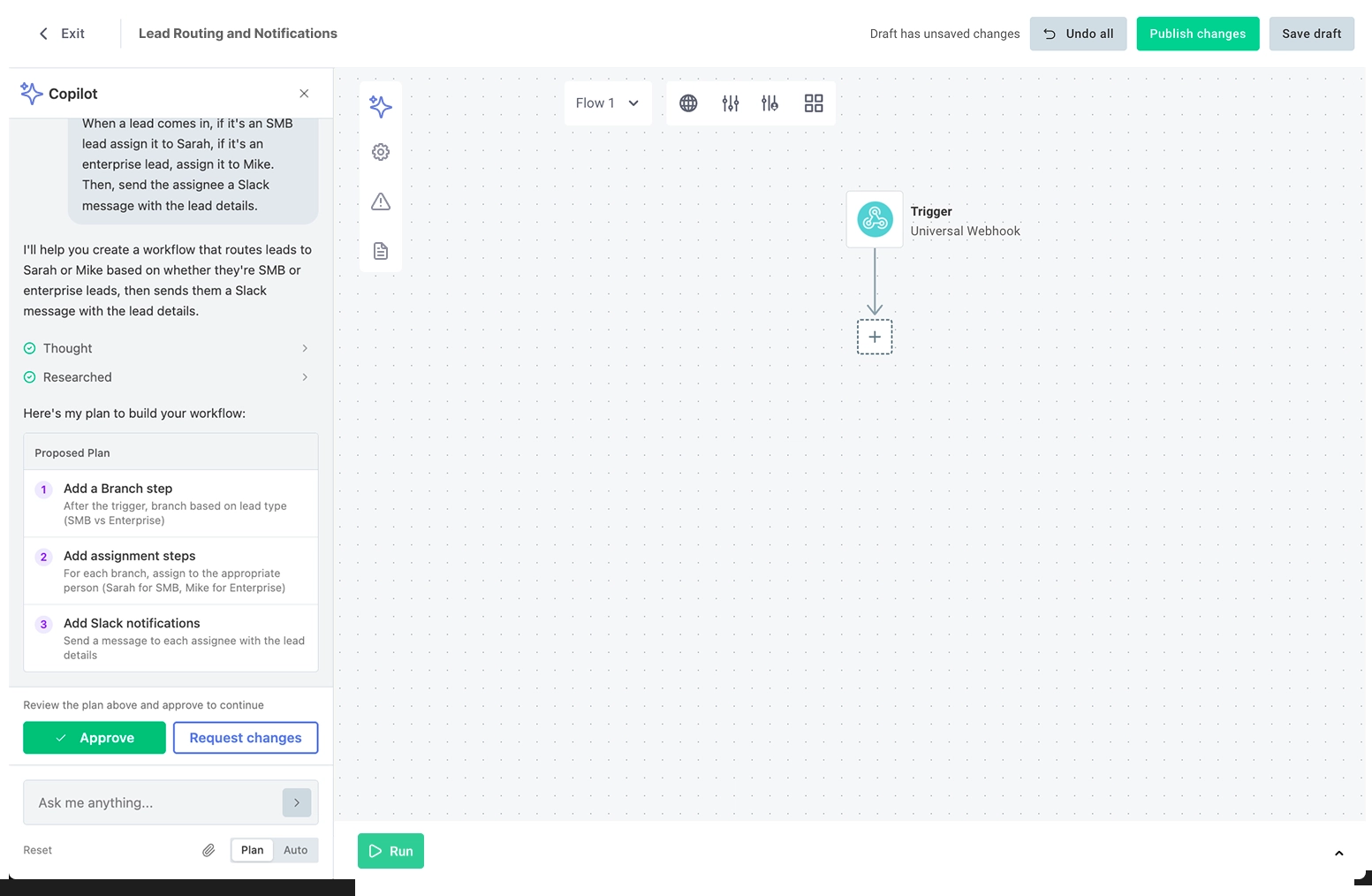
Plan review/approval step
What makes this different
There's no shortage of AI automation tools. But most of them treat automation as a black box. Users describe what they want, the AI does something behind the scenes, and users hope it works.
AI Copilot takes a different approach. It pairs the speed of natural language with the transparency of a visual canvas. Users get the simplicity of describing intent in conversation, with the ability to see, understand, and verify exactly what's being built.
Here's what that means in practice:
- Full platform access through conversation. Users can build workflows using Prismatic's connector library, authenticate with third-party services, and create complex automations, all through natural language.
- A simplified build experience. Users describe what they need instead of manually configuring each step. They can start from scratch, extend an existing workflow, or iterate through a series of prompts. The canvas updates in real time, helping users understand how workflows function as they're built.
- Two modes, one canvas. Plan mode lets users review and approve before anything gets built. Auto mode skips the review to speed up iterations. Users can switch between them depending on the task.
- Visual verification. Every AI-generated workflow appears on the canvas, where users can inspect, test, and refine it. No hidden logic.
- Native to your product. AI Copilot runs within your embedded experience, not through a third-party tool your customers configure separately. You maintain control over the experience, data, and security posture.
Why this matters for your product
If you're embedding workflow capabilities into your product, AI Copilot opens up real possibilities:
Reach users you couldn't before. Customers who find visual builders too complex can now describe their needs and get started immediately. The canvas still teaches them how workflows function; they just don't have to figure everything out up front.
Reduce support load. Whether it's building templates, unsticking customers, or coaching them through complex automations, AI Copilot turns hours of configuration into minutes.
Give enterprise customers what they expect. Workflow building happens natively within your product, so that organizations can meet the security and compliance requirements their customers demand.
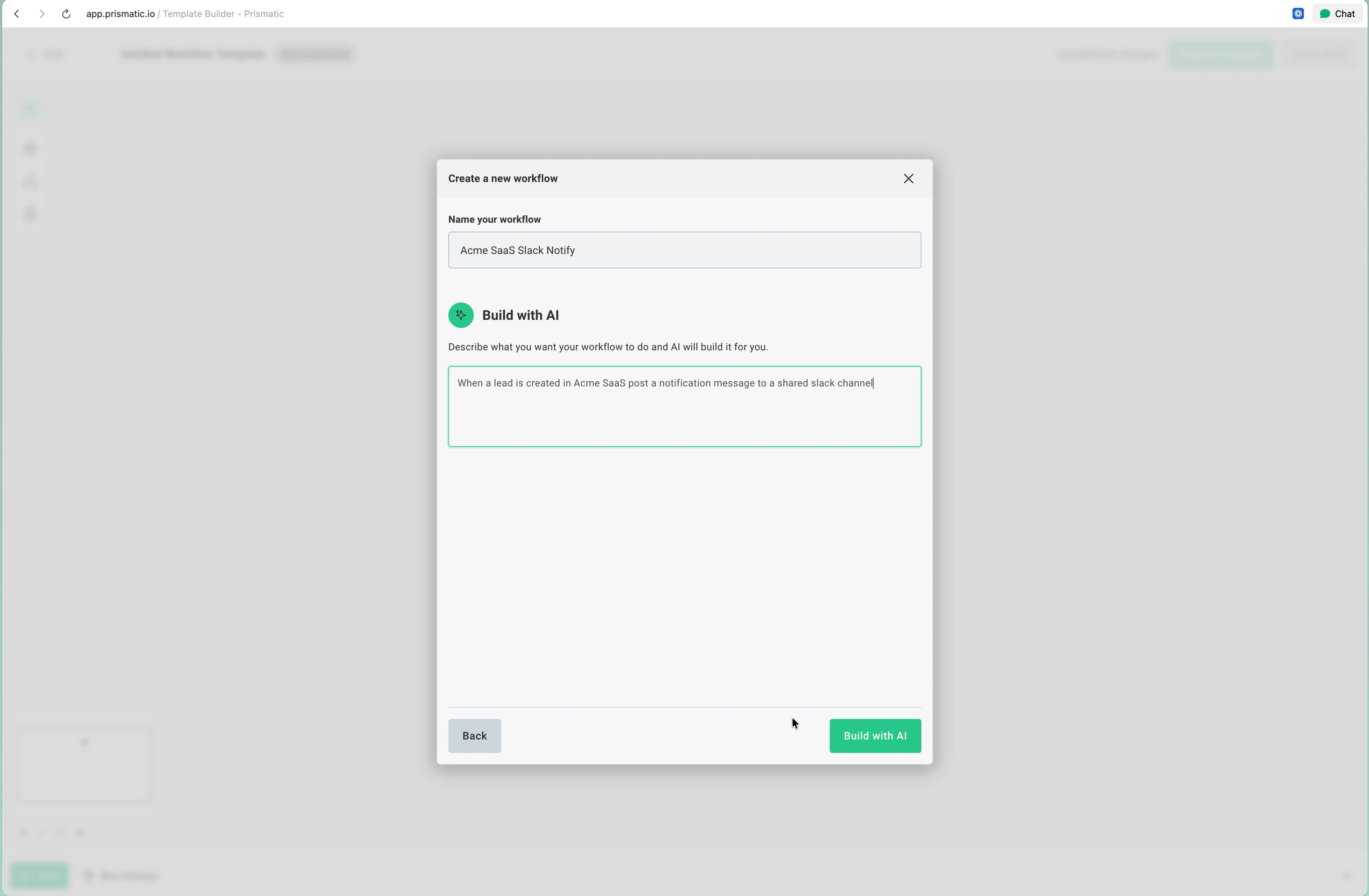
End-to-end demo showing prompt → plan → build → test
Get early access
AI Copilot for embedded workflow builder is available in early access starting today. We're opening it up to customers and prospects who are using or evaluating the embedded workflow builder, and we want to work closely with early participants to shape what comes next.
To get started, fill out a short form with a few questions about your embedded workflow builder usage, your customers, and your willingness to share feedback during the beta period. Our product team will review each submission and follow up to get you set up.
Apply for early access. Or, If you'd prefer to talk it through directly, reach out to your Prismatic account manager or request a demo and let us know you're interested in AI Copilot.
Want to learn more about the embedded workflow builder first? Check out the product page and documentation.
We'll be sharing more about AI Copilot over the coming weeks, including deeper dives into how it works, what we learned from building it, and how customers are using it.