
A Platform Built for AI

Prismatic + AI
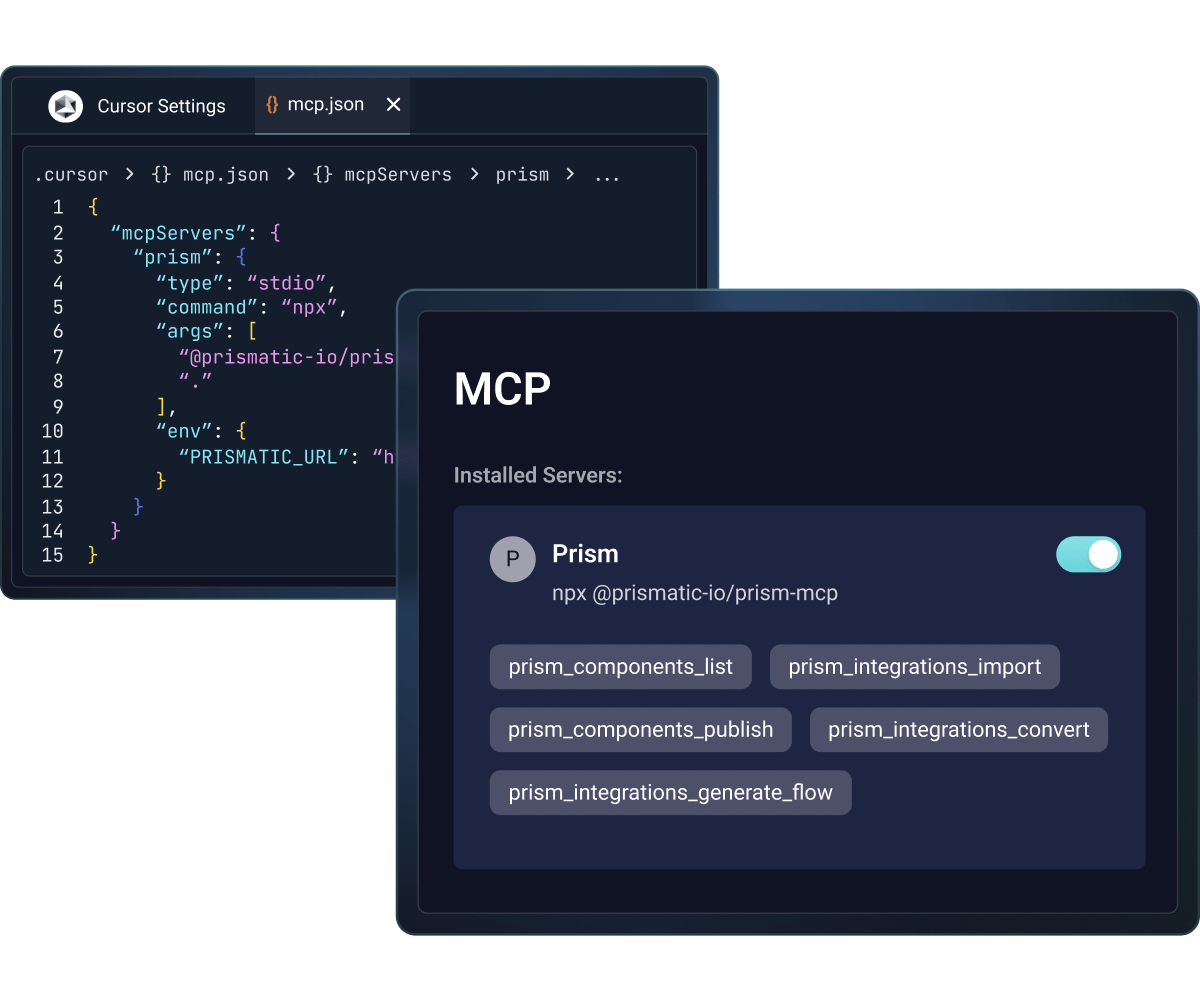
Developers build integrations faster with AI coding assistants in their IDE using our MCP dev server. Your customers' AI agents invoke complete integration workflows via the Prismatic MCP flow server. And teams add intelligence directly into integrations with built-in AI connectors.
This is purpose-built infrastructure for AI-powered integrations, not retrofitted functionality.

Build integrations with AI-assisted tools
And Prismatic Skills is a Claude Code plugin that gives Claude deep, specialized knowledge of the Prismatic platform.
It turns Claude from a general-purpose coding assistant into an integration specialist that can build integrations, create custom connectors, scaffold embedded experiences, and operate your Prismatic environment, all from your editor.
Expose integrations as AI tools
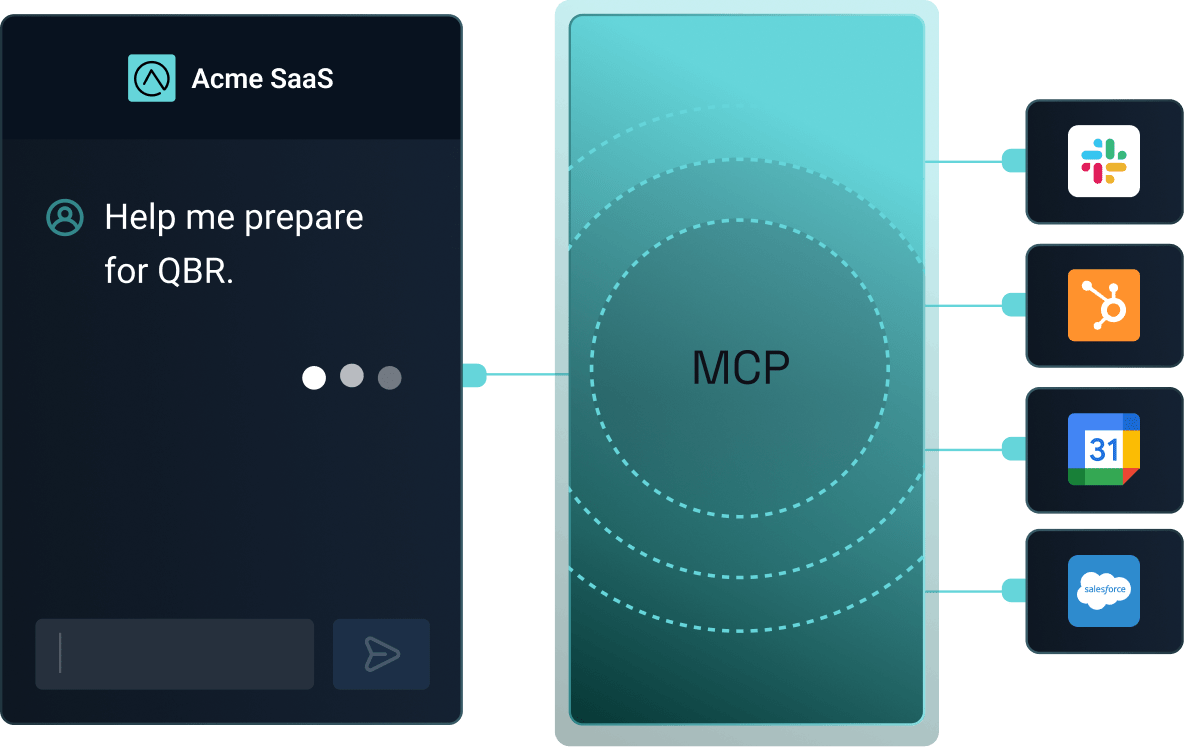
Instead of AI agents making unreliable chains of individual API calls, they invoke complete flows where you've defined the exact execution order, authentication, error handling, and business logic. Your customers get deterministic, production-grade workflows that their AI agents can use confidently.
This gives you control over how AI agents interact with integrations while providing the intelligence your customers expect.
Add AI capabilities to integration logic
Use built-in connectors for OpenAI, Anthropic, Google Gemini, and other AI services. Create agent flows that make decisions and trigger actions autonomously. Combine AI automation with human-in-the-loop approval for critical workflows. Or bring your own AI with frameworks like LangChain, CrewAI, and AutoGen.
Common use cases include data enrichment, smart extraction, AI routing and classification, and conversational interfaces.

Don't take our word for it







Common questions
Prism MCP dev server runs in your IDE and accelerates development by connecting AI coding assistants to Prismatic's platform. Prismatic MCP flow server runs in production and exposes your deployed integrations as tools that your customers' AI agents can invoke.
No. You can add AI capabilities using built-in connectors (OpenAI, Anthropic, etc.) or by bringing your own AI frameworks like LangChain or CrewAI. MCP provides additional ways to accelerate development and enable agent-accessible workflows.
Agent flows define the exact execution order, authentication, and error handling for multi-step workflows. They're exposed as structured tools that AI agents can invoke, replacing inconsistent LLM-orchestrated integrations with deterministic flows you control.
Prismatic includes built-in connectors for OpenAI, Anthropic Claude, Google Gemini, and other major AI services. You can also create custom components to connect to any AI service, including proprietary or on-premises models.
Your data is processed with encryption in transit and at rest. AI services only receive the specific data you configure to send, and you maintain full control over what information is shared. Prismatic's SOC 2 Type II certification, HIPAA, GDPR, and CJIS controls apply to all platform features.
Yes. AI connectors, MCP dev server, agent flows, and MCP flow server are all available today. Contact us to get started.
AI integrations are integrations that connect your product to AI models, agents, and AI-powered tools the same way you'd integrate with any other SaaS platform.
The term also refers to using AI within the integration process itself: generating integration code, mapping data fields, suggesting logic, or powering conversational configuration. In practice, "AI integrations" covers both: connecting to AI services as endpoints, and using AI to build and manage the integrations you offer customers.
No. AI integrations add to traditional API integrations but don't replace them. APIs remain the standard way systems exchange data.
AI layers in the the ability to handle ambiguous inputs, natural language requests, or dynamic decision-making that an API doesn't. For example, an AI agent could interpret a customer's request, then call the underlying API integration to execute it.
AI integrations make workflow automation more adaptive and less rigid. Instead of automations only following pre-defined, rule-based paths, AI can interpret unstructured data, make contextual decisions, handle exceptions, and even initiate actions based on natural language input.
This means workflows can handle a wider range of real-world scenarios (like an agent triaging a support ticket and routing it correctly) without engineers needing to build for every possible condition in advance.