Embedded Workflow Builder Overview
Prismatic's embedded workflow builder lets your customers create and manage custom workflows right inside your application. They can solve their unique integration and automation needs without relying on your support or engineering teams.
The embedded workflow builder feature is available to customers on specific pricing plans. Refer to your pricing plan or contract, or contact the Prismatic support team to learn more.
Add the workflow builder to your app, with authentication and theming, using
the prismatic-embedded agent skill.
Set up signing keys, generate JWTs on your backend, and authenticate users in your frontend.
GuideInstall the embedded SDKInstall @prismatic-io/embedded from npm or with a script tag, and
initialize it.
Show the workflow builder with showWorkflows() and showWorkflow(),
enable it per customer, filter components, and handle events.
How it differs from the integration designer
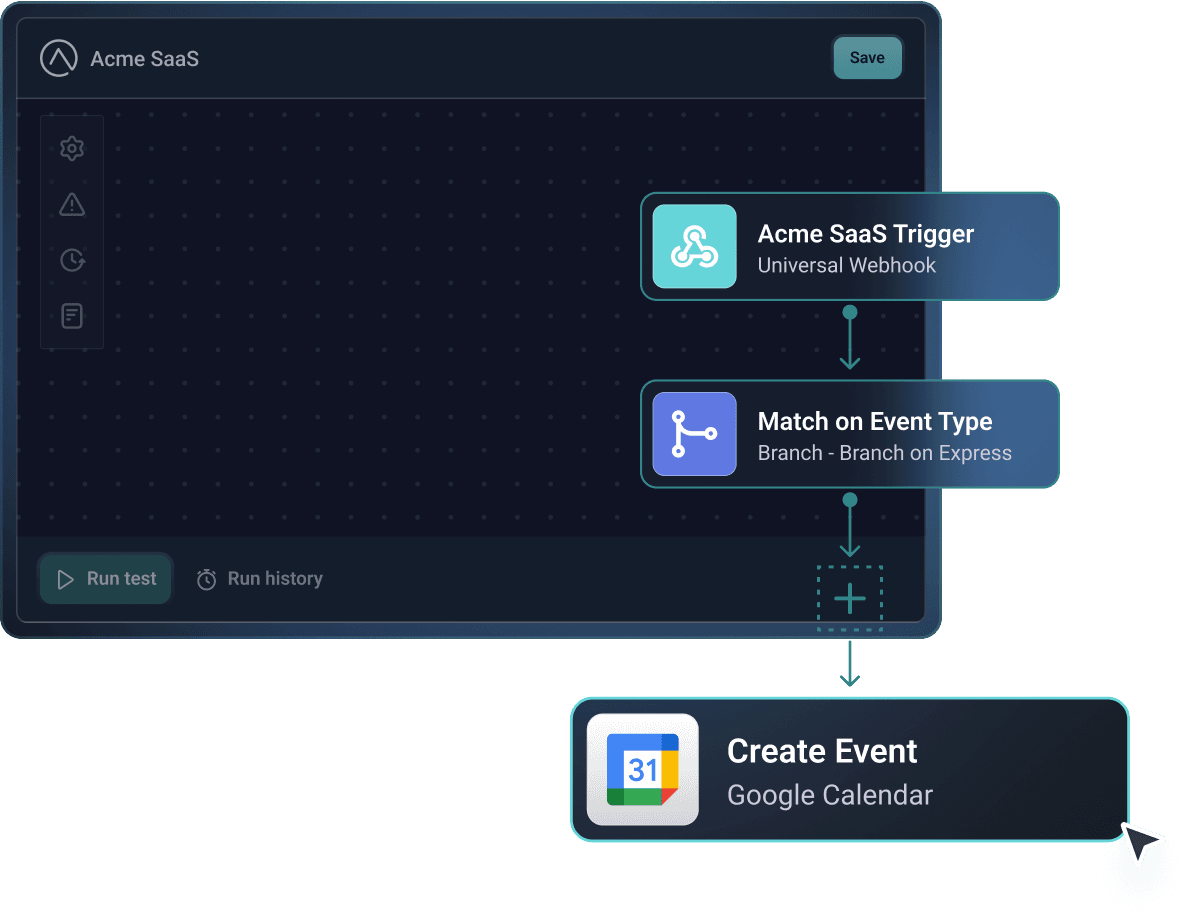
The UI of the embedded workflow builder is similar to the low-code integration designer that your team has access to, with a few key differences:
- Workflows that customers create contain single flows. If they need multiple flows, they can create multiple workflows.
- Configuration is done inline. Customer users configure connections and steps directly in the workflow builder, rather than in a separate configuration wizard.
- Connections are scoped to the customer, and can be shared across workflows. That means that they can authenticate with Slack or Salesforce once, and use those connections in multiple workflows.
- Deployment is simpler. Once they've tested their workflow, they can click a single Enable button to deploy it.
For ways to set your customers up for success, such as custom connectors for your API, workflow templates, and pre-configured connections, see Tips for Success with Workflow Builder. To give customers a starting point, publish workflow templates they can copy and adapt.
AI copilot
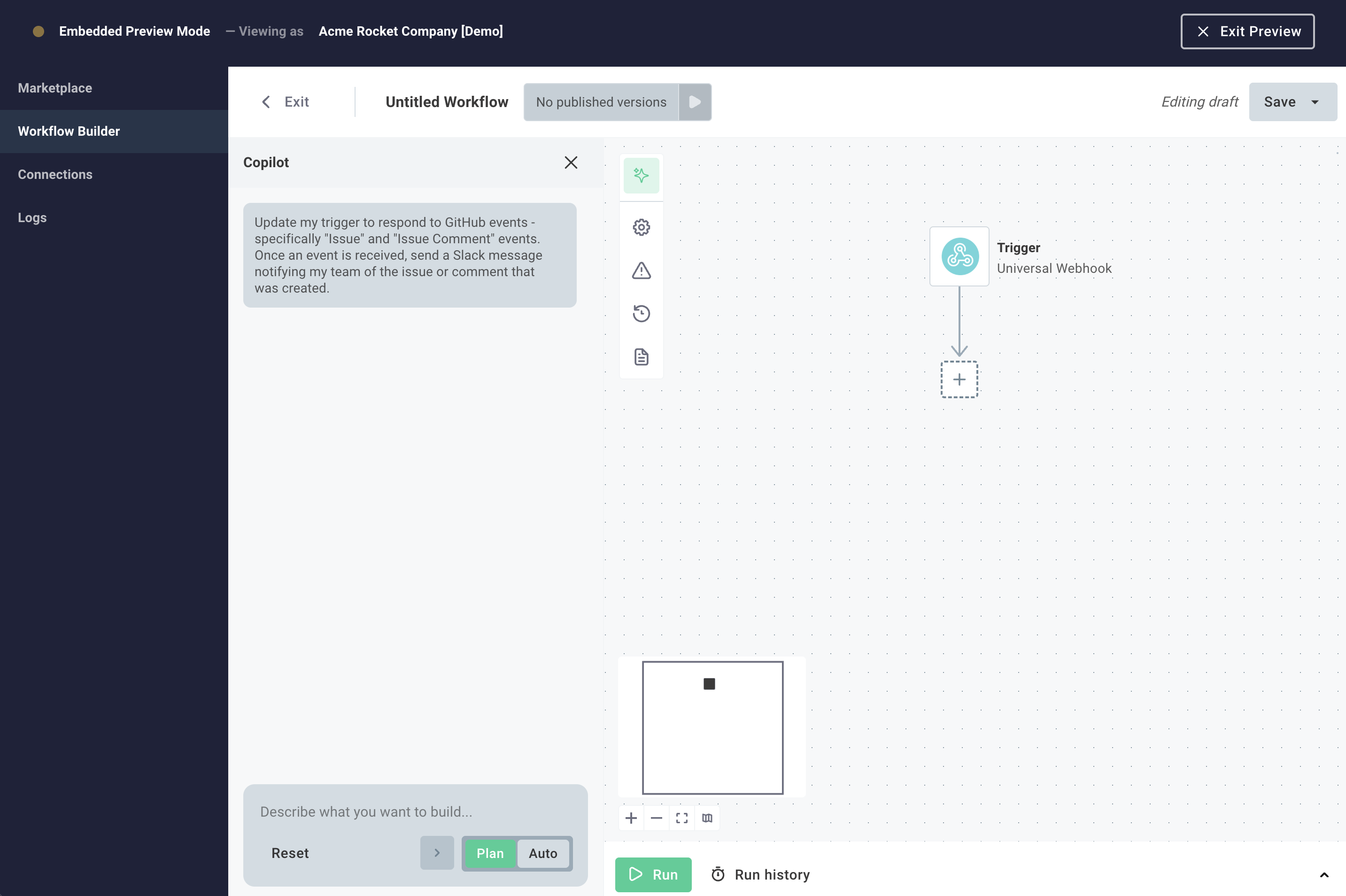
The embedded workflow builder includes an AI copilot that your customers can use to get help building their workflows. See AI copilot to learn how to enable it and prepare your custom connectors for it.
Testing the embedded workflow builder
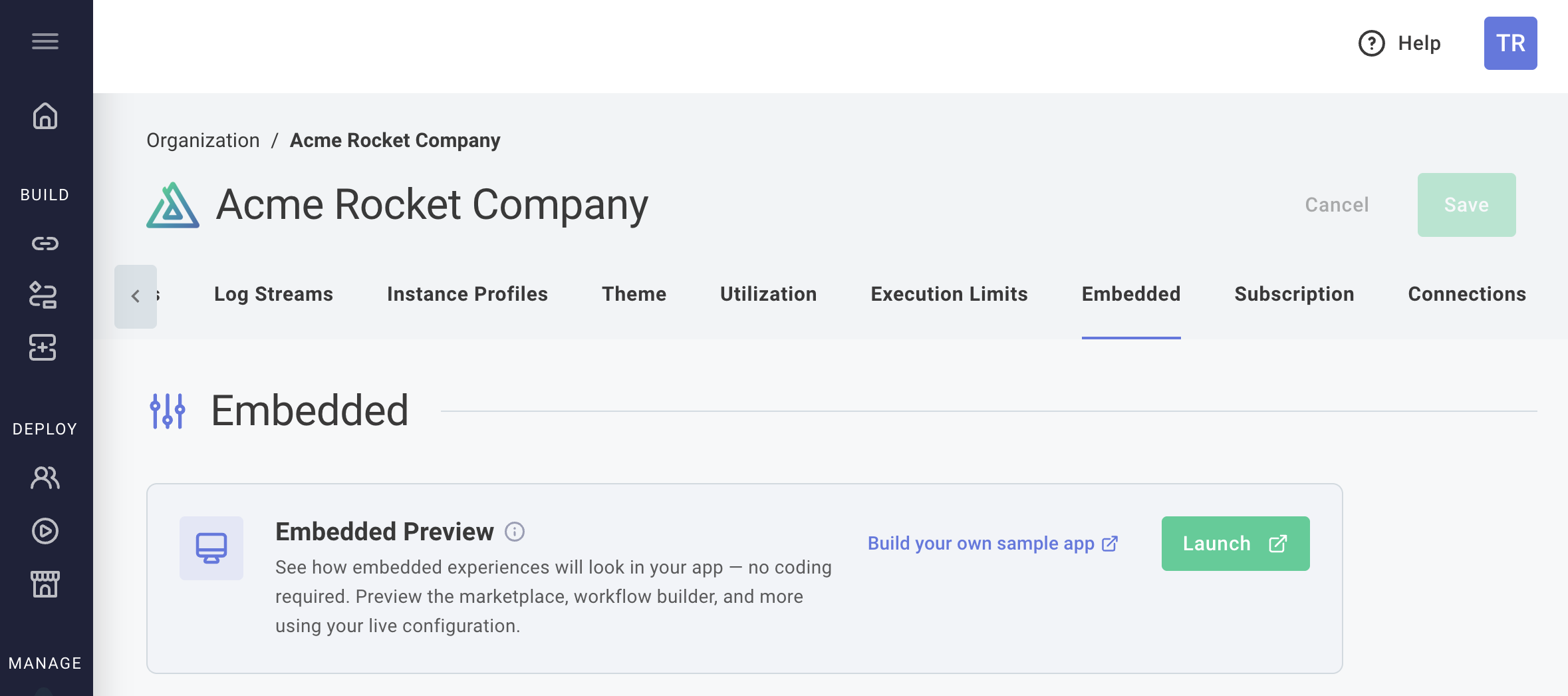
The fastest way to test the embedded workflow builder is to use our embedded playground, which is a React application that you can run from within Prismatic. Open your organization settings and then select the Embedded tab. Under Embedded Preview select Launch.
If you are looking for documentation for the classic embedded designer, see embedded designer.