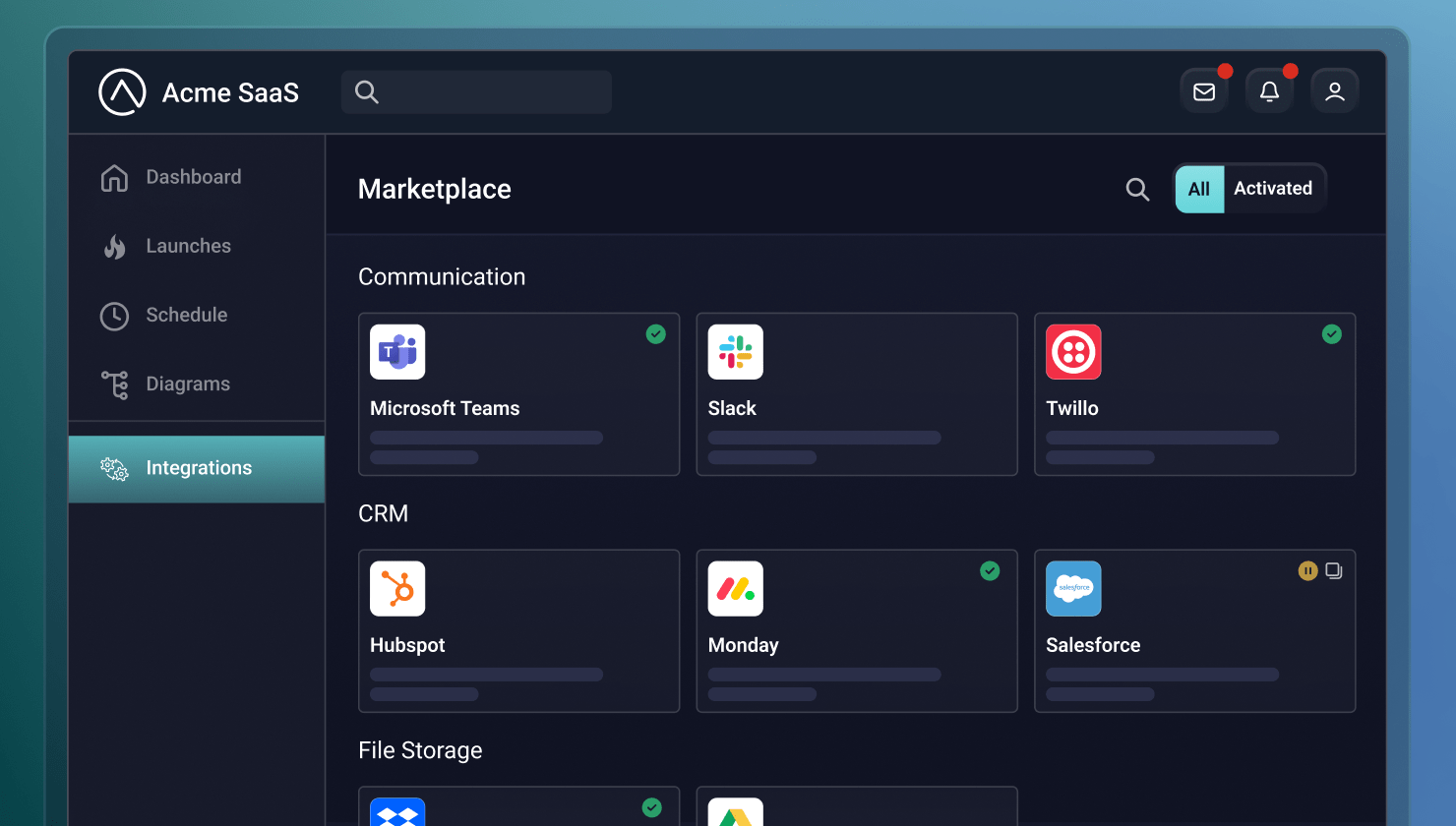
- An integration is a template built once; an instance is a customer's isolated, configured copy of it. Customers never see this distinction; from their perspective, they're just activating a product feature.
- A well-built activation flow covers discovery, configuration, activation, and management in one place. Customers authenticate via OAuth or an API key, provide only what's customer-specific, and can later view execution history and rotate credentials from the same UI.
- An embedded iframe is the fastest path to a working, branded marketplace. Theming happens through CSS variables so customers see the SaaS company's product, not the underlying platform.
- Pre-populating config fields with available data raises activation rates meaningfully. Every field a customer has to fill in blind is a chance to abandon setup, so listening for a configuration-loaded event and injecting known values turns filling in fields into confirming them.
- A marketplace can't fix a configuration wizard designed for the wrong user. If the wizard assumes technical fluency a business user doesn't have, it gets handed off to IT, so designing for the person who'll activate it matters more than the marketplace itself.
Your customers shouldn't have to file a support ticket to turn on an integration.
That's the bar. It seems obvious. But many B2B SaaS companies are still clearing it the hard way. A customer requests an integration (or asks you what integrations you have), you let them know how long it will take to spin things up, and then your team deploys, configures, and activates it for that single customer.
At ten customers, that process is manageable. At fifty, it's a structural problem. Beyond that, it quickly becomes something no one wants to deal with.
An in-app integration marketplace changes the process. Instead of managing activation through your internal teams, customers can browse a catalog inside your product, walk through a configuration wizard, and activate integrations themselves. Your team finds out about it when it receives a notification that customer A has activated integration X.
This is a huge benefit because every customer who activates independently is one less customer requiring help from your team. The difference between a guided self-service model and a manual one is the difference between integrations that scale with your product and integrations that require your headcount to scale in sync with them.
What's happening behind the activation button
Before getting into the mechanics, let's consider the difference between an integration and an instance.
An integration is a productized template (the business workflow logic, data mapping, and connectors) your team builds once. An instance is created when a customer activates an integration: a configured, isolated copy of the integration with their credentials, data mappings, and config.
From the customer's perspective, this distinction (integration and instance) does not exist. They're enabling a product feature. And that's exactly how it should be.
What the customer experience looks like
A well-built in-app marketplace makes the customer experience simple:
- Discovery – The customer opens the marketplace inside your product and finds a searchable, categorized catalog. They can easily find what's available without leaving your app.
- Configuration – A wizard walks them through setup. The customer authenticates with the third-party service (usually through OAuth or an API key) and provides any customer-specific inputs: which Salesforce fields to map, which Slack channel to post to, or what schedule to run on. If your system already has values that the customer would otherwise have to look up, you can pre-populate those fields for them. Then the customer can confirm rather than flounder.
- Activation – The customer activates the configured integration. The integration goes live with exactly zero help from your engineering team.
- Management – From the same UI, customers can view execution history, check integration health, rotate credentials, and be notified of errors as they occur.
How do you deliver the marketplace?
Prismatic supports two delivery models for an integration marketplace:
- Embedded iframe. The fastest path to a working, branded marketplace. You install the embedded SDK, authenticate users against your existing auth system, and call the marketplace, pointing at a container element in your app. Theming is handled through CSS variables. Customers see your product and not Prismatic.
- Custom marketplace UI. For teams that want complete control over the UI, or that need integrations built inside and outside Prismatic in the same catalog, you can bypass the pre-built UI and work with Prismatic's API directly. The customer experience is fully yours. The infrastructure is still Prismatic.
For teams standing up a marketplace for the first time, the iframe approach gets you to a working, customer-facing experience with minimal engineering investment. It's a great place to start.
The implementation details
Here are a few SDK capabilities that can seriously boost integration activation rates:
- Pre-populating config variables – Every field the customer has to fill in is an opportunity to abandon the setup. Listen for the
INSTANCE_CONFIGURATION_LOADEDevent and useprismatic.setConfigVars()to inject values your system already has. The customer confirms pre-filled fields instead of hunting for them. - Triggering activations from elsewhere in your product – The marketplace listing isn't the only place customers should be able to activate integrations.
prismatic.configureInstance()lets you launch the configuration wizard for a specific integration from any element in your app: a button, an onboarding checklist item, or a contextual prompt inside a feature that depends on the connection. - Filtering what's visible – Not every integration is important for every customer. Filter the marketplace by category, label, or plan tier so each customer sees a catalog that's relevant to them.
What the marketplace won’t be able to do
The marketplace handles the deployment, but it doesn't fix design issues.
If the configuration wizard assumes technical users, most customer users won't finish it. They'll hand it to IT, where it often gets stuck. Instead, design for the person who will actually be activating the integration (usually a business user) and pre-populate everything you can.
If the wizard asks for more than customers are willing or able to provide, activation rates will reflect it. Use defaults that work for most customers. Collapse advanced options rather than placing them on the primary page. Get customers to a running integration as efficiently as possible.
Define what failure looks like when you build the integration and use Prismatic's alerting infrastructure to communicate it. Errors should display to customers as actionable information, allowing them to be the first line of support when things go wrong.
Getting started
Prismatic's embedded SDK documentation covers the full implementation. If you want to see what the embedded experience looks like before writing any code, Prismatic's organization settings include an embedded playground you can launch directly from the browser.
The technical lift for a working marketplace is lower than most teams expect. You'll need to spend some time on the config wizard, what gets pre-populated on the customer's behalf, and how customers experience a failure.
Get those right, and the marketplace handles the rest.
Start a free trial to see Prismatic’s embedded marketplace in action.