

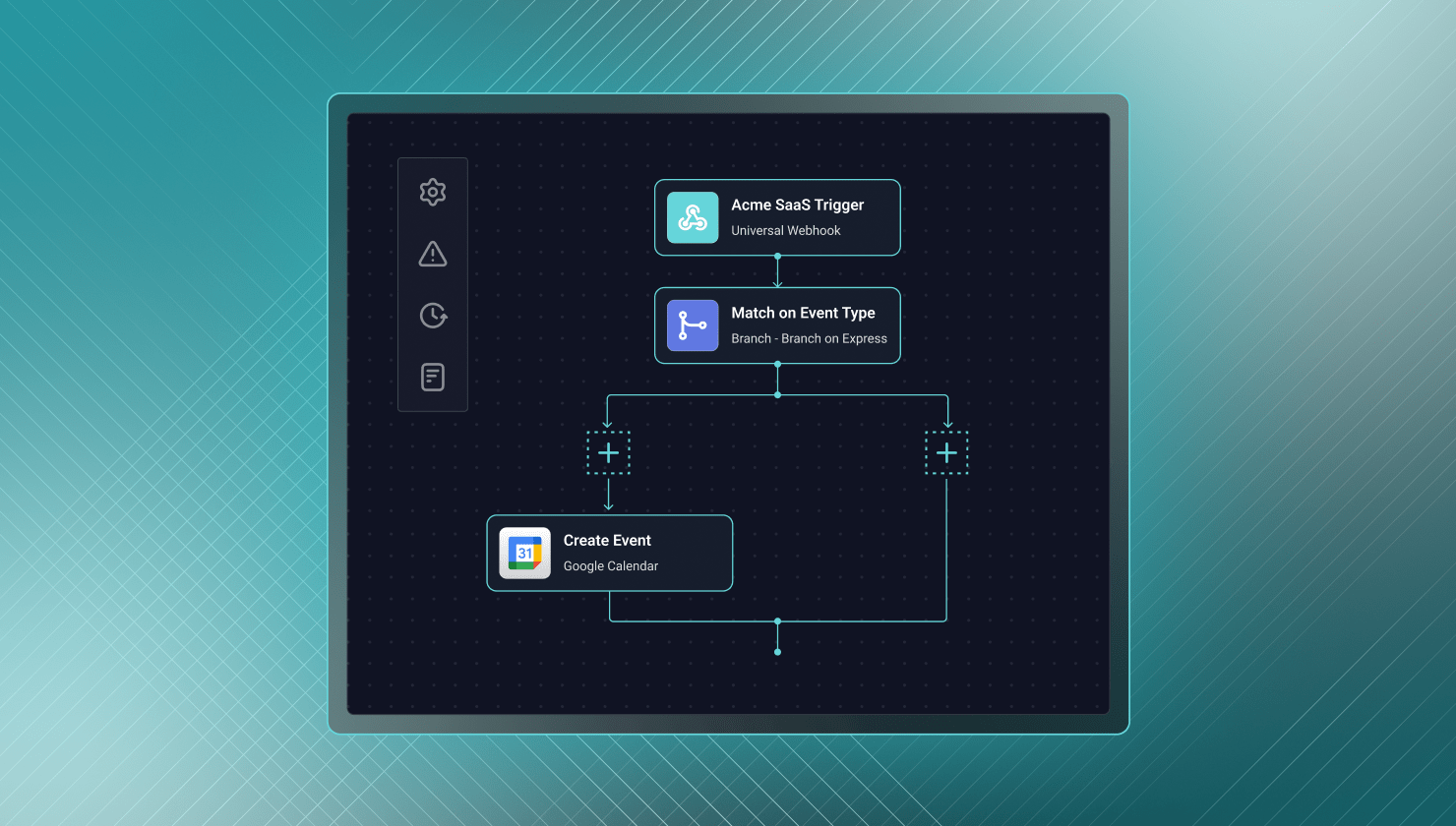
- A low-code designer gets a working integration running in hours for common use cases. Pre-built connectors handle auth, pagination, and webhooks, letting a solutions engineer or CS team member configure a workflow without engineering involvement.
- Visual builders hit a hard ceiling the moment logic exceeds what the canvas supports. A complex conditional branch or multi-step transformation stops development entirely, and what worked at ten customers often becomes expensive to debug at five hundred.
- No code review, version history, or CI/CD is fine for a handful of integrations but a liability at scale. The simplicity that lets CS build an integration in an afternoon is the same simplicity that creates issues once hundreds are running in production.
- AI has weakened the original case for avoiding code to save effort. Engineers now use AI assistants to scaffold connectors and generate business logic in a fraction of the time it used to take, as long as the platform supports code-first development.
- Low-code and code-first aren't competing options; they serve different people on the same team. CS needs visibility into logs, solutions engineers need to assemble standard integrations fast, and developers need to ship via the same CI/CD they use for everything else.
If you're evaluating B2B SaaS integration tools, you are familiar with the pitch: drag-and-drop builders, pre-built connectors, and no engineering required. Those statements are true, but only within a limited scope.
But, will a low-code designer be enough for what your customers need you to create (now, and in the future)?
The benefits
Low-code building is a common starting point for teams that need to move fast. A low-code approach lets you:
- Get to a working integration fast – Drag a trigger, drag an action, map a few fields, and you have something running in hours for a common use case.
- Reduce initial build costs – Pre-built connectors handle auth, pagination, and webhook endpoints. This lets your team configure rather than build from scratch.
- Democratize deployment and maintenance – A solutions engineer or CS team member can configure a workflow without engineering, freeing devs to focus on the work that differentiates your product.
- Iterate faster with simple logic – Changing a field mapping or trigger condition doesn't require a deploy cycle when it's sitting in a visual designer.
- Establish consistency across the catalog – Reusable templates let you move away from writing integrations from scratch every time, which really matters as your catalog grows.
If your integration needs are simple, low-volume, and will not change (this is key), a low-code tool is exactly what you need.
The un-benefits
None of the benefits above are properties of a product strategy. Instead, they're properties of a technique: visual manipulation of actions on a canvas. That technique works for simple cases, but not for the reality of running integrations as product features for hundreds or thousands of customers. If you try (to use a low-code designer for what it doesn't handle), here's what happens:
- Speed hits a hard ceiling – Visual builders are fast until you need to use logic the canvas doesn't support. It could be a complex conditional branch, a multi-step data transformation, or an API endpoint. Regardless of the details, unavailable logic stops development right there.
- Lower costs don't scale successfully – Pricing that was cheap at ten customers often becomes expensive at five hundred. And the savings may only exist until someone needs to debug an issue, only to find out that it's really hard to do that with no execution logs.
- Non-dev access creates blind spots – The simplicity that lets CS build an integration in an afternoon also means no code review, no version history, and no CI/CD. This is fine for a handful of simple integrations, but an absolute liability when you have hundreds running in production.
- Fast iterations get iffy – Editing a trigger condition is easy when the logic is simple. It gets riskier as the logic complexity increases, with no way to test changes in isolation and no rollback beyond what's currently in memory.
- Reusability isn't enough to scale – Reusable templates are great until you need multi-tenant isolation, auth management across thousands of accounts, and monitoring that catches problems before your customer does.
Low-code and code-first aren’t in competition
Some of this debate (between low-code and code-first) assumes you have to pick a side. That's not true. CS needs visibility into logs and configuration. Solutions engineers need to assemble standard integrations fast. Developers need to build connectors and ship via the same CI/CD they use for everything else.
Low-code isn't the alternative to code-first so much as it is another approach, one that's truly helpful for the people and tasks it fits.
AI has changed the equation
Part of the original case for low-code development was that writing integration logic by hand took a lot of effort, so avoiding code was worth the tradeoff in flexibility. That argument is much weaker now. Engineers use AI assistants in their IDEs to scaffold connectors and generate business logic in a fraction of the time it used to take. Code hasn't gotten harder to justify so much as it's gotten faster to produce – provided the integration platform allows code-first development.
Side by side
| Low-code only | Low-code + code-first | |
|---|---|---|
| Standard workflows | Fast | Fast |
| Logic outside pre-built blocks | Limited | Extended in code, with no practical limits |
| Non-technical users | Supported | Supported |
| Version control and CI/CD | Not available | Available for every integration |
| At customer 500 | Cracks are showing | Same architecture, just more instances |
Ask the right question
So, when it comes to B2B SaaS integration platforms, the question you need to ask is, "What do I need low-code for, and what happens when I outgrow it?"
A pure low-code tool is a reasonable choice – if your needs are limited (you have a handful of integrations, not many customers using them, and a short, well-defined list of edge cases). However, if your goal is to ship integrations as product features to thousands of accounts, low-code development alone won't be enough. You need a visual builder where it makes sense, a code-first path (accelerated by AI tooling) for what it can't touch, multi-tenant architecture, and an embedded, white-labeled customer experience to wrap it all up.
That's the model Prismatic is built around: a visual designer for integrations that are straightforward, and a full TypeScript SDK for everything else, running on infrastructure designed to scale with your product and customers as they grow.
Before committing to an embedded iPaaS, ask:
- How many customer instances will this eventually run – tens, or thousands?
- Will customers ever need logic beyond what's provided in pre-built blocks?
- Do devs need Git history, code review, and CI/CD for anything touching production?
- Will non-devs need to configure and deploy integrations without engineering help?
If your answers point toward integrations that must hold up at scale, treat low-code as a starting point, and don't be surprised when you run up against those limitations.
Understand the low-code benefits
Low-code integration platforms often deliver increased speed at a lower cost (and for a broader group of users) for early-stage integration programs. That's reality. But the mistake teams make is assuming those benefits will scale as your product grows and the shape and number of your customers' rapidly change.
The platform that made 10 integrations easy isn't necessarily the one that will scale to 500 integrations and beyond. But a platform that provides both low-code and code-first options has the best chance of supporting your needs throughout that journey.
Ready to see what that looks like? Start a free trial or get a demo with our team.


