


- Code-first integrations let developers build entirely in their own IDE, not a drag-and-drop designer. Triggers, connections, integration logic, and the customer-facing configuration experience are all defined directly in code.
- Developers can use standard language features and any npm package instead of pre-built connector blocks. Loops, conditionals, and custom error handling are all available, removing the constraints of assembling logic from predefined steps.
- Code-first integrations support the same practices used for any other software project. Version control with Git, pull requests, automated testing, and CI/CD pipelines all work the same way they would for core product code.
- Code-first and low-code integrations run on the same underlying platform. Once built, a code-first integration deploys, embeds, and runs in production with the same Prismatic functionality as low-code integrations, and teams can switch approaches later if priorities change.
I'm thrilled to announce a game-changing update to Prismatic: today we launched a code-first integration building experience!
As part of our mission to make integrations easier for B2B SaaS teams, we want everyone on your team to have integration tools they love and feel comfortable using.
Many Prismatic users are comfortable using our low-code integration designer and are building integrations faster than ever after its recent updates. We set out to create an equally great integration building experience for those of you who feel more comfortable and productive writing code.
Watch this quick video or read on for the details.
For years, Prismatic has used "code-native" to describe building integrations directly in code, as opposed to assembling them in a low-code, drag-and-drop builder. As the integration and embedded iPaaS space has matured, "code-first" has emerged as the industry-standard term for this approach.
To be consistent with how developers and others refer to this capability, we're updating our language accordingly. You'll now see us generally refer to this approach as "code-first" throughout this site. The functionality hasn't changed, just the term we use to describe it. That said, "code-native" is embedded rather deeply in the code side of things, so you'll still see it (and the corresponding abbreviation, CNI) used in our docs and app.
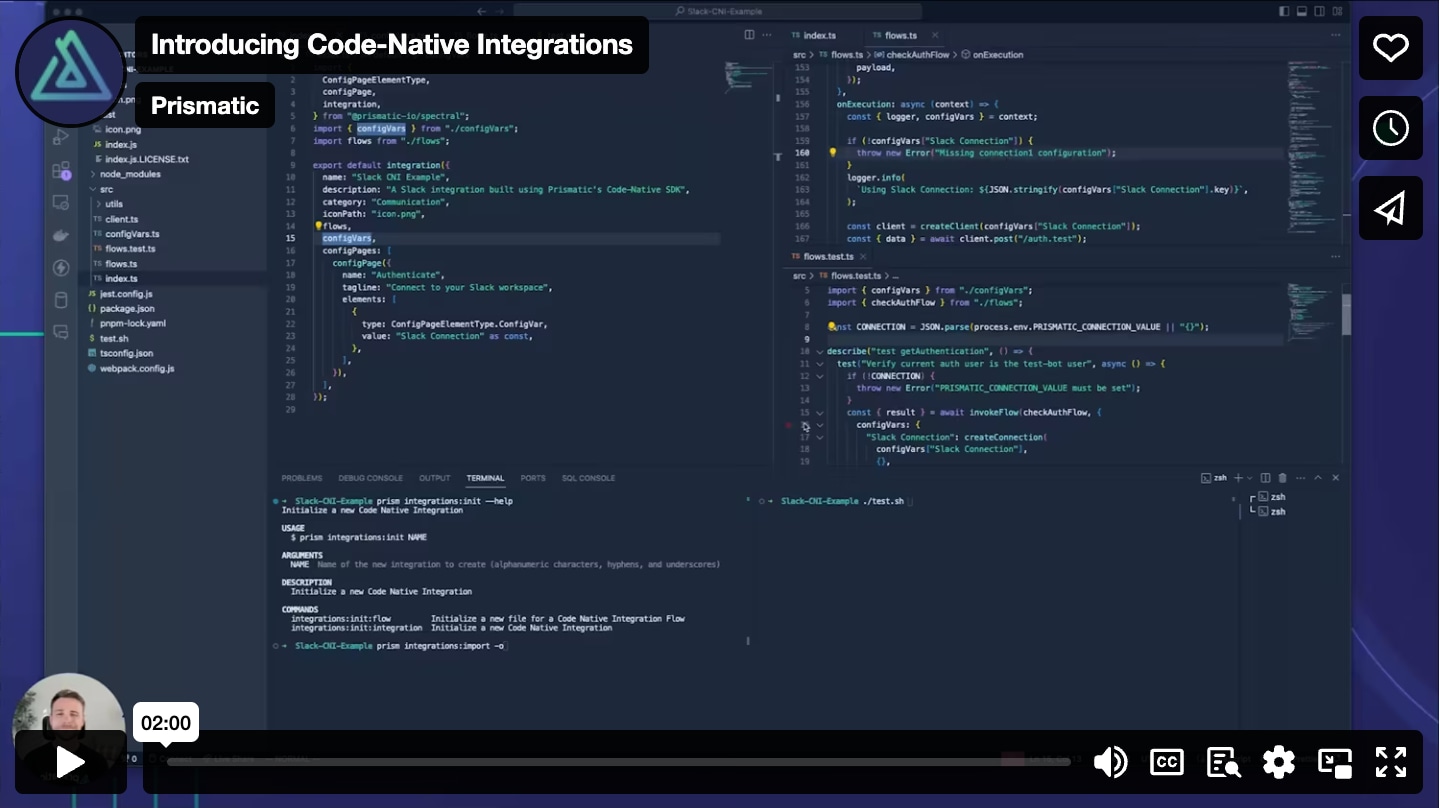
Build integrations completely in code
Here are the highlights:
- Build integrations completely within your IDE rather than the low-code designer.
- Triggers, connections, integration logic, and the customer-facing configuration experience are all defined in code.
- Define integration logic however you see fit rather than leveraging predefined logic steps.
- More easily incorporate integrations into your existing CI/CD process and code repositories.
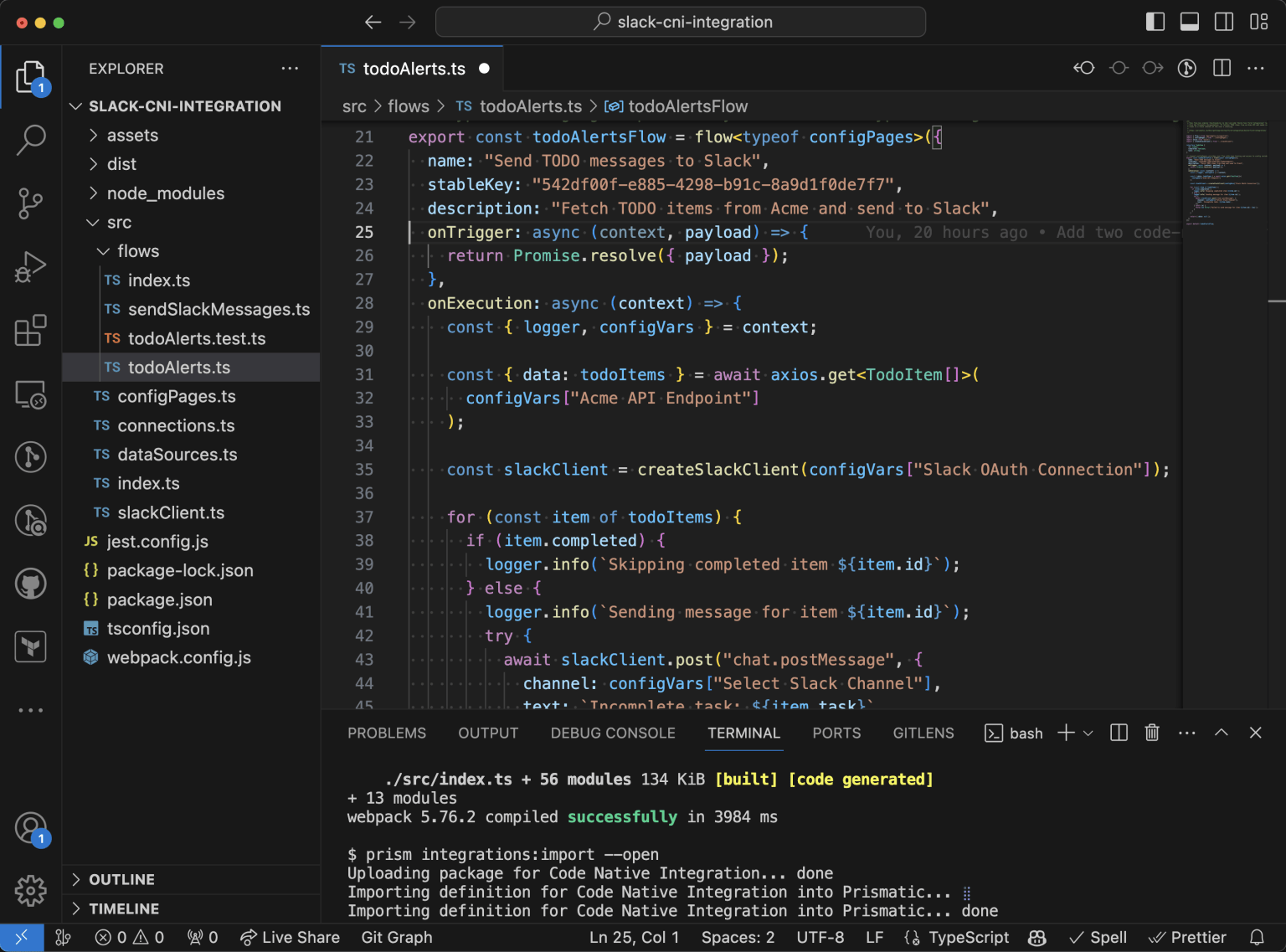
Code-first integrations leverage the same core platform as those built with the low-code designer. Once you've built a code-first integration, you can deploy it to customers, embed it in your app, and run it in production using all the same Prismatic functionality you currently use for your low-code integrations.
Tips for when to use code-first vs low-code integrations
Our team is always happy to help with recommendations for this. Here are some tips to get you started:
- If your #1 priority is to save dev time, you'll most likely want to have non-devs build integrations in the low-code designer. You can always involve developers to write custom components or create a code block for a bit of complex logic.
- If you don't have non-devs who can take on building integrations, or simply prefer to have devs build them, that's fine. Many devs will feel more comfortable and productive building code-first integrations.
- Some teams have non-devs in their sales or success teams use low-code to quickly build proof-of-concept integrations, and later hand them over to devs to build in code if they become especially complex.
Of course, your priorities, teams, and resources might change over time, and Prismatic will flex right alongside you. You can always switch from one method to the other!
Versatility is critical in B2B SaaS integration solutions
Today's launch of code-first integrations is part of our deep commitment to providing the most versatile and dev-friendly embedded iPaaS on the market.
At Prismatic, we believe that any integration solution for B2B SaaS needs to be extremely versatile to keep up with the huge variety of integrations you build, all the teams involved in delivering them, and the ways your integration strategy might evolve over time.
That's why we've always provided a comprehensive platform that supports you throughout the build-deploy-support integration lifecycle and provides you with variety of tools and options for every phase.
Thank you and next steps
Thank you to those of you who have helped with ideas, feedback, and everything else that's contributed to today's launch of code-first integrations. We'll continue to evolve the platform and ensure that it is second to none in versatility and dev-friendliness.
Be sure to download our webinar to see code-first integrations in action, or start a free trial to check them out for yourself.


