Deployment Options
Integrations built on Prismatic can be deployed in a variety of ways, depending on your customers' needs. Below are some of the most common deployment options for integrations built on Prismatic.
- Productized integrations are built by your team and presented to your customers in a marketplace.
- The embedded workflow builder allows your customers to build their own workflows using a low-code interface embedded in your app.
- Agentic flows allow you to connect an LLM in your app to data in third-party apps and services.
- Custom integrations are built by your team for specific customers with unique use-cases.
Productized integration marketplace
You're a B2B SaaS and you want to build integrations between your app and the other apps your customers use. You would like your customers to be able to enable these integrations for themselves through an integration marketplace you've embedded in your app.
By writing TypeScript using our code-native SDK, or through the low-code designer, your team builds integrations that sync data between your app and a third-party, and you design a configuration / deployment experience for your customers using our config wizard. Your customers enable these productized integrations for themselves through your customizable embedded integration marketplace.
You designate an area in your app to embed the marketplace, and Prismatic provides the infrastructure to back your marketplace.

Embedded workflow builder
Your customers would like to build workflows for themselves that sync data between your app and the other apps and services they use. They have niche use-cases - possibly one-off integrations with internal systems they use.
You would like to provide your customers with a white-labeled low-code workflow builder so they can easily build these flows. By embedding Prismatic's workflow builder in your app, your customers have access to hundreds of built-in connectors, as well as any custom connectors that your team has built, and can build, test, and enable workflows - all from within your app without putting strain on your engineering resources.
You can provide pre-built workflow templates to your customers as a jumping-off point, and your customers can leverage the Prismatic's AI Co-Pilot to accelerate the build experience.
AI tools and agentic flows
Your app has incorporated a chat bot or uses an LLM to enhance your customers' experience. You'd like the LLM to have access to data from the other apps and services your customers use.
You build agentic workflows as part of your integrations with third-party apps. The agentic workflows present themselves as "tools" via the MCP protocol. Now, when your customer asks your LLM to cross-reference data stored in your app with data in a third-party, the LLM is able to pull data from both sources through your agentic flows.
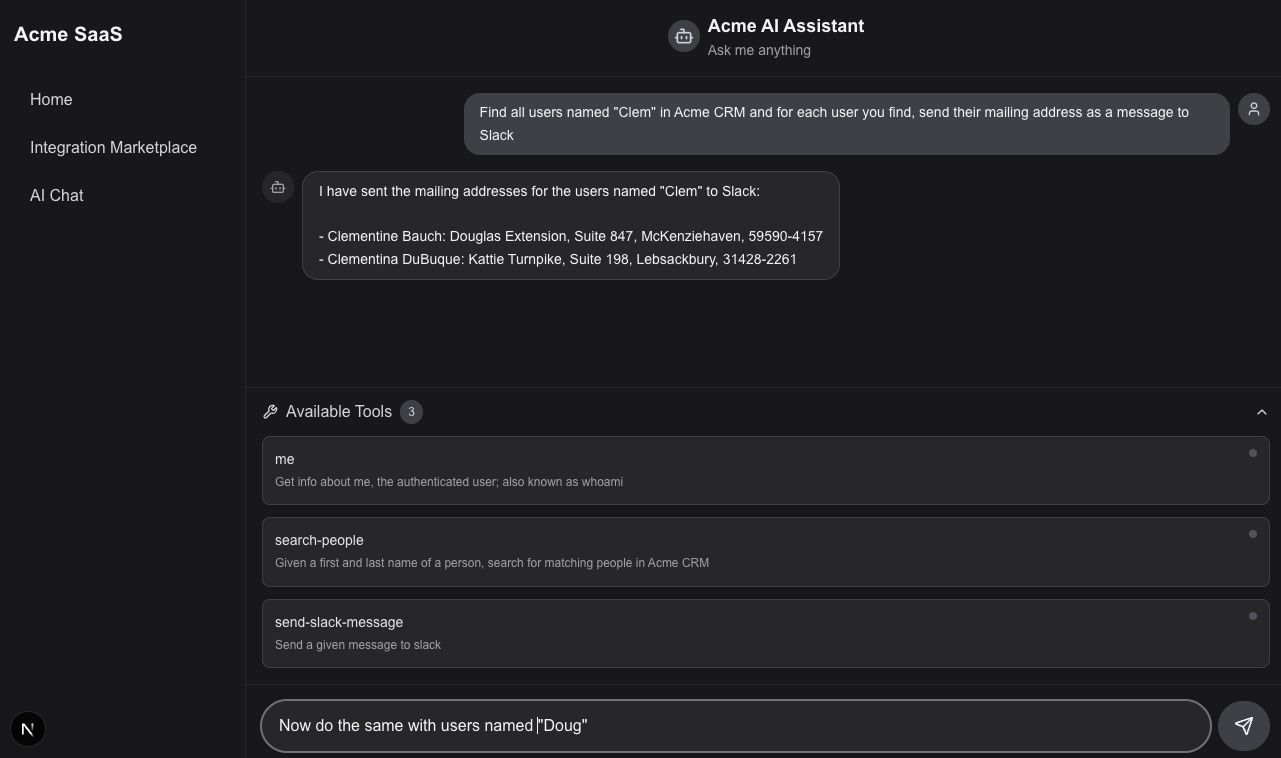
In addition to connecting an LLM in your app to agentic flows, you can use AI to accelerate the build process, and can reach out to popular LLMs from within your flows.
Custom integrations
Some of your customers have unique use-cases that require custom-built integrations. Your team builds custom integrations for these customers using our code-native SDK or low-code designer (similar to productized integrations). Then, you can either deploy these custom integrations to your customers yourself, or assign the integration to the customer and allow them to deploy it from their end.