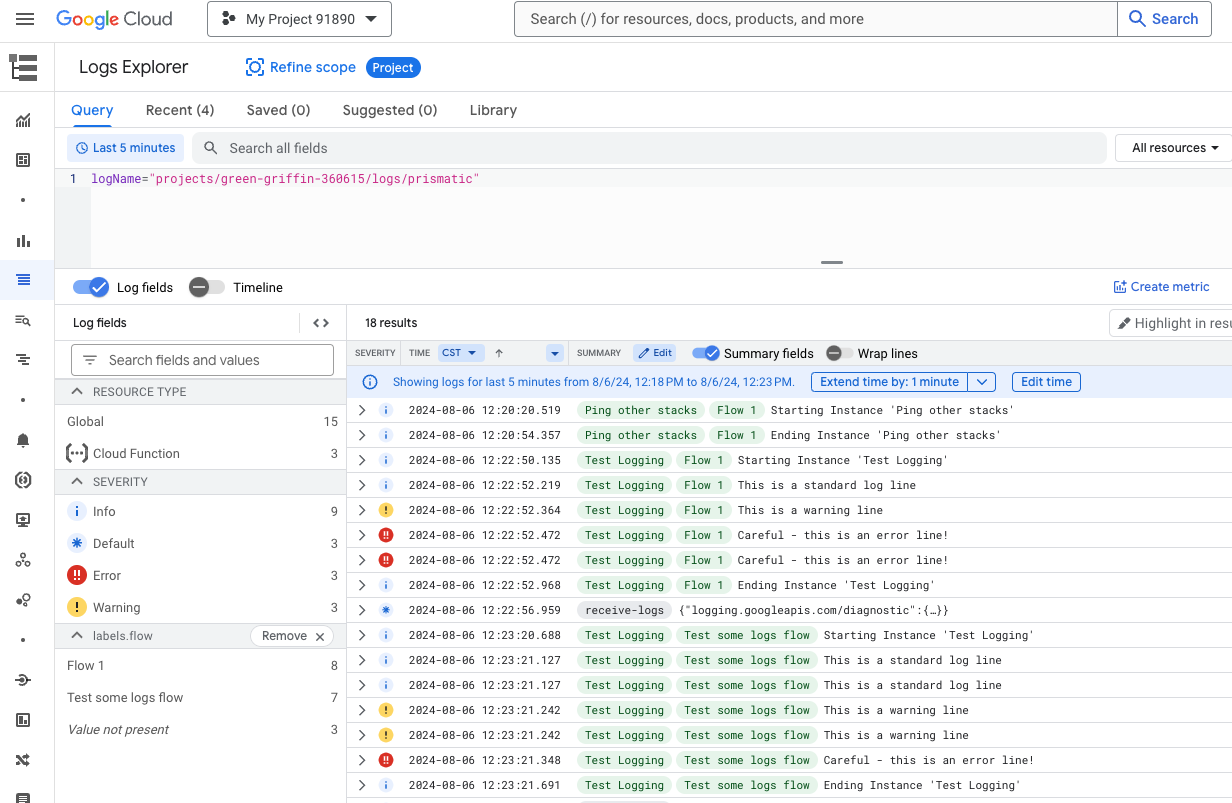
Streaming Logs to Google Cloud
Setting up Google Cloud log streaming
To stream logs to Google Cloud Logging, you'll need a service account and a way to map Prismatic's severity levels to Google's (WARNING vs warn).
We recommend sending logs to a Google Cloud Function, which then writes to Cloud Logging.
-
In Google Cloud IAM, create a new service account. Grant it the Logging Admin role via the IAM dashboard.
-
Create a Google Cloud Function and assign the service account. Add @google-cloud/logging as a dependency in
package.json:{"dependencies": {"@google-cloud/functions-framework": "^3.0.0","@google-cloud/logging": "11.2.0"}}Use code similar to this for your
index.js(replacePROJECT_IDwith your actual project ID):const functions = require("@google-cloud/functions-framework");const { Logging } = require("@google-cloud/logging");const PROJECT_ID = "INSERT YOUR PROJECT ID HERE";const LOG_NAME = "prismatic";const SEVERITY_MAP = {debug: "DEBUG",info: "INFO",warn: "WARNING",error: "ERROR",};functions.http("helloHttp", async (req, res) => {// Creates a clientconst logging = new Logging({ projectId: PROJECT_ID });// Selects the log to write toconst log = logging.log(LOG_NAME);const { timestamp, severity, message, ...rest } = req.body;// Labels must be stringsconst labels = Object.entries(rest).reduce((acc, [key, value]) => ({[key]: value === null ? "" : `${value}`,...acc,}),{},);// The metadata associated with the entryconst metadata = {resource: { type: "global" },severity: SEVERITY_MAP[severity],timestamp,labels,};// Prepares a log entryconst entry = log.entry(metadata, message);await log.write(entry);res.send({ success: true });}); -
Deploy the function and note its URL (e.g.,
https://us-central1-your-project-12345.cloudfunctions.net/your-function). -
In Prismatic, configure an external log stream to point to your function's URL. Make sure you send the timestamp in ISO format. Use the following payload template:
{"message": {{ message }},"timestamp": {{ timestamp_iso }},"severity": {{ severity }},"instance": {{ instanceName }},"customer": {{ customerExternalId }},"integration": {{ integrationName }},"isTestExecution": {{ isTestExecution }},"flow": {{ flowName }},"step": {{ stepName }},"executionId": {{ executionId }},"instanceId": {{ instanceId }},"flowConfigId": {{ flowConfigId }},"integrationId": {{ integrationId }},"flowId": {{ flowId }},"executionErrorStepName": {{ executionErrorStepName }},"duration": {{ durationMS }},"succeeded": {{ succeeded }},"errorMessage": {{ errorMessage }},"retryAttempt": {{ retryAttemptNumber }},"retryForExecutionId": {{ retryForExecutionId }}}