Streaming logs to Datadog
Setting up Datadog log streaming
You can stream Prismatic logs to Datadog, an application monitoring and logging platform. To stream logs to Datadog, first generate an API key. Be sure to generate an API key (not an application key).
Set the endpoint as specified in the below table, and add a header named DD-API-KEY and provide your API key.
Datadog log intake endpoints by region
| Region | Endpoint URL |
|---|---|
| US (default) | https://http-intake.logs.datadoghq.com/api/v2/logs |
| US3 | https://http-intake.logs.us3.datadoghq.com/api/v2/logs |
| US5 | https://http-intake.logs.us5.datadoghq.com/api/v2/logs |
| EU | https://http-intake.logs.datadoghq.eu/api/v2/logs |
| AP1 | https://http-intake.logs.ap1.datadoghq.com/api/v2/logs |
| US1-FED | https://http-intake.logs.ddog-gov.com/api/v2/logs |
See the Datadog documentation for the latest endpoints.
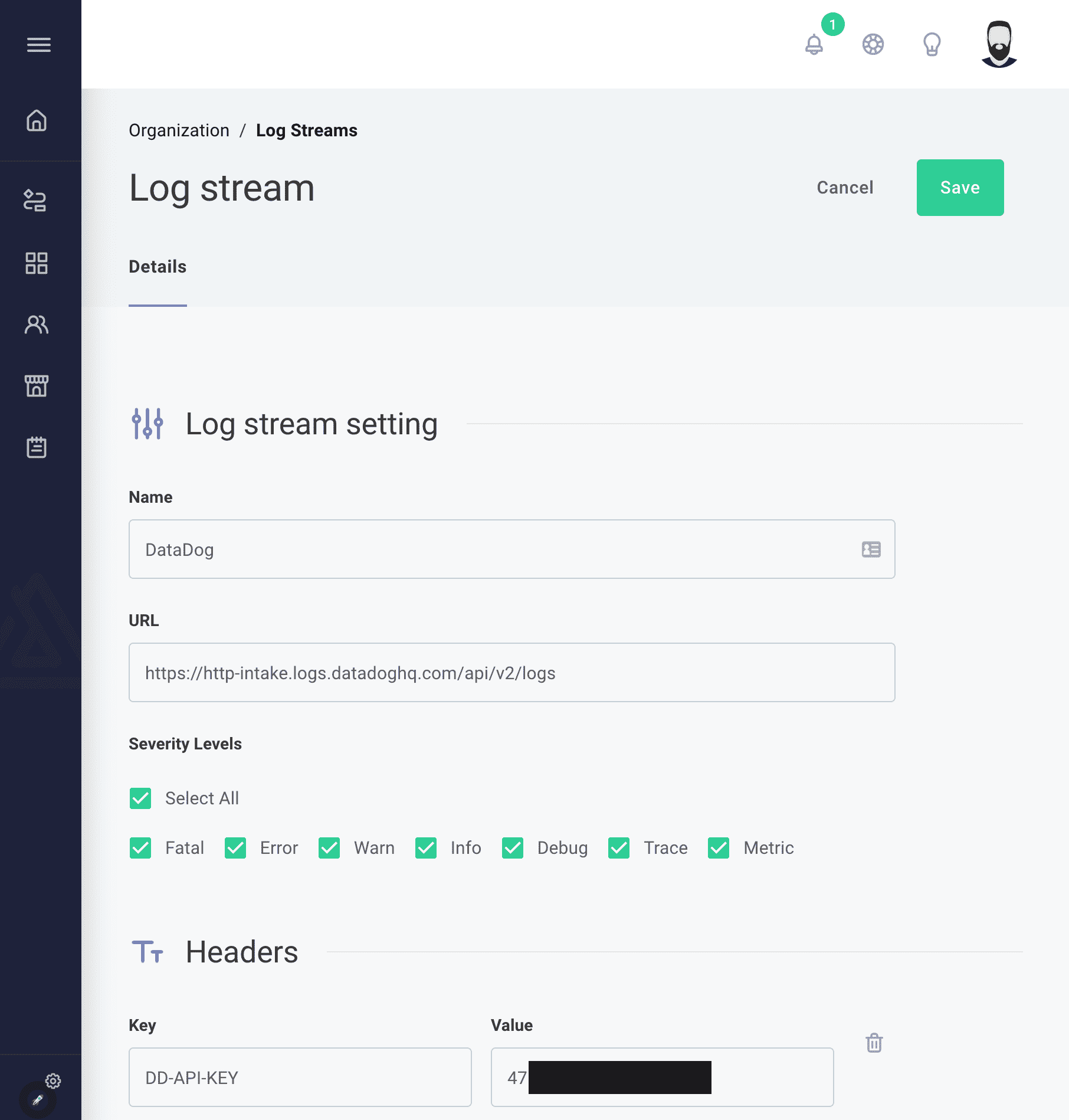
The default message template works with Datadog, but you can customize it to match your attribute naming conventions.
Once you configure the stream, Prismatic sends logs from all enabled customer instances and all test runs in the integration designer to Datadog:
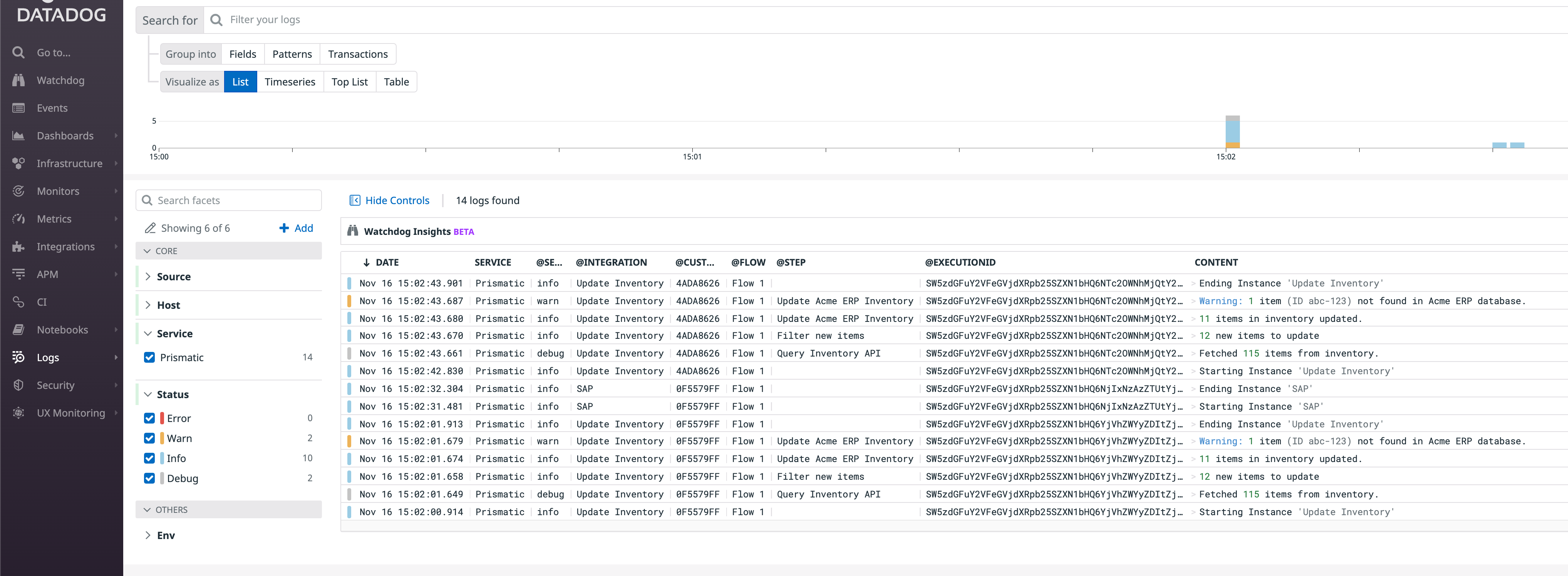
For security reasons, Datadog prohibits sending logs directly from your web browser when using an API key. As a result, the TEST PAYLOAD button doesn't work with Datadog. Rest assured, you should see instance logs in Datadog as long as your API key is valid.