Cancel Queued Executions
When a flow uses throttled or FIFO concurrency, requests that arrive while the flow is at its concurrency limit wait in a queue. If something sends an instance far more requests than you expect (a retry loop in a third-party app, a bulk import, or a misconfigured webhook), that queue can grow to thousands of executions. You can cancel the queued executions so they never run, instead of waiting for the queue to drain.
What gets canceled
Canceling applies to an entire instance. It cancels every execution that's waiting in a queue for any of the instance's flows at the moment you make the request.
- Running executions finish. Canceling only removes executions that haven't started. You can't stop an execution that's already running.
- New requests still run. Executions queued after your request aren't canceled. If the source of the extra requests is still sending them, stop it first or the queue will build again.
- Canceled executions don't run or retry. Prismatic marks each one with a Canceled status and a Canceled By User result type, and records who requested the cancellation and when.
Cancellation happens in the background, so it works for queues of any size. Executions that start before the cancellation reaches them run normally.
You can't choose individual queued executions or a single flow to cancel. Canceling queued executions isn't available in the embedded marketplace or the integration designer's test runner.
Canceling queued executions in the Prismatic app
You need permission to edit the instance to cancel its queued executions.
From an instance's Executions tab
- Open the instance and select its Executions tab.
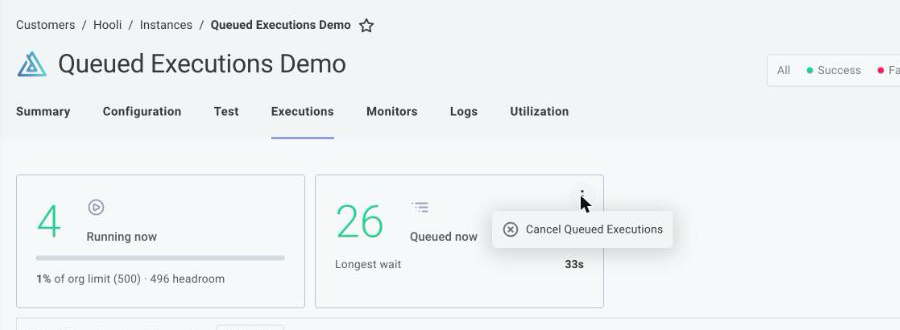
- Select the Queued (or Running) status filter at the top of the page. The Running now and Queued now execution load tiles appear above the executions list.
- Click the ⋮ menu on the Queued now tile and select Cancel Queued Executions.
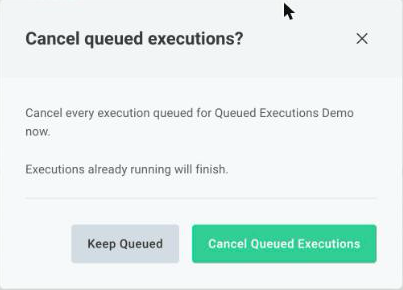
- Review the confirmation and click Cancel Queued Executions.
Click Keep Queued to close the dialog without canceling anything.
From the Executions page
When you're not sure which instance is backed up, start from the Executions page in the left-hand sidebar, or from a customer's or integration's Executions tab. Select the Queued (or Running) status filter. The Top instances by load tile lists the instances with the most running and queued executions. Click the ⋮ menu beside an instance and select Cancel Queued Executions, then confirm.

Select Filter to this set instead if you want to inspect that instance's executions before canceling them.
Confirming that executions were canceled
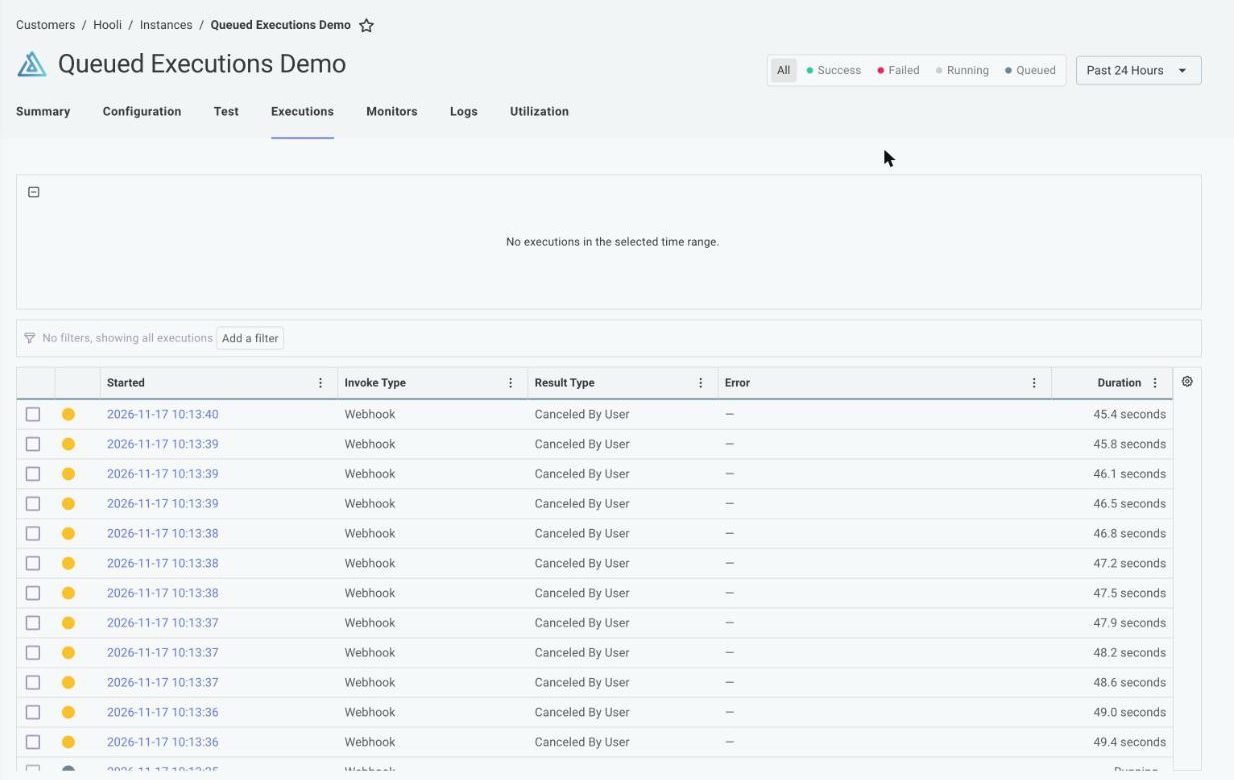
After you confirm, Prismatic shows a message that it's canceling the queued executions. Statuses update as the cancellation finishes, so expect a short delay. Large queues take longer to update.
Canceled executions show Canceled By User in the Result Type column of the executions list.
Open a canceled execution to see who canceled it. The Summary tab shows a Canceled By card, and the Timeline tab shows a Canceled by user event with the user's name.
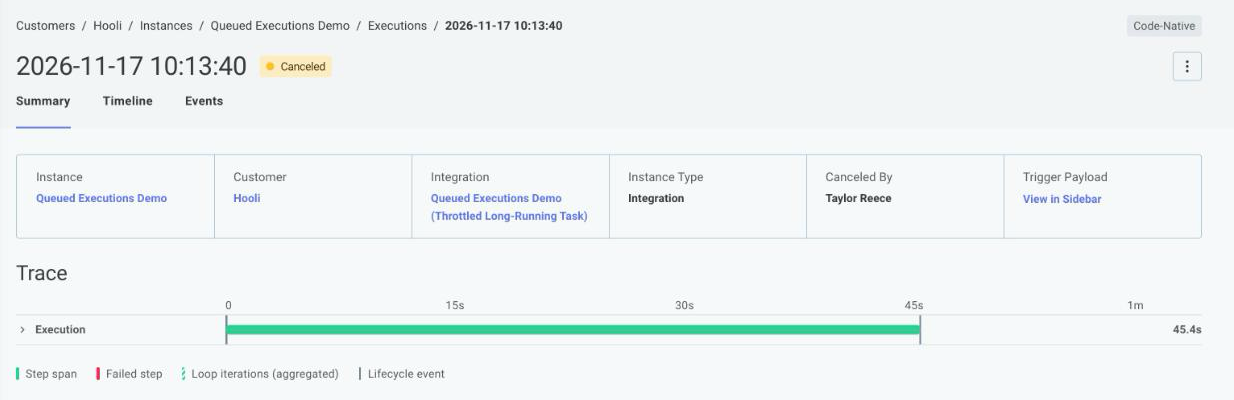
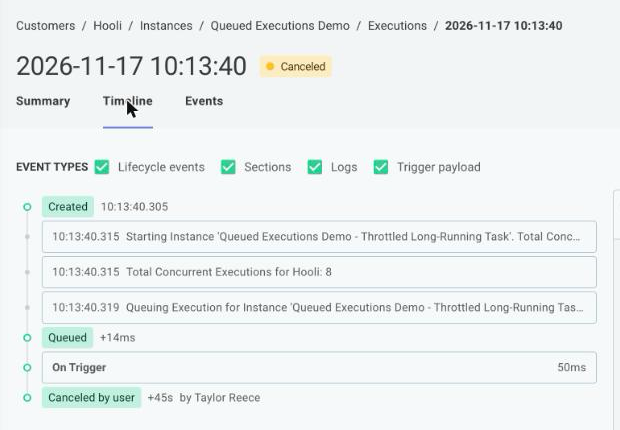
Executions removed with the clearAllFifoData or removeFifoQueueItems mutations are also marked Canceled By User, but no user is recorded, so their Canceled By card shows Queue operation.
Canceling queued executions programmatically
You can cancel queued executions from a script or an operations runbook with the Prism CLI or the Prismatic GraphQL API. Both take an instance ID and follow the same rules as the app: they cancel executions queued at the time of the request, and the cancellation completes in the background.
With Prism
Use the instances:executions:cancel-queued command:
prism instances:executions:cancel-queued SW5zdGFuY2U6ZXhhbXBsZQ==
With the GraphQL API
Use the cancelAllQueuedExecutionsForInstance mutation:
mutation {
  cancelAllQueuedExecutionsForInstance(
    input: { id: "SW5zdGFuY2U6ZXhhbXBsZQ==" }
  ) {
    instance {
      id
    }
    errors {
      field
      messages
    }
  }
}
The mutation returns as soon as Prismatic accepts the request, before the executions are canceled. It succeeds even if nothing is queued.
To review canceled executions, query executionRuns.
Canceled executions have a status of CANCELED and a resultType of CANCELED_BY_USER.
The cancelRequestedAt and canceledBy fields record when the cancellation was requested and by whom:
query {
  executionRuns(
    first: 10
    startedAtGte: "2026-11-17T00:00:00Z"
    startedAtLte: "2026-11-18T00:00:00Z"
  ) {
    edges {
      node {
        id
        instanceName
        status
        resultType
        cancelRequestedAt
        canceledBy {
          name
        }
      }
    }
  }
}