What is the Embedded Marketplace?
The embedded marketplace is where your customers find, activate, and manage your integrations without leaving your app. Customers choose an integration, connect their accounts, and configure it themselves, so your team doesn't deploy each integration by hand.
You decide how that experience looks. It can be a catalog built with your own design system, a short list of Connect buttons on a settings page, or Prismatic's ready-made marketplace in an iframe. Every option uses the same integrations, the same embedded user authentication, and the same instances, so you can start with one and add another later.
Ways to present integrations
Prismatic provides two SDKs for embedding integrations:
- Solis (
@prismatic-io/solis-reactand@prismatic-io/solis-core) supplies marketplace data and actions, and your app renders every card, form, and button. - The embedded SDK (
@prismatic-io/embedded) renders Prismatic's marketplace and config wizard in an iframe that you theme to match your app.
The examples below come from Prismatic's example embedded app, which you can run and read alongside these guides.
Custom marketplace
Build a marketplace with your app's own components. Solis lists the integrations in your marketplace, with search and category filters, along with each customer's instances and their status. Your app decides the layout: cards, a table, a page per integration, or a section inside an existing settings screen.
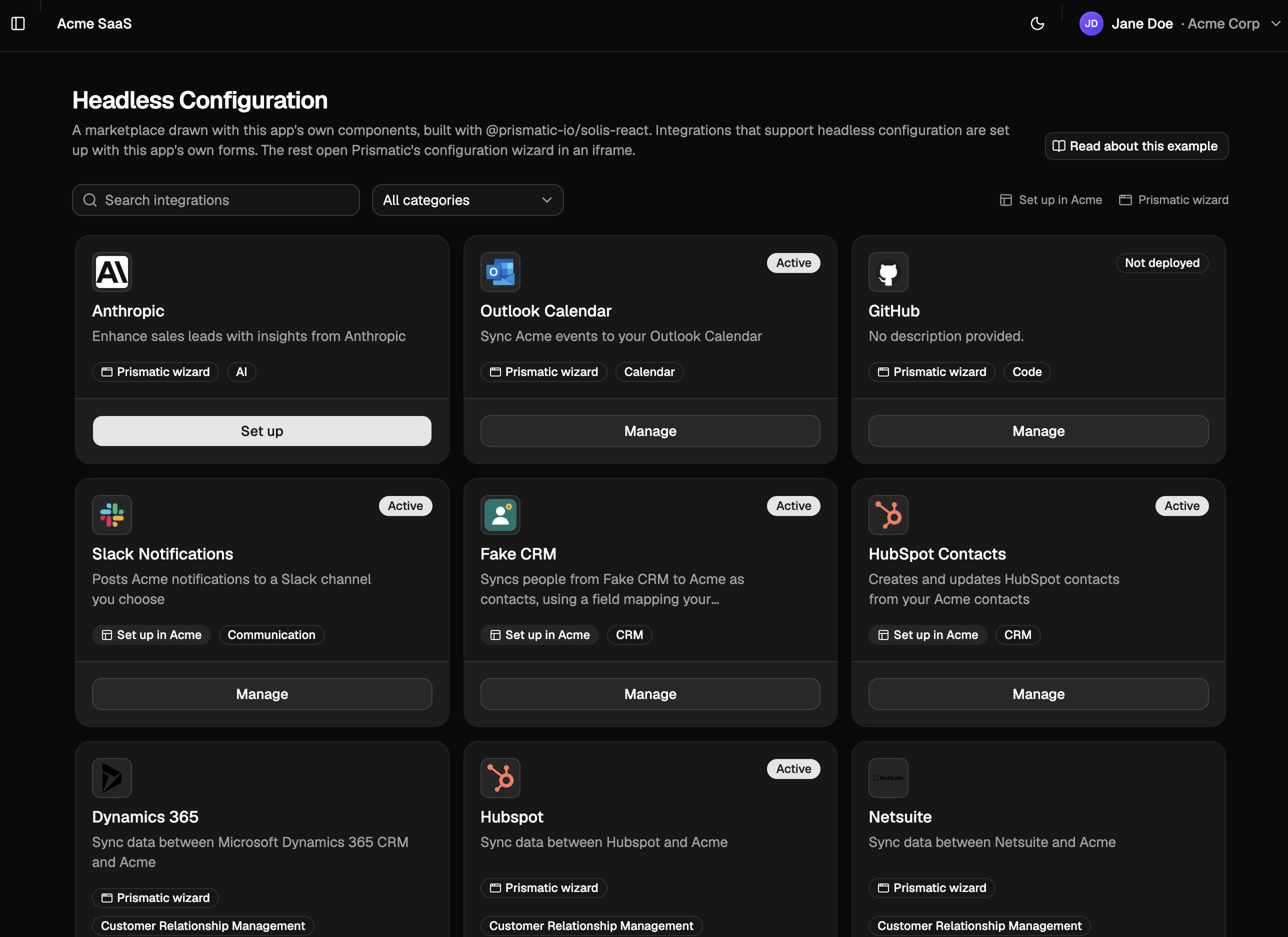
When a customer sets up an integration, your app chooses how to configure it:
- Integrations that use headless configuration are configured with your own forms, such as a field mapper with a live preview. You choose how to present them, such as on a single page or as a multi-step wizard. See Present a configuration as a page or a wizard.
- Integrations that use config pages open Prismatic's config wizard, which Solis renders inside your dialog with
HostedConfiguration.
Choose a custom marketplace when you want the marketplace to look and behave like the rest of your app, or when you list integrations built outside Prismatic alongside your Prismatic integrations.
The screenshot shows the example app's Headless Configuration page, in headless-configuration.tsx.
Get started: Build a custom marketplace with Solis
One-click connect
Present integrations as a list, each with a Connect button. One click creates the customer's instance, opens the third-party app's OAuth consent screen, applies the configuration the integration suggests, and deploys. When an integration needs a choice the customer must make, such as which Slack channel to post to, your app asks for only that setting in a dialog.
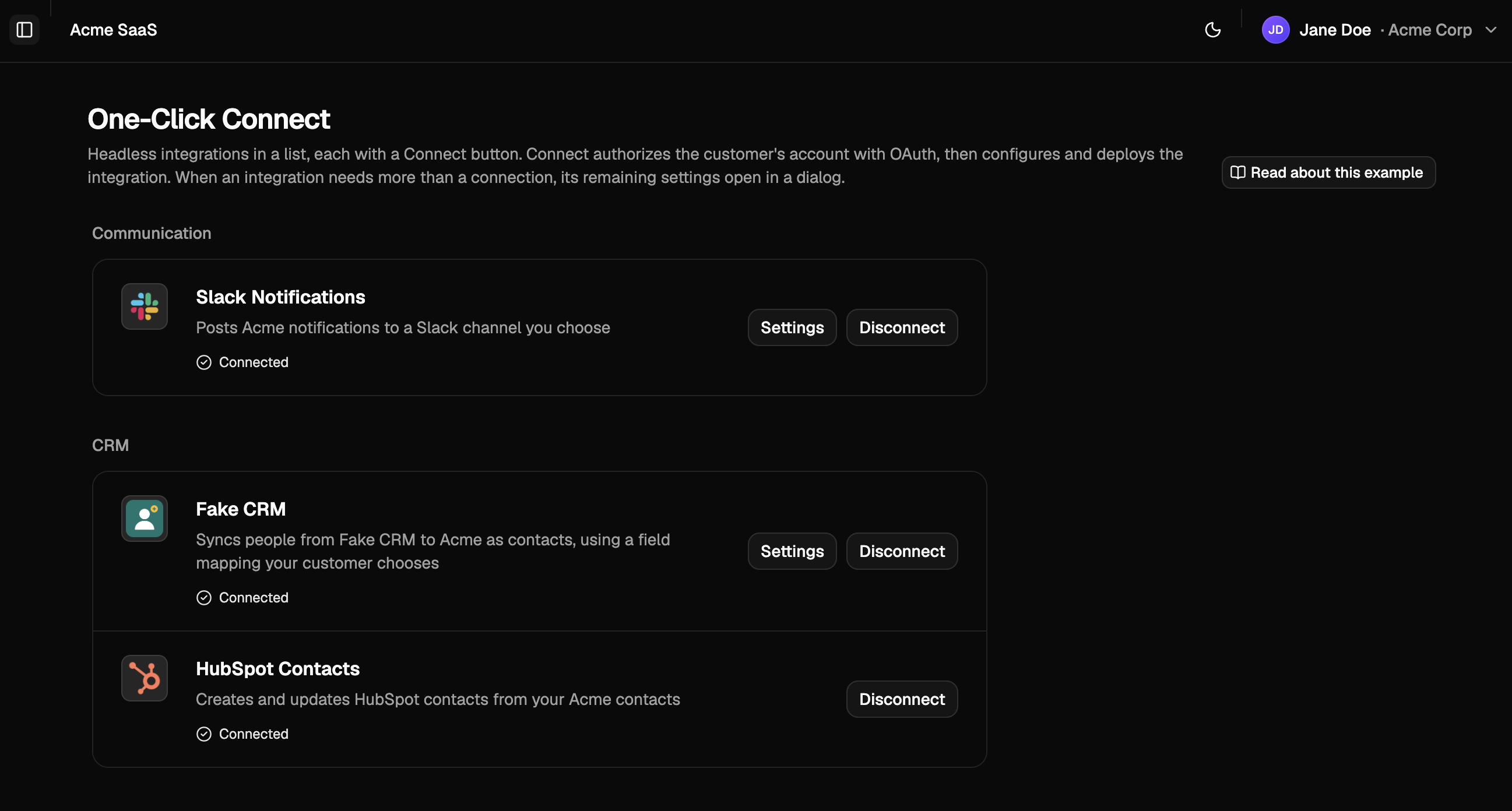
One-click connect works with integrations that use headless configuration and authorize through a customer-activated connection.
The integration's init function supplies the suggested configuration, so an integration that needs nothing beyond a connection deploys as soon as the customer authorizes it.
Choose one-click connect when your integrations need little configuration, and you want customers to turn them on as quickly as they would connect an account.
The screenshot shows the example app's One-Click Connect page, in headless-one-click-list.tsx.
Get started: Build a one-click connect list with Solis
Embedded iframe
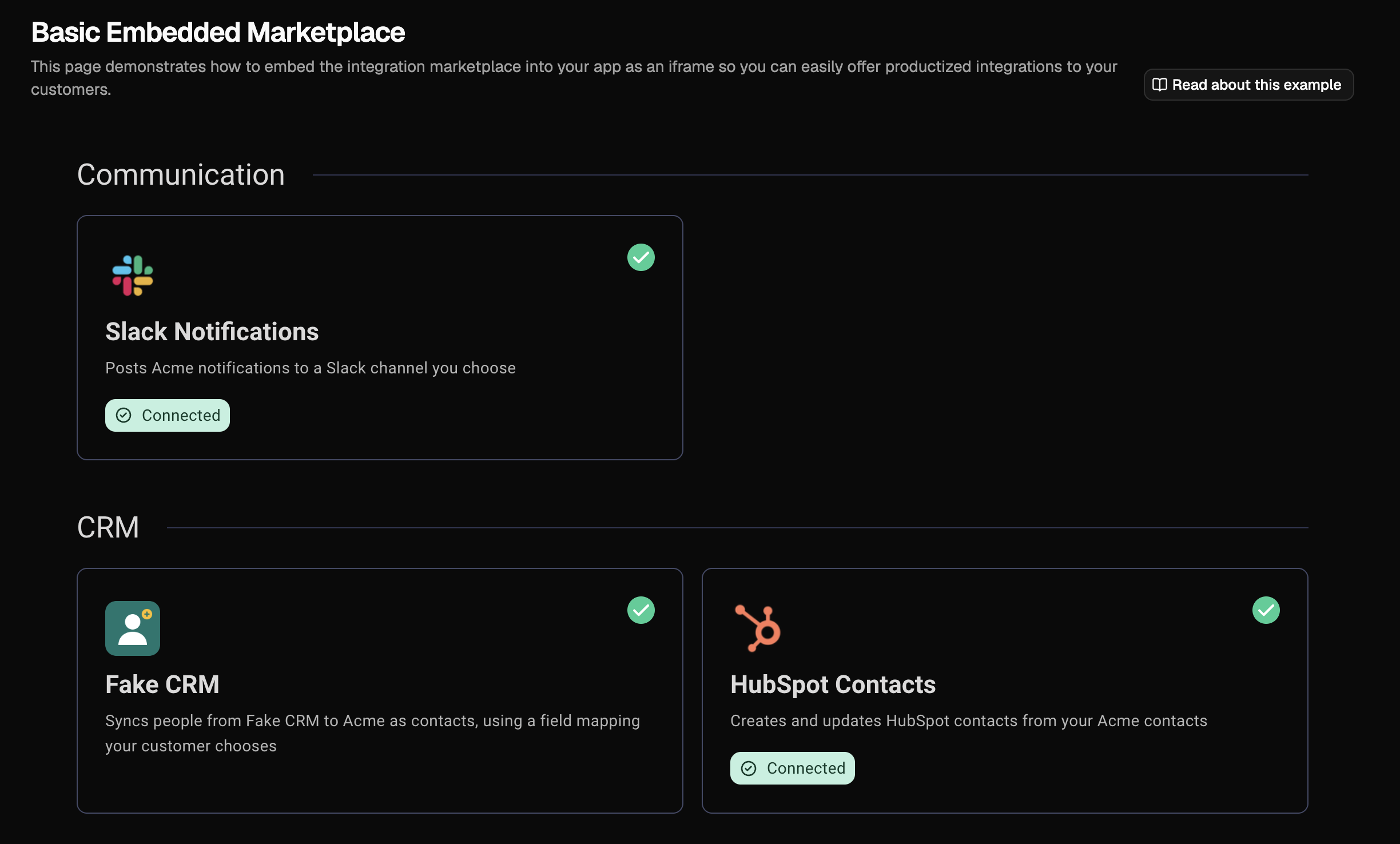
Embed Prismatic's marketplace in your app with a few lines of code. The marketplace lists your integrations, opens the config wizard, and lets customers view, reconfigure, pause, and remove their instances. You can display it inside an element on your page or as a popover, and theme its colors and typography to match your app.
import prismatic from "@prismatic-io/embedded";

prismatic.init();
await prismatic.authenticate({ token: customerToken });

prismatic.showMarketplace({
  selector: "#marketplace-container",
});
Choose the embedded iframe when you want a complete marketplace with the least development effort, and Prismatic's screens, themed to your brand, fit your app.
The screenshot shows the example app's Basic Embedded Marketplace page, in basic-embedded-marketplace.tsx.
Get started: Explore marketplace options
What every option provides
Whichever presentation you choose, customers deploy integrations themselves, which removes the need for your team to configure each instance and lets a new customer start using an integration right away. Both SDKs also support:
- Your marketplace's integrations: You choose which integration versions are available and deployable in the marketplace. See Preparing for marketplace.
- Search and filtering: Filter integrations by category or label, and search by name.
- Multiple instances: Let customers deploy more than one instance of an integration, such as one per Shopify store.
- Instance management: Customers can reconfigure, pause, resume, and remove their instances.
Next steps
- Authenticate embedded users with your app's existing sign-in
- Build a custom marketplace UI with Solis
- Embed the marketplace with the embedded SDK
- Design a config wizard or use headless configuration for your integrations