Organization-Activated Global Connections
Organization-activated global connections are used when your customers' instances reference a third-party account you own. Your customers won't see organization-activated global connections when configuring an instance.
For example, your organization may have a Twilio API key that all of your customers' instances will use for SMS. You want your customers to be able to send SMS messages through your organization's Twilio account, but you don't want each customer to have to enter your Twilio API key when configuring their instance.
Creating a new organization-activated global connection
To create a new organization-activated global connection, open your organization's settings page by clicking your organization's name on the bottom-left, and then open the Connections tab.
- Select + Add Connection.
- Select a connector and connection type
- Under Connection Type, select Organization-Activated Global Connection
- Give your organization-activated global connection a recognizable name and description.
- If the connector supports more than one connection type (like OAuth 2.0 and Personal API Key), select the connection type you'd like to use.
- If you have more than one Prismatic tenant (e.g. US and EU tenants, or dev and prod tenants), update the default Stable Key to the same value in each tenant. That key will be used to match up organization-activated global connections across your tenants.
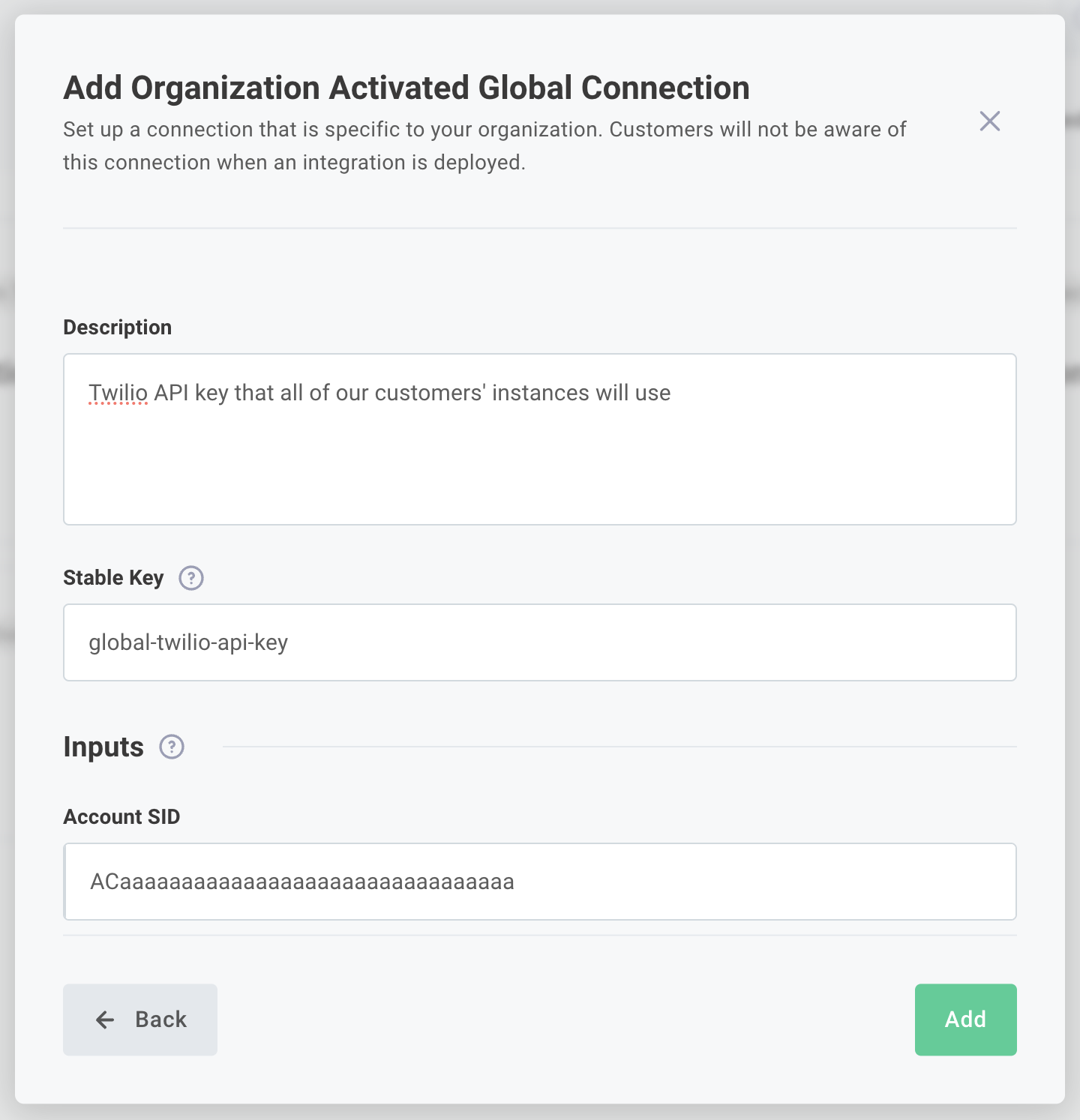
- Fill in all connection inputs and then click Next. If you're creating an OAuth 2.0 connection, you'll be prompted to go through the Authorization Code flow on the next screen. After that, you'll be prompted for test configuration, which allows you to use a distinct configuration in the test runner than will be used for production instances.
Using an organization-activated global connection in an integration
The next time you add a connection to an integration, if you have an organization-activated global connection defined for that connection type, your integration designer will automatically reference it.
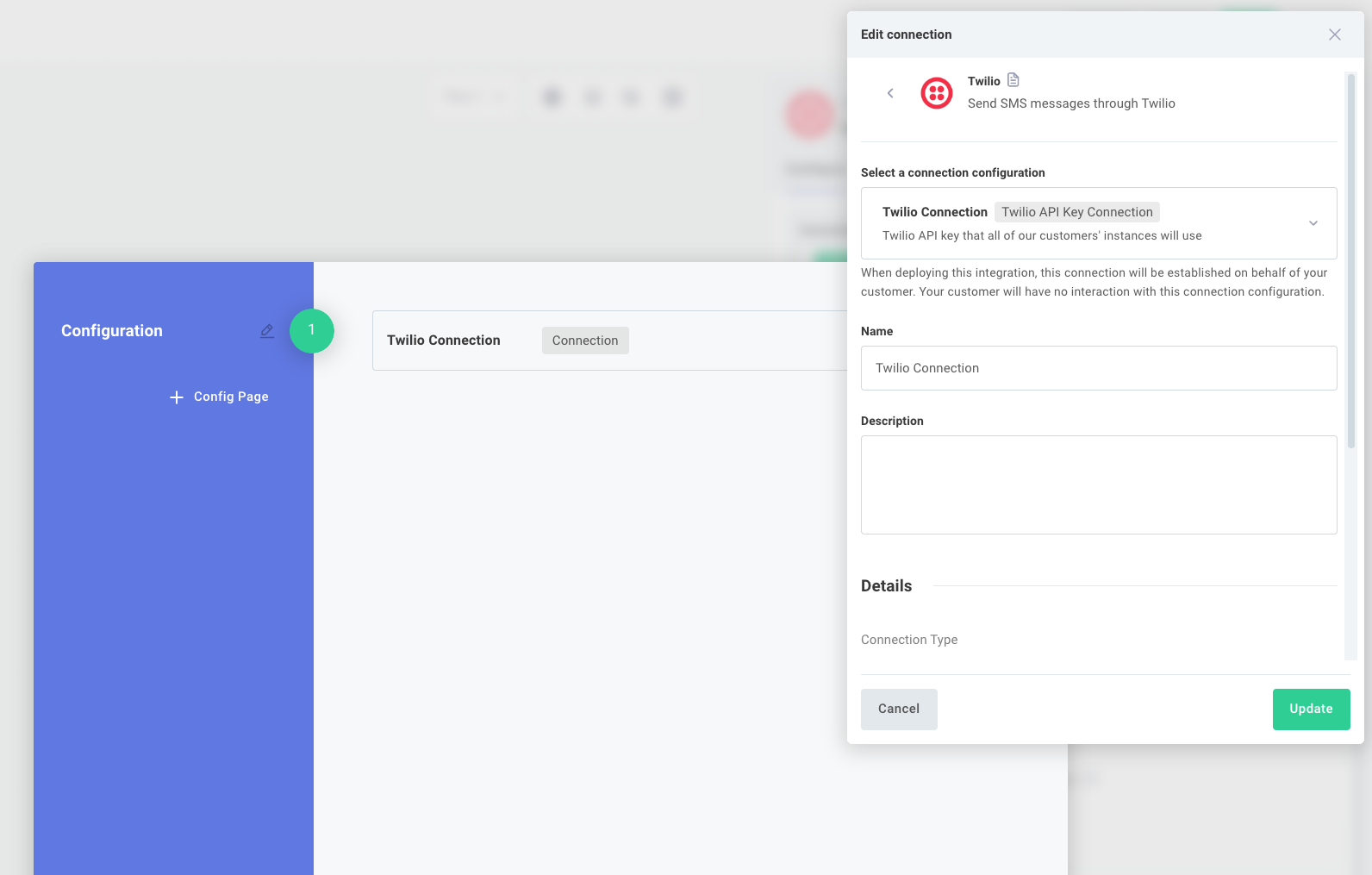
When running a test execution within the integration designer, the test connection that you set previously will be used. If you did not set up a test connection on the organization-activated global connection, the default global connection will be used.
If you deploy this integration to a customer, the global connection will be used. The customer will not see the connection as they walk through your integration's config wizard.
FAQ
What will customer users see?
Nothing. You as an organization will create the global connection. When a customer configures an instance that relies on that connection, no UI elements will appear in their config wizard.
Can organization-activated global connections be used if I have multiple tenants?
Yes. If your organization has multiple tenants (for example, a US and EU tenant, or a dev and prod tenant), be sure to assign your organization-activated global connections the same Stable Key in each tenant. Then, when you sync integrations between tenants, your integrations will automatically use the correct organization-activated global connection in the new tenant.