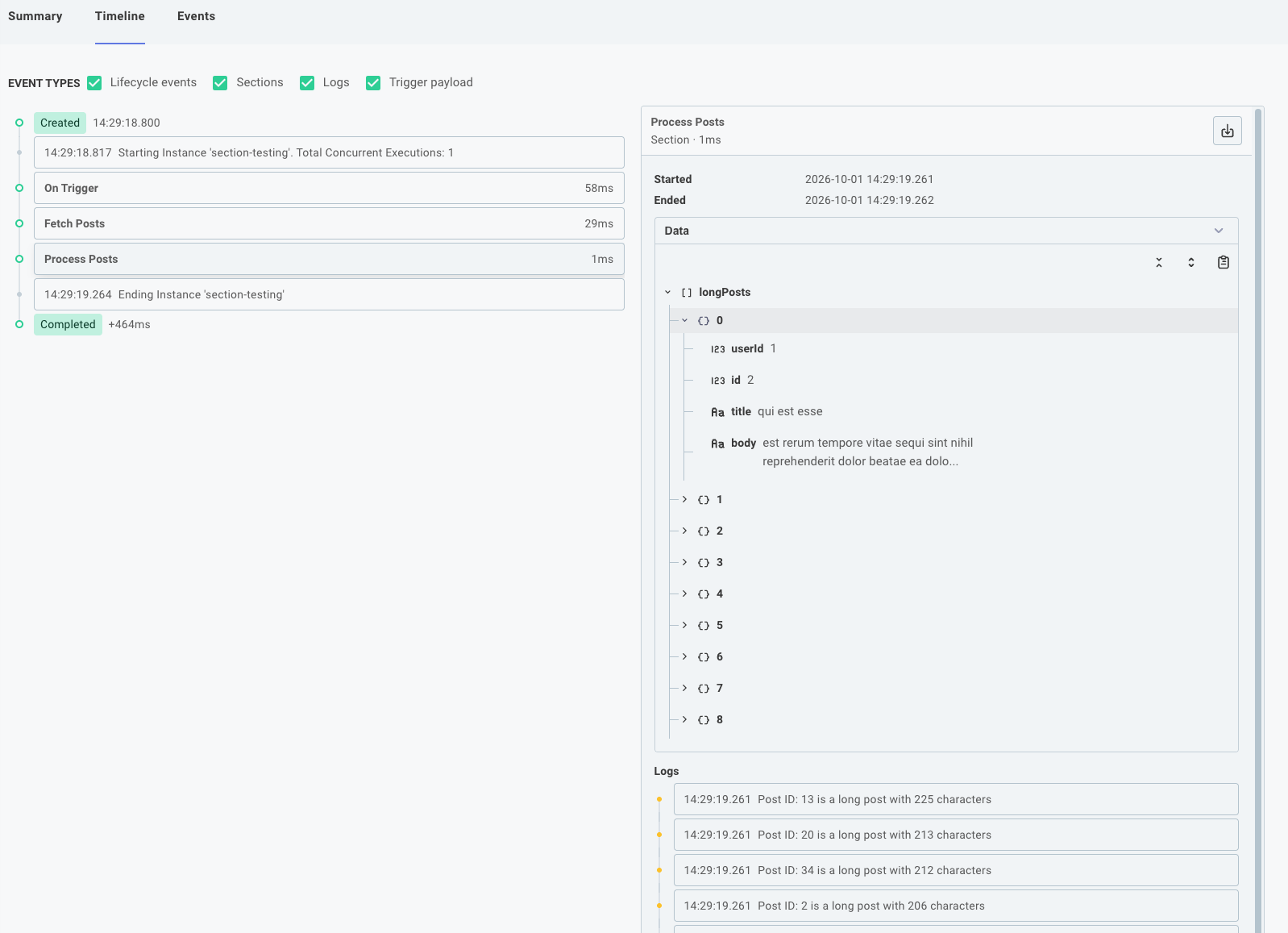
Logging and Sections
It's helpful for debugging a code-native integration to group your logs into named sections.
This makes it easier to understand the flow of execution and identify issues within specific parts of your onExecution functions.
To start using logging sections, call context.logger.section("Section Name") at the beginning of a section and context.logger.sectionEnd({ label: "Section Name", data: { /* any relevant data */ } }) at the end of the section.
Any logs generated between these calls will be grouped under the specified section, and the data provided in sectionEnd() will be available for inspection in the Prismatic app.
Logging sections example
In this example, we have two logging sections: one for fetching posts and another for processing posts.
For visibility, each section logs will be grouped with the section they're contained in, and you can view the data posted from each sectionEnd() call in the Prismatic app.
export const fetchPosts = flow({
  name: "Fetch Posts",
  stableKey: "fetch-posts",
  description: "Fetch posts from JSON Placeholder",
  onExecution: async (context) => {
    const endpoint = "https://jsonplaceholder.typicode.com/posts";

    // This log line appears outside of a logging section
    context.logger.info(`Fetching posts from ${endpoint}`);

    // Start a new logging section. Any logs from here until `.sectionEnd()` will be grouped
    context.logger.section("Fetch Posts");
    const { data: posts } = await axios.get<Post[]>(endpoint);
    context.logger.info(`Fetched ${posts.length} posts from JSON Placeholder`);
    // End the logging section for fetching posts and return the posts as a step result
    context.logger.sectionEnd({ label: "Fetch Posts", data: { posts } });

    context.logger.section("Process Posts");
    const longPosts: Post[] = [];
    for (const post of posts) {
      if (post.body.length > 200) {
        context.logger.warn(
          `Post ID: ${post.id} is a long post with ${post.body.length} characters`,
        );
        longPosts.push(post);
      }
    }
    context.logger.warn(`Found ${longPosts.length} long posts`);
    context.logger.sectionEnd({ label: "Process Posts", data: { longPosts } });

    return { data: null };
  },
});