Testing Instances
After deploying an instance to a customer, you'll want to test it to ensure it functions correctly. This guide covers the various ways to invoke and test instances in different environments.
Invoking instances
An instance's flows can be invoked one of four ways:
- You can set up your integration to run on a schedule
- You can invoke them through a webhook
- You can configure your flow to run on deployment or on instance removal
- You can test a flow manually
Testing instances from the web app
You can invoke an instance outside of its cron schedule or webhook invocations to ensure it functions properly. To run a test of an instance, open the Test tab. You can enter a test payload body and custom HTTP headers to simulate a webhook trigger payload. Click the Run button to invoke the test.
Alternatively, look up the ID of a flow in an instance with prism instances:flow-configs:list ${INSTANCE_ID} and then run prism instances:flow-configs:test ${FLOW_ID} from the command line.
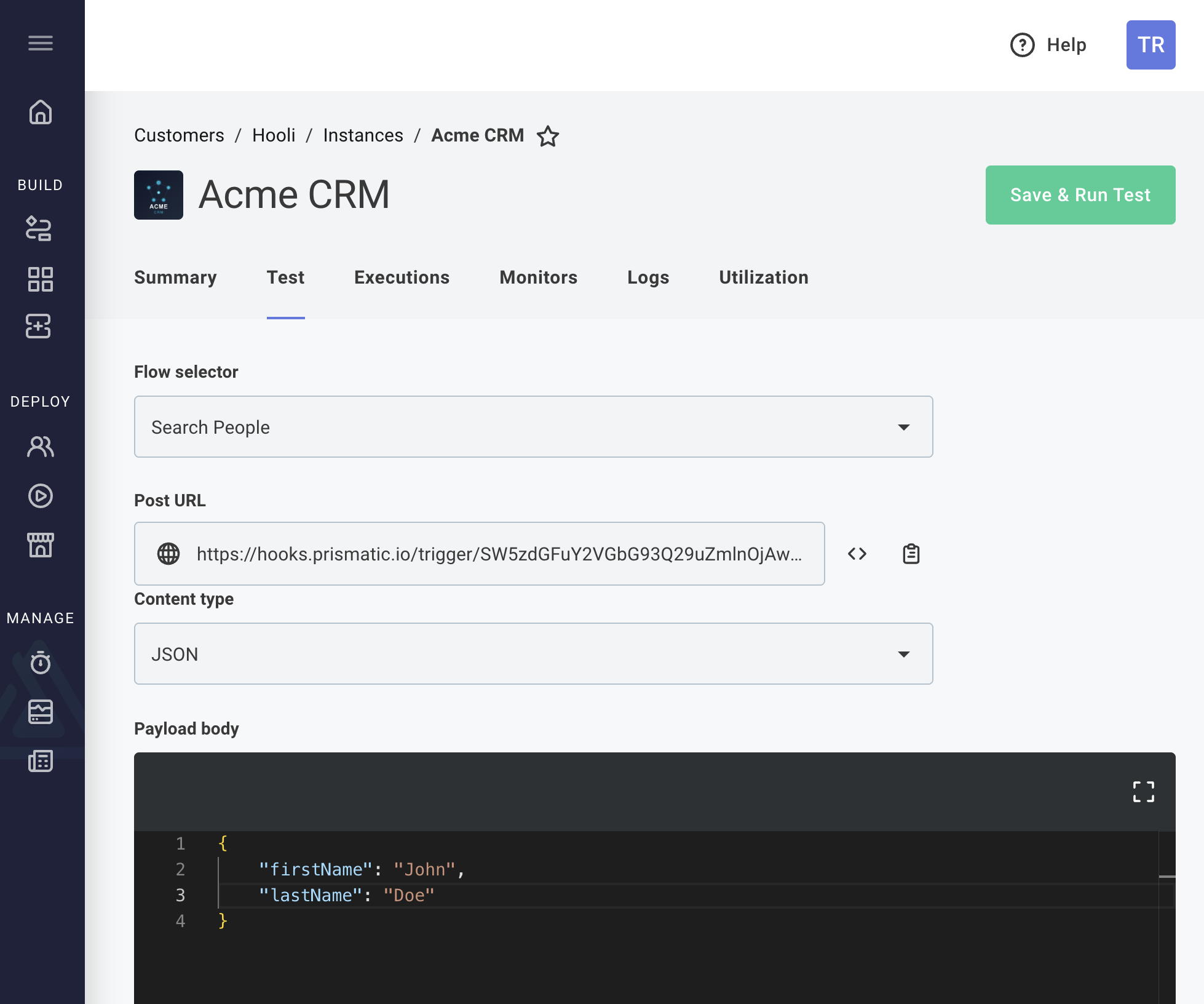
Logs from the test can be found by clicking the Logs tab.
Invoking instances with webhook triggers
If you choose to invoke your instance's flows with a webhook trigger, Prismatic generates webhook URLs for each flow when you deploy the instance.
To invoke an instance's flow programmatically, you can send a POST request to the webhook URL with an optional payload.
Here's an example using curl, though you can use any language you prefer:
curl 'https://hooks.prismatic.io/trigger/EXAMPLE==' \
  --location \
  --header "Content-Type: application/json" \
  --data '{"examplePayloadKey": "examplePayloadValue"}'
More information: Webhook Triggers