Embedding the Logs Screen
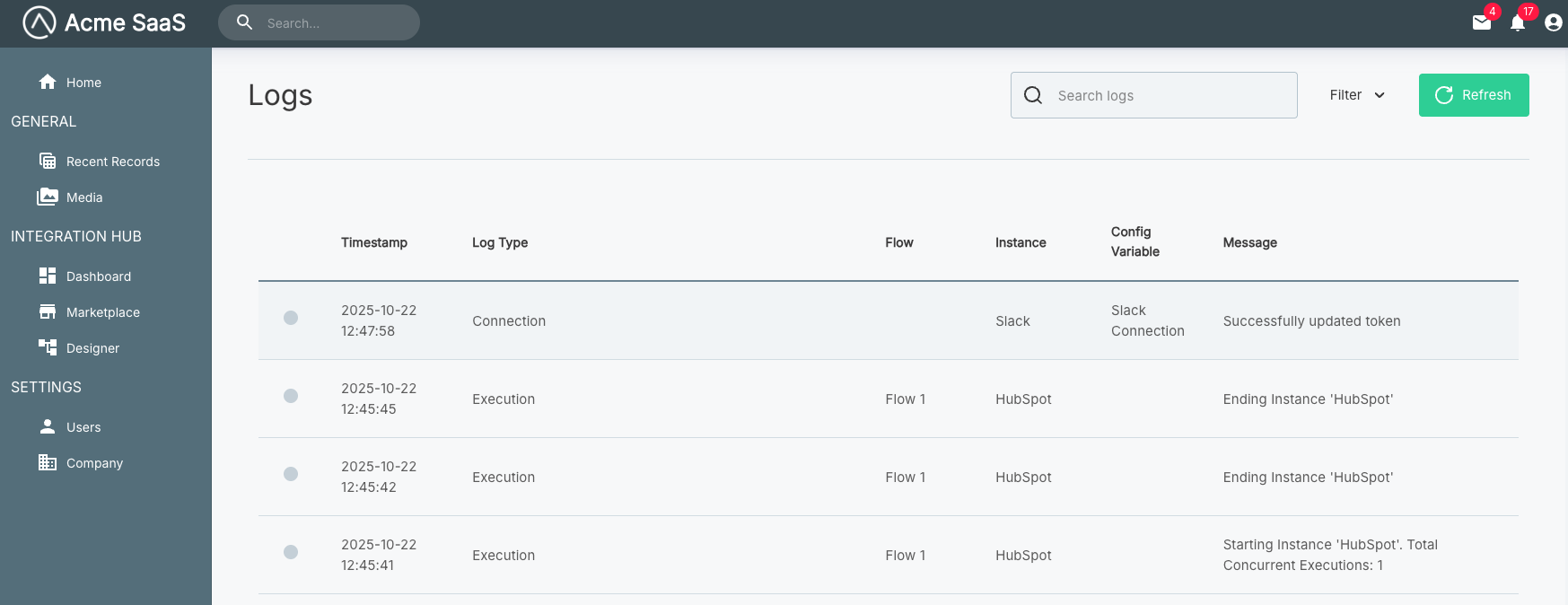
The showLogs() function embeds the logs screen, providing your customers with access to logs from all of their instances and workflows in one location. This is the same view you would see as an organization team member when opening a customer's logs tab.
Basic usage
Show all instance logs
import prismatic from "@prismatic-io/embedded";
import { useEffect } from "react";

const id = "logs-div";

function AllInstanceLogs() {
  useEffect(() => {
    prismatic.showLogs({ selector: `#${id}` });
  }, []);

  return <div id={id}>Loading...</div>;
}

export default AllInstanceLogs;
Configuration options
The showLogs() function accepts a configuration object. See the Additional Screens Overview for available options including selector, usePopover, theme, autoFocusIframe, filters, screenConfiguration, and translation.
Complete example
Logs screen with full configuration
import prismatic from "@prismatic-io/embedded";
import { useEffect } from "react";

const id = "logs-div";

function AllInstanceLogs() {
  useEffect(() => {
    prismatic.showLogs({
      selector: `#${id}`,
      usePopover: false,
      theme: "LIGHT",
      autoFocusIframe: true,
    });
  }, []);

  return <div id={id}>Loading...</div>;
}

export default AllInstanceLogs;