Embedding the Connections Screen
The showConnections() function embeds the connections screen, allowing your customers to manage all of their reusable connections in one place.
Version Requirement
This function requires @prismatic-io/embedded@4.2.0 or later.
Basic usage
Showing the connections screen
import prismatic from "@prismatic-io/embedded";
import { useEffect } from "react";

const id = "connections-div";

function Connections() {
  useEffect(() => {
    prismatic.showConnections({ selector: `#${id}` });
  }, []);

  return <div id={id}>Loading...</div>;
}

export default Connections;
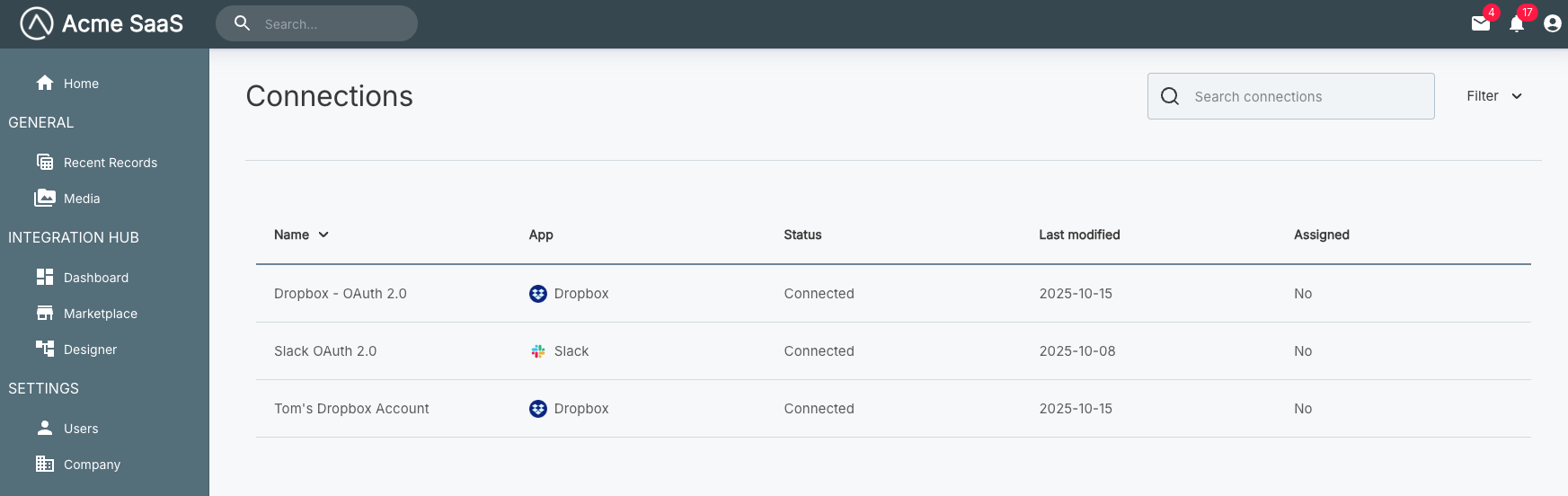
Clicking on a connection from the list view will open the connection detail screen. From there, customers can view the instances and workflows that use that connection, as well as edit or delete the connection.
Configuration options
The showConnections() function accepts a configuration object. See the Additional Screens Overview for available options including selector, usePopover, theme, autoFocusIframe, filters, and translation.
Complete example
Connections screen with full configuration
import prismatic from "@prismatic-io/embedded";
import { useEffect } from "react";

const id = "connections-div";

function Connections() {
  useEffect(() => {
    prismatic.showConnections({
      selector: `#${id}`,
      usePopover: false,
      theme: "LIGHT",
      autoFocusIframe: true,
    });
  }, []);

  return <div id={id}>Loading...</div>;
}

export default Connections;