
Changelog

Prismatic Changelog

Stay up to date with the latest changes and improvements to our product.

26 posts tagged with "Runner"

How integrations run - triggers, schedules, concurrency and queueing, retries, replays, and persisted state.

View All Tags

Configurable Webhook Endpoints

You now have more control over how webhook endpoints are configured for deployed instances. You already had the option to create a webhook endpoint for each flow of each deployed instance (Instance and Flow-Specific). You can now select two other configuration options:

  • Instance-Specific: Create a single webhook endpoint for each instance. Identify which of the instances' flows should run based on data in the webhook request.
  • Shared: Create a single webhook that is shared by all customers who have a particular integration. Route the webhook request to a flow in a specific customer's instance based on data in the webhook request.

Both of these additional configuration options allows you to route webhook requests to a particular customer and flow based on the data that comes in to the webhook. If the data that comes in needs additional processing, or if you need to look up a flow's name or customer's ID, you can assign one of your integration's flows to be a Preprocess Flow - a flow that's run when a webhook is invoked and aids in making sure the request gets to the right place.

For more information, check out our webhook docs.
Deploy-Time Triggers

You can now configure integration flows with triggers that are invoked when an instance is deployed to a customer. This is helpful if you have a set of "initialization" tasks that need to be completed once to set up a customer's instance.

A deploy-time flow could enable features in a third-party app, set up third-party users or permissions, create a directory structure in a file storage system, or even set up webhooks in a third-party application to point to the instance's other flows.

Check out our deploy trigger docs for more info.

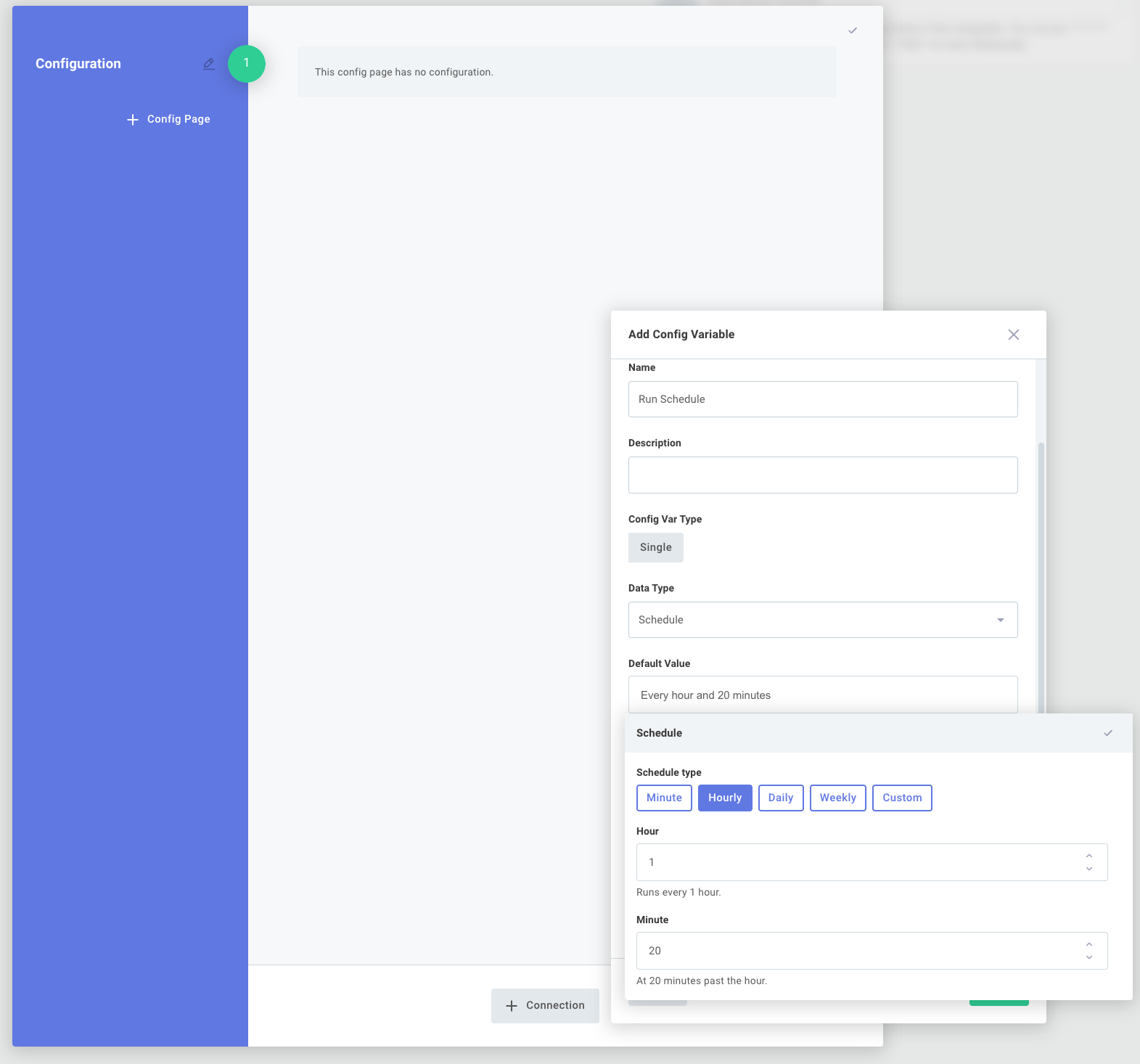
Configure Instances to Run on a Per-Customer Schedule

It's now much easier to configure instances of your integrations to run on a unique schedule for each of your customers. For example, Customer A could be set up to run the integration each day at 4:00PM, while Customer B could be set up to run the integration hourly, depending on their needs.

Configure instances to run on customer schedule via Prismatic app

For more information, check out our integrations article.

Persisting Instance State

Small amounts of data (state) can now be stored between instance executions. This is handy if you want to save some information about one instance execution to use later in a subsequent execution.

Prismatic handles several common state persistence scenarios for you through the new Persist Data and Process Data components. Check out the Integrations article to learn how to leverage state persistence in your integrations, or read the Writing Custom Components article to incorporate state persistence into your custom components.

Retry and Replay

Organizations with a professional or enterprise plan can now configure instances to automatically retry if an execution fails. You can control how many times an instance attempts to run with the same input, and how long it should wait between failed attempts. If you have an integration that relies on a flaky third-party API, for example, this minimizes interruptions for both your customers and your team.

You can also replay - manually retry - a specific failed execution of an instance.