
Changelog

Prismatic Changelog

Stay up to date with the latest changes and improvements to our product.

26 posts tagged with "Runner"

How integrations run - triggers, schedules, concurrency and queueing, retries, replays, and persisted state.

View All Tags

Polling Triggers

Many apps offer webhooks which notify you when something changes in their system. Not all apps support webhooks, though.

When an app doesn't offer webhooks, you need to poll their API periodically for new data. Today, we're releasing Polling Triggers - triggers that poll for new records and start an execution if new data is available to process.

We've added polling triggers to our Dropbox and Google Drive components, with more on the way!

You can read more about polling triggers here, or write your own.
Cross-Flow State Storage

You can now store and load across flows of an instance. One flow can save state, and another flow can load that saved state.

Check out our Persist Data for documentation on the new "Cross Flow" actions, and see our docs to build state storage into your custom components.

Step-Level Error Handling

Sometimes a step in an integration throws an error. This can be caused by a variety of external factors - temporary network connectivity issues, brief third-party API outages, etc.

You can now configure how the integration runner handles errors on each step. You can choose to stop the instance execution (that's the current default behavior), you can ignore the error and continue the run, or you can choose to wait and retry the step at a later time.

Read more in our docs.

Instance Remove Trigger

A new management trigger - Instance Remove has been added to the Management Triggers component. Flows that use the instance remove trigger are run when an instance is deleted.

This new trigger is handy for cleaning up configuration created by the integration. For example, you can remove webhook configuration in third-party apps, or update our own API so your team knows that a customer removed an integration.

Sending Data Through URL Path

Some popular SaaS applications append URL paths to the webhooks that they're configured to use. So, given a webhook endpoint https://hooks.prismatic.io/trigger/EXAMPLE== they might send data to https://hooks.prismatic.io/trigger/EXAMPLE==/order/created.

You can now send data to webhook triggers four ways:

  • Request body
  • Request headers
  • URL parameters
  • URL path (added)

Check out our Sending data to webhook triggers article for more information.

Improved Shared Endpoint Configuration

Instance-specific endpoints (meaning all flows in an instance share one webhook URL) and shared endpoints (meaning all instances of an integration share one webhook URL) are now easier to configure, test and troubleshoot. Check out our Endpoint Configuration article for details.

Using the GET HTTP Verb to Invoke Instances

Instance webhook triggers can now be invoked using the GET HTTP verb in addition to the POST verb.

Some third-party apps (notably Dropbox among others) verify that a webhook endpoint is ready to receive requests with a GET request. They then send webhook payloads with POST requests. This change was made to support the initial verification GET requests.

Configurable Webhook Triggers

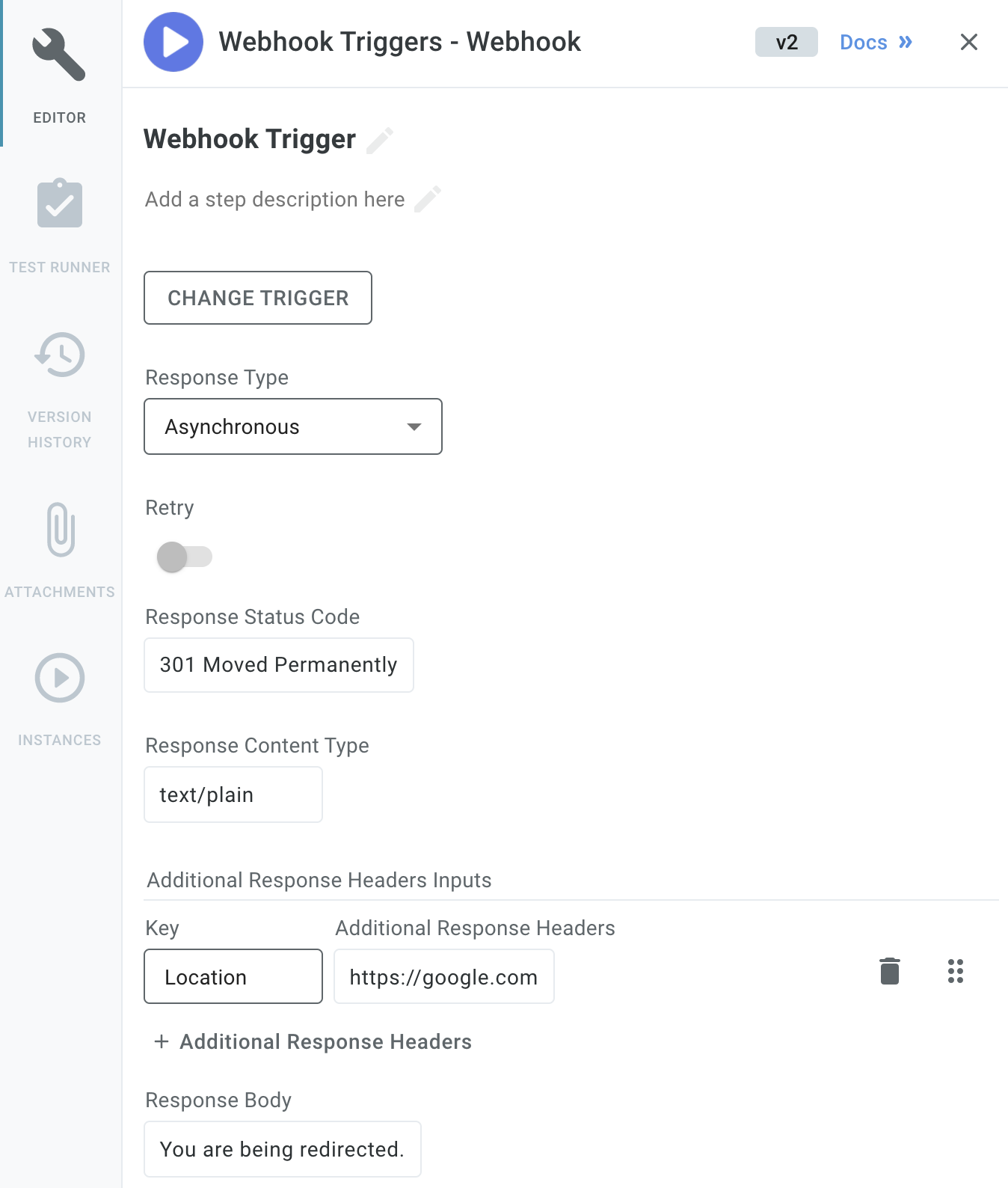
Configure webhook trigger in Prismatic app

The general webhook trigger is now more configurable. You can now specify the HTTP code, headers, response type, and response body that the webhook trigger returns to a webhook caller. This helps you handle APIs that require custom responses, and allows you to redirect webhook callers as needed.