Changelog

Prismatic Changelog

Stay up to date with the latest changes and improvements to our product.

27 posts tagged with "Embedded"

Embedding Prismatic in your own app - the embedded SDK, marketplace, theming, and internationalization.

View All Tags

Customer-Scoped Custom Components

Customer users can now build and deploy their own custom components, and can use those custom components in integrations they build in your embedded marketplace. This is handy if your customers need to build custom components to interact with their own internal systems, or if they need to build custom components that interact with third-party apps that you don't already support.

Read more about customer-scoped custom components on the Embedded Designer article.

Embedded designer improvements

Two new features were added to embedded designer:

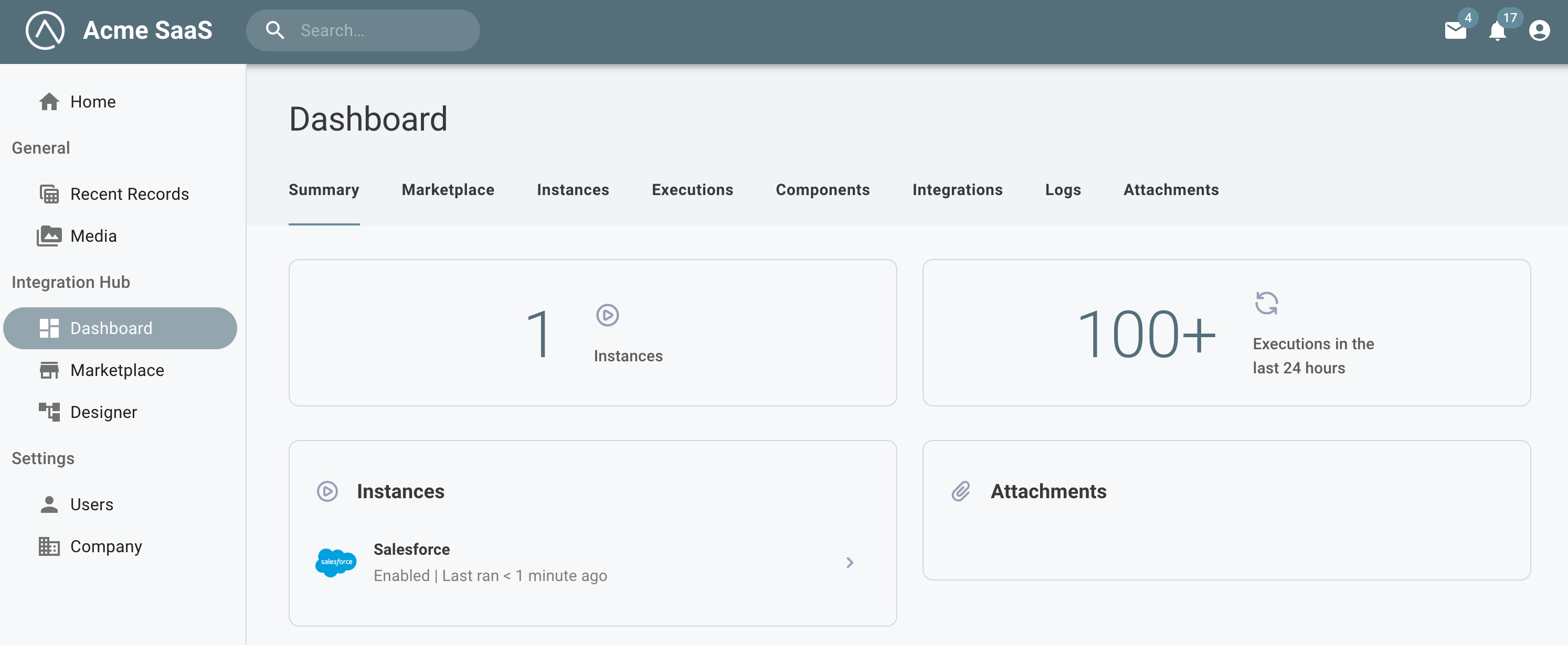
  1. You can now issue a prismatic.showDashboard() to give users a holistic view of their integrations, instances, executions, logs, and more. See docs for more information. Open the customer dashboard in embedded
  2. You can now filter the list of components that are available to your customers. See docs for more information.

Embedded Designer

Your customers may want to build integrations for themselves between your product and the other apps and services they use. Embedded designer allows your customers to log in to your app and build integrations using Prismatic's integration designer. You can provision your customers access to private components that you have built, and can provide your customers with "templates" that they can use as a starting point for building their own integrations.

Read more about the embedded designer on Embedding Integration Designer docs page.

If you're interested in using embedded designer, please contact support to discuss enabling embedded designer for your organization.

Embedded SDK v2.0.0

The newest version of the embedded SDK changes the Marketplace default of screenConfiguration.marketplace.configuration to allow-details instead of always-show-details. See docs for information on the integration configuration detail screen options.

New Embedded SDK

Along with embedded designer comes a new embedded SDK. If you are currently using @prismatic-io/marketplace for embedded marketplace, swap it out for the new @prismatic-io/embedded NodeJS package to begin using the embedded designer features. @prismatic-io/marketplace will continue to work, but @prismatic-io/embedded is a superset of features and new features and enhancements will only be added to the new embedded SDK.

Hide the Instance Details Configuration Page

You now have options for configuring how and if a marketplace user should access the integrations configuration details screen. This includes the ability to prevent a marketplace user from accessing the instance configuration details screen. This is useful if your customers should not access the Test, Executions, Monitors or Logs functionality. Check out our docs for more information.

Advanced Embedded Marketplace Filtering

You can now use logical operators like and, or, startsWith, notEqual and more to filter the integrations in your embedded marketplace. For example, if you would like to show all integrations that have a category "ERP" and label "paid", and would also like your Dropbox and Slack integrations to be displayed, a filter could look like:

[
BooleanOperator.or,
[
BooleanOperator.and,
[TermOperator.equal, "category", "ERP"],
[TermOperator.in, "labels", "paid"],
],
[TermOperator.equal, "name", "Dropbox"],
[TermOperator.equal, "name", "Slack"],
];

Read more about advanced filters in the docs.