Changelog

Prismatic Changelog

Stay up to date with the latest changes and improvements to our product.

27 posts tagged with "Embedded"

Embedding Prismatic in your own app - the embedded SDK, marketplace, theming, and internationalization.

View All Tags

Embedded Connections Management Screen

You can now embed a dedicated connections management screen in your application using the new prismatic.showConnections() function. This screen provides your customers with a centralized location to view and manage all of their reusable customer connections for both marketplace integrations and custom workflows.

What's new:

  • Unified connections view: Display all reusable connections in one place with the prismatic.showConnections() function
  • Connection details: Customers can click on any connection to view which instances and workflows use it
  • Full management capabilities: Edit or delete connections directly from the embedded screen
  • Seamless experience: Consistent connection management whether customers are working with marketplace integrations or custom workflows

Benefits:

  • Simplified connection management for customers who use the same credentials across multiple integrations
  • Better visibility into where connections are being used
  • Reduced need for custom connection management UI in your application

This feature requires @prismatic-io/embedded version 4.2.0 or later. See the embedding the connections screen documentation for implementation details.

Reusable Customer Connections

Customer connections are now easier to use. Your customers can now save their credentials once and reuse them across multiple marketplace integrations and custom workflows, eliminating the need to re-enter credentials they've already provided.

What's new:

  • Save and reuse credentials: When customers configure a marketplace integration or build a workflow, they can save their connection credentials and select from existing saved connections in future configurations
  • Cross-environment reusability: Connections created in the embedded workflow builder can be reused in marketplace integrations, and vice versa
  • Unified experience: Customers see a consistent connection management experience whether they're configuring an integration or building a custom workflow
  • Test credential support: Organizations can configure test credentials to preview the end-customer experience during development

Benefits:

  • Faster integration activation for customers who use the same third-party services across multiple integrations
  • Reduced friction in the configuration experience
  • Better alignment between marketplace and embedded workflow builder experiences

To enable this feature for your integrations, assign a customer connection to your marketplace integration and ensure you're using @prismatic-io/embedded version 4.2.0 or later.

Theming Update: Improved Coverage and Customization

We've expanded theme support across both the embedded and org-facing UI to deliver more consistent and brand-aligned experiences.

What's new:

You can now define a Neutral value in your theme settings, which dynamically generates the full neutral palette. Many UI elements (including inputs, dropdowns, hover states, filter menus, and more) now reference theme tokens for styling. Previously unthemable components have been updated to use a theme value that you can control for better alignment with your brand. Where theme improvements apply:

  • Embedded Workflow Builder
  • Embedded Designer
  • Configuration Wizard
  • Marketplace
  • Dashboard
  • Integration Listing Pages

These improvements enhance visual consistency, boost polish and professionalism, and help your product feel even more cohesive to end users.

Embedded Workflow Builder

We're excited to announce the next evolution of our embedded workflow builder (formerly embedded designer)! Based on extensive customer feedback, we've reimagined the experience to make customer self-service integrations simpler and more powerful.

Key improvements:

  • Streamlined workflow building: Configure connections and data sources as part of setting up step actions, eliminating the need for separate configuration wizards.
  • One-click publishing: Enable workflows instantly without additional marketplace configuration or instance setup steps.
  • Error Management: All errors consolidated within a single Status menu for faster troubleshooting.
  • Safe exploration: New read-only view allows examining workflows without risking accidental edits.
  • Consolidated inputs: Simplified input system consolidates Text, Config Variable, Reference, and Template inputs into a single, flexible type.
  • Native integration experience: Seamless embedding with customizable branding, terminology, and styling.

Existing customers using the previous embedded designer can continue using that functionality while having the option to upgrade to the new embedded workflow builder at no additional charge.

Read more about the embedded workflow builder in our blog post.

Hiding the initial config wizard page

You can now opt-in to remove the first page of the config wizard, creating a smoother activation process for your customers.

Opt-in by upgrading the embedded SDK to version 2.12.0 and setting the configurationWizard.mode to "streamlined". Read docs for more details.

This is completely optional and won't affect your existing implementations.

Requiring Components in Embedded Builder

If your customers to build integrations for themselves within your app using the embedded builder you may want to require that your customers' integrations include particular components (like your custom components).

You can now require that your customers include certain components in their integration before they are able to publish. Read more in docs.

Control Names of Branded Elements

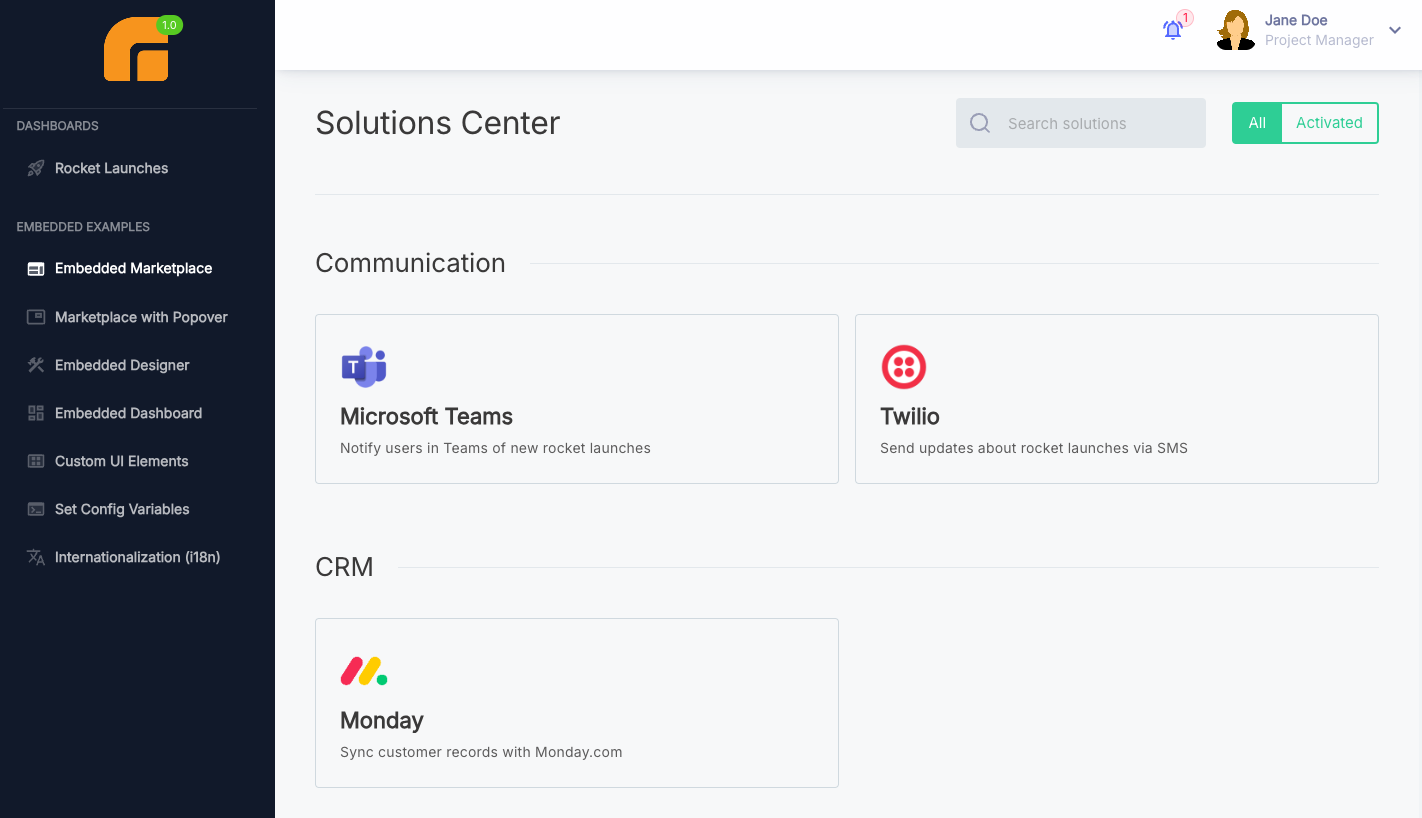
We call the place where your customers go to enable integrations the "Marketplace", and we call a set of flows with a config wizard an "Integration". But, your company may use other terms like "Solution" or "Workflow" to describe these concepts. You can now control the names of branded elements (like "Marketplace" or "Integration") and rename them to the names that you use internally.

Renamed marketplace in the embedded app

Changes you make will be reflected in the embedded marketplace and the embedded workflow builder. Read more about controlling the names of branded elements in docs.

Extended i18n Support

You can now provide translations for dynamic phrases in your embedded marketplace. That means that you can translate things like the names of your integrations, config variables, flows, steps, config wizard page titles, and more.

Update to the latest version of @prismatic-io/embedded and check out our docs to take advantage of this new feature.

Custom Fonts in Embedded

You can now use custom fonts in your embedded marketplace and designer. This is handy if you want to match the fonts in your embedded marketplace to the fonts in your app. Prismatic currently supports any font available in the Google Fonts catalog.

Read more about custom fonts in our docs.