Changelog

Prismatic Changelog

Stay up to date with the latest changes and improvements to our product.

15 posts tagged with "Deployment"

Customers, instances, and deployment - the config wizard, instance profiles, and self-service deployment.

View All Tags

Deploy-Time Triggers

You can now configure integration flows with triggers that are invoked when an instance is deployed to a customer. This is helpful if you have a set of "initialization" tasks that need to be completed once to set up a customer's instance.

A deploy-time flow could enable features in a third-party app, set up third-party users or permissions, create a directory structure in a file storage system, or even set up webhooks in a third-party application to point to the instance's other flows.

Check out our deploy trigger docs for more info.

Enhanced Versioning for Components, Integrations, and Instances

Versioning has been improved for components, integrations, and instances to give you more fine-grained control over exactly what code is deployed to customers.

Components are now assigned an integer version that increments each time the component is published. If a custom component is at "version 3" and you publish a new component definition, that new definition gets "version 4". This allows you to update or extend components without unintentionally impacting existing integrations that use them, ensuring your integrations remain stable. Integration builders can then update the component versions used in their integrations, or roll back to a previous versions when desired, and will be notified when newer versions of components are available.

Read more about Versioning of Components and Choosing Components Versions in Integrations.

Integration versioning has been improved, giving you more control over what versions of integrations you deploy to customers. When you publish new changes to an integration, similar to components, your integration is assigned a new version number. Then, when you deploy an instance to a customer, you can choose which version of the integration to use. That means you can have some customers on version 1, and others on version 2 as needed, giving you control over which customers have what, and allowing you to test a new integration version with a small subset of your customer base before deploying it broadly.

Rolling back an instance deployment is a breeze - if you deploy a new version of an integration to a customer and something seems off, you can easily roll back your instance to a known working version of the integration with a couple of clicks.

As always, updating customers' instances can be scripted, so you don't need to manually deploy a new version of an integration to each customer.

Read more about Publishing an Integration.
Customer Self-Service


It's now easier for your customers to manage instances of integrations that have been deployed to them. Customer users with admin permissions can update config variables and credentials that are associated with their instances. So, if their config or credentials for a third-party service change, they can log in and make the change without needing your help.

For more information on customer user roles and permissions, see the users article.

Configure Instances to Run on a Per-Customer Schedule

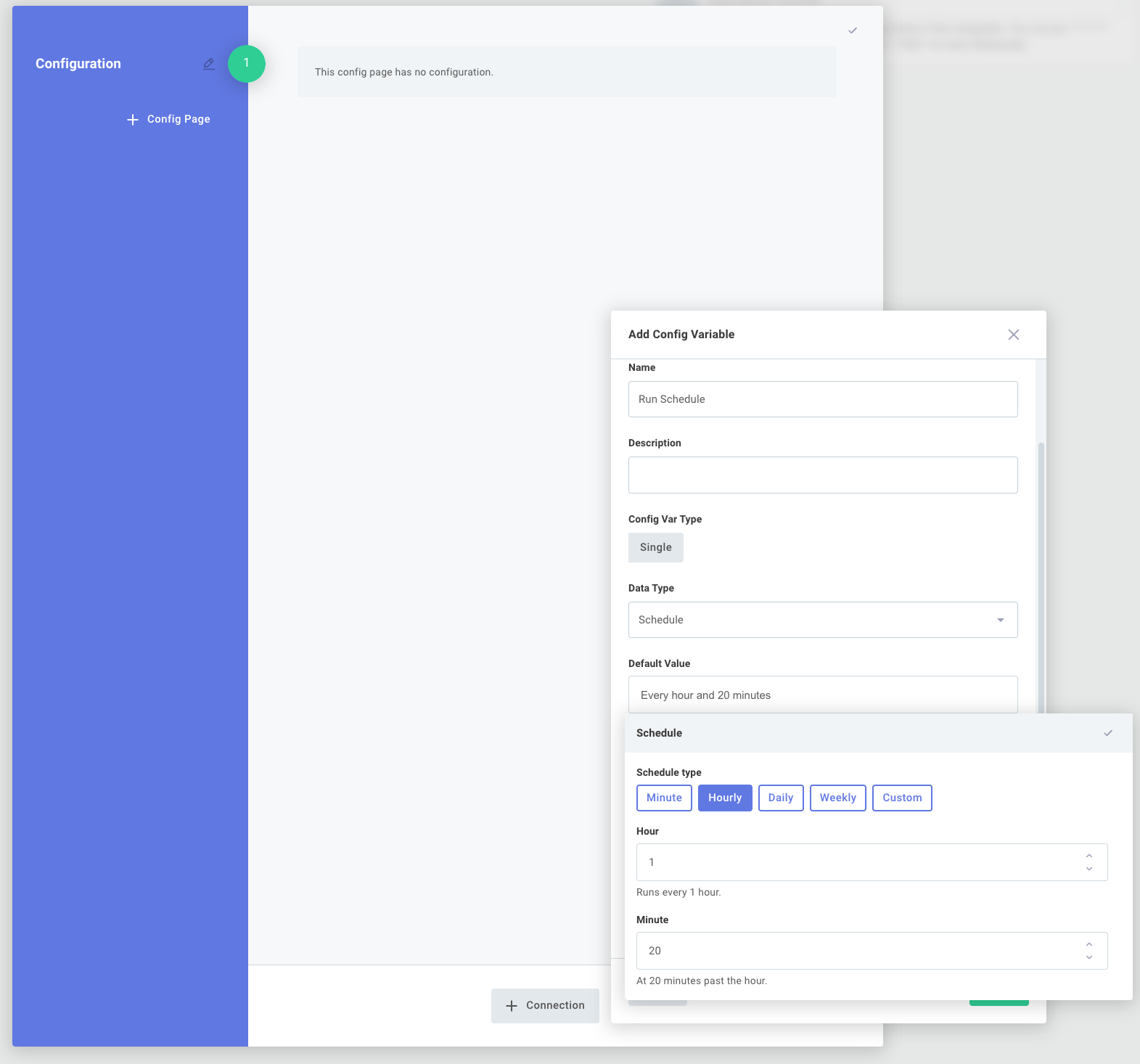
It's now much easier to configure instances of your integrations to run on a unique schedule for each of your customers. For example, Customer A could be set up to run the integration each day at 4:00PM, while Customer B could be set up to run the integration hourly, depending on their needs.

Configure instances to run on customer schedule via Prismatic app

For more information, check out our integrations article.

Intuitive Instance Deployment

Significant improvements have been made to credentials, integration configuration and instance deployment.

Integration builders now have the ability to create an easy-to-use configuration page for customer-facing teams. Builders can define config variable names, give hints as to what sort of data is expected, add headers, etc., giving their customer-facing teams an intuitive experience when it comes to deploying an integration.

Integration configuration and config variables via Prismatic app

This ultimately makes for easier and faster deployment of integrations, without the need for developer intervention. Read more about setting up config variables on our integrations article, and about the new instance configuration experience on the instances article.