Changelog

Prismatic Changelog

Stay up to date with the latest changes and improvements to our product.

7 posts tagged with "AI"

AI features across the platform - the copilot, MCP servers, and Prismatic skills for AI coding agents.

View All Tags

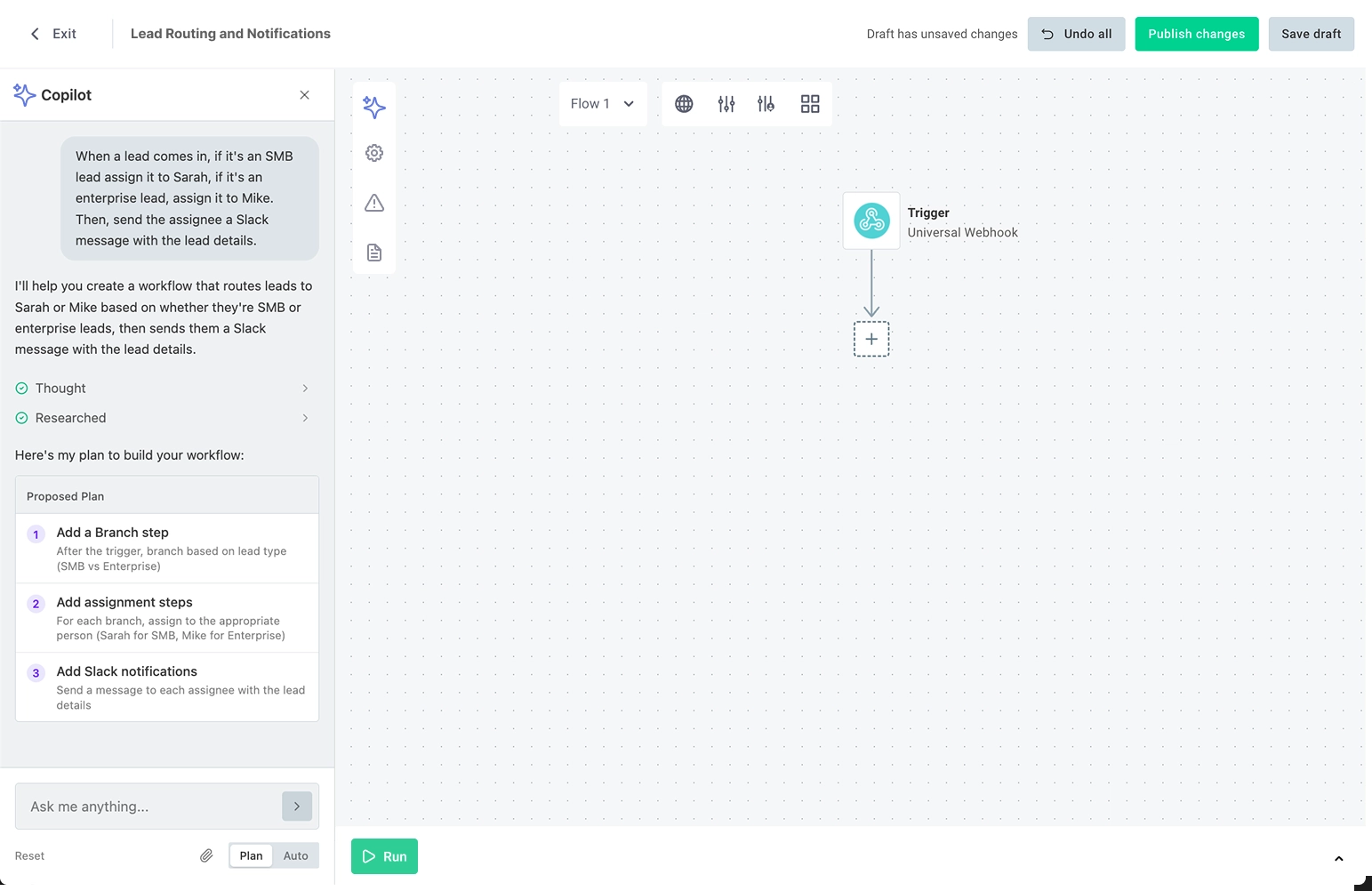
Embedded Workflow Builder Copilot Improvements

The copilot in the embedded workflow builder has been re-architected from the ground up:

  • Faster builds: The copilot now handles many build actions at once instead of one at a time, so workflows come together with fewer round trips.
  • More reliable results. Purpose-built agents handle research, planning, building, and testing behind the scenes for more predictable behavior.
  • Context about your product. You can now give the copilot context about your product and API through the SDK, so your users get workflows built for your platform, not generic ones. Read about providing context to the copilot for details.

Nothing changes on your end. The upgrade applies automatically, the canvas stays the source of truth, and everything your users build today carries forward.

Prismatic Skills for Claude Code

Prismatic Skills is an open-source Claude Code plugin that provides your AI coding assistant with the context and tools necessary to be an expert on Prismatic.

Key skills include a code-native integration builder, custom component builder, embed advisor for embedding the marketplace and workflow builder, migration analyzer for migrating integrations from other iPaaS platforms, and Orby - a platform expert for querying your Prismatic environment and troubleshooting.

Read more on our announcement blog post and in docs.

AI Copilot for Embedded Workflow Builder

You can now enable an AI copilot in the embedded workflow builder to assist your customers as they build their own workflows. The copilot can configure connections, triggers, actions, branches, loops and more based on natural language instructions from your customers.

See our announcement blog post.

The copilot feature is in "Early Access" and will be generally available soon. If you'd like early access to the copilot, please reach out to your Prismatic account manager.

New MCP UI in Integration Designer

We've added a new MCP tab to the integration designer that makes it easier to configure and manage Model Context Protocol (MCP) connections for your agentic flows.

Highlights:

  • View and copy the custom MCP endpoint URL for connecting AI agents to a specific integration's agentic flows
  • Enable or disable individual flows as MCP tools with simple toggle controls
  • See at a glance which flows are available as tools for AI agents like Claude, Cursor, or custom applications
  • Streamlined workflow for configuring which agentic flows should be exposed through the MCP flow server

Check out the MCP flow server documentation and connecting AI agents guide for more information.

Code-Native Development Updates

Today we're releasing updates that significantly improve the code-native development experience on Prismatic. Build, test, and deploy integrations entirely in code with AI assistance, streamlined component management, and enhanced TypeScript support.

Prism MCP Server

  • Enable AI coding assistants (Claude, Cursor) to understand Prismatic's SDK and generate integration flows, components, and test configurations using natural language

VS Code Extension

  • Run test executions with detailed logs, pull existing integrations from your Prismatic instance, configure instances through embedded config wizard, and manage authentication - all without leaving your IDE

Improved Component Manifest Generation

  • Generate component manifests with a single command npx cni-component-manifest <component-name> and use components without installing npm packages

Enhanced Component Referencing

  • Full TypeScript support with real-time validation for defining connections, data sources, and triggers in configuration wizards

Check out the code-native development updates blog post for additional info and quick start demo videos.