Changelog

Prismatic Changelog

Stay up to date with the latest changes and improvements to our product.

Webhook Lifecycle Handlers and Listening Mode

Two new instance lifecycle events are now available for custom connector triggers: webhookLifecycleHandlers.create and webhookLifecycleHandlers.delete. These functions run when an instance is deployed or disabled, and also when you enter or exit listening mode.

Listening mode is a new feature in the integration designer and embedded workflow builder that allows you to quickly test webhook triggers without deploying an instance. When you or your customers enter listening mode, the webhookLifecycleHandlers.create function is executed to create a temporary webhook in the third-party application that points to your integration designer's test instance. When you exit listening mode, the webhookLifecycleHandlers.delete function is executed to remove the temporary webhook. While in listening mode, you can see incoming webhook requests in real-time and save webhook payloads to use as test data for your trigger.

In-app Low-Code to Code-Native Converter

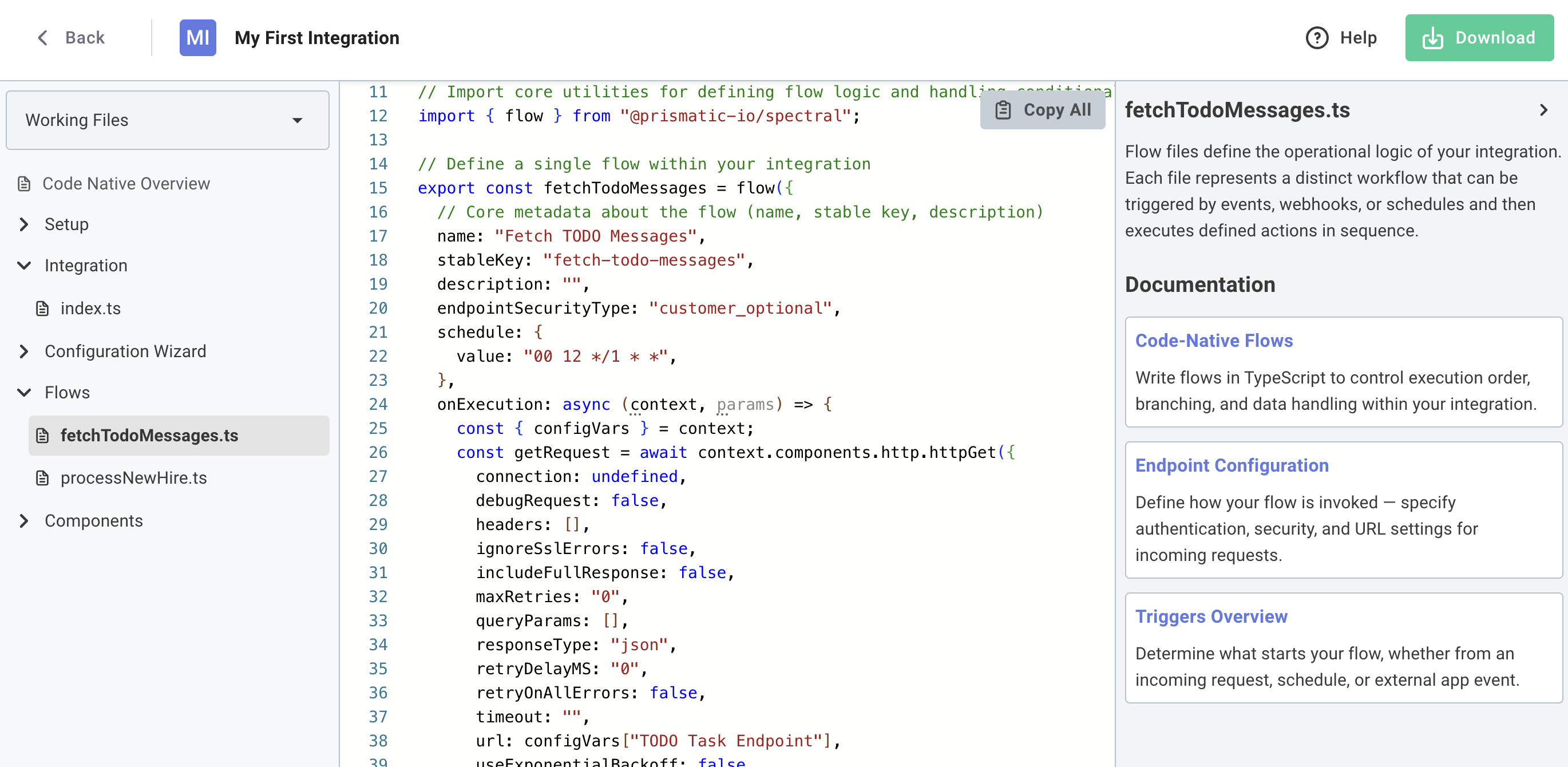
You can now convert low-code integrations to code-native directly within the Prismatic UI. This allows you to prototype a new integration quickly using the low-code designer, and then switch to code-native when you need more flexibility or control.

To get started, open any low-code integration and click Convert to Code. You'll get a preview of the generated code, and can choose to download a zip file containing the code-native TypeScript project.

Screenshot of low-code to code-native converter in app

Embedded Connections Management Screen

You can now embed a dedicated connections management screen in your application using the new prismatic.showConnections() function. This screen provides your customers with a centralized location to view and manage all of their reusable customer connections for both marketplace integrations and custom workflows.

What's new:

  • Unified connections view: Display all reusable connections in one place with the prismatic.showConnections() function
  • Connection details: Customers can click on any connection to view which instances and workflows use it
  • Full management capabilities: Edit or delete connections directly from the embedded screen
  • Seamless experience: Consistent connection management whether customers are working with marketplace integrations or custom workflows

Benefits:

  • Simplified connection management for customers who use the same credentials across multiple integrations
  • Better visibility into where connections are being used
  • Reduced need for custom connection management UI in your application

This feature requires @prismatic-io/embedded version 4.2.0 or later. See the embedding the connections screen documentation for implementation details.

New Component - October 2025

We are pleased to announce the following component has been recently added to the Prismatic library:

  • Okta - Okta is an identity and access management platform that provides secure authentication and authorization services. Use the component to manage users, groups, applications, and access policies.

Reusable Customer Connections

Customer connections are now easier to use. Your customers can now save their credentials once and reuse them across multiple marketplace integrations and custom workflows, eliminating the need to re-enter credentials they've already provided.

What's new:

  • Save and reuse credentials: When customers configure a marketplace integration or build a workflow, they can save their connection credentials and select from existing saved connections in future configurations
  • Cross-environment reusability: Connections created in the embedded workflow builder can be reused in marketplace integrations, and vice versa
  • Unified experience: Customers see a consistent connection management experience whether they're configuring an integration or building a custom workflow
  • Test credential support: Organizations can configure test credentials to preview the end-customer experience during development

Benefits:

  • Faster integration activation for customers who use the same third-party services across multiple integrations
  • Reduced friction in the configuration experience
  • Better alignment between marketplace and embedded workflow builder experiences

To enable this feature for your integrations, assign a customer connection to your marketplace integration and ensure you're using @prismatic-io/embedded version 4.2.0 or later.

New MCP UI in Integration Designer

We've added a new MCP tab to the integration designer that makes it easier to configure and manage Model Context Protocol (MCP) connections for your agentic flows.

Highlights:

  • View and copy the custom MCP endpoint URL for connecting AI agents to a specific integration's agentic flows
  • Enable or disable individual flows as MCP tools with simple toggle controls
  • See at a glance which flows are available as tools for AI agents like Claude, Cursor, or custom applications
  • Streamlined workflow for configuring which agentic flows should be exposed through the MCP flow server

Check out the MCP flow server documentation and connecting AI agents guide for more information.

Prismatic Event Webhooks

Prismatic event webhooks provide a powerful way to receive real-time notifications about events happening in your Prismatic account. With webhooks, you can be informed when customers create workflows using the embedded workflow builder, simplify your integration billing, and stay informed about important changes to customers, integrations, instances and more.

For example, you can say "When an instance.deployed or instance.deleted events occurs, let me know at https://<my endpoint>."

Key features of Prismatic event webhooks include:

  • Real-time Notifications: Receive immediate updates when events occur, without polling the Prismatic API.
  • Multiple Event Types: You can create granular webhooks that subscribe to over 30 unique events types.
  • Security: Use HMAC signatures to verify the authenticity of incoming webhook requests.

To get started with Prismatic event webhooks, check out the webhooks documentation.

Code-Native Development Updates

Today we're releasing updates that significantly improve the code-native development experience on Prismatic. Build, test, and deploy integrations entirely in code with AI assistance, streamlined component management, and enhanced TypeScript support.

Prism MCP Server

  • Enable AI coding assistants (Claude, Cursor) to understand Prismatic's SDK and generate integration flows, components, and test configurations using natural language

VS Code Extension

  • Run test executions with detailed logs, pull existing integrations from your Prismatic instance, configure instances through embedded config wizard, and manage authentication - all without leaving your IDE

Improved Component Manifest Generation

  • Generate component manifests with a single command npx cni-component-manifest <component-name> and use components without installing npm packages

Enhanced Component Referencing

  • Full TypeScript support with real-time validation for defining connections, data sources, and triggers in configuration wizards

Check out the code-native development updates blog post for additional info and quick start demo videos.

Singleton Executions for Scheduled Flows

Prismatic now supports singleton executions for flows that run on a schedule. This means that if a scheduled flow is still running when the next execution is triggered, the new execution will be skipped.

Highlights:

  • Enable singleton executions in the trigger's configuration
  • Prevent overlapping executions for scheduled flows and flows that use a polling trigger
  • Avoid duplicate processing, race conditions and troubleshooting headaches

Learn about ensuring singleton executions for scheduled flows.

New Feature - Support visibility for Workflows

Organizations can now see valuable insights into customer-built workflows through the Prismatic admin

Highlights:

  • See the number of customer-built workflows separately from organization-built integrations
  • View and filter Instances pages, logs, and execution history by their instance type (integration or workflow)
  • Gain insights on workflow creation and enablement separately from integration instances on customer utilization pages