Changelog

Prismatic Changelog

Stay up to date with the latest changes and improvements to our product.

New default toolchain for components and code-native integrations

prism components:init and prism integrations:init now scaffold new projects with a new, modern toolchain for building, testing, linting, and formatting your code.

If you run into issues with the modern toolchain, you can scaffold with the previous toolchain by passing --toolchain legacy - and please contact support so we can address it.

This change ships in a new major version of the prism CLI.

Want to update an existing code-native integration or custom connector to use our new recommended toolchain? See the Spectral 10.22 Upgrade Guide for instructions.

Large data sync with batchFlowTrigger

Code-native integrations can now use batchFlowTrigger to backfill large datasets on deploy and process real-time events through the same execution path - no manual recursion required.

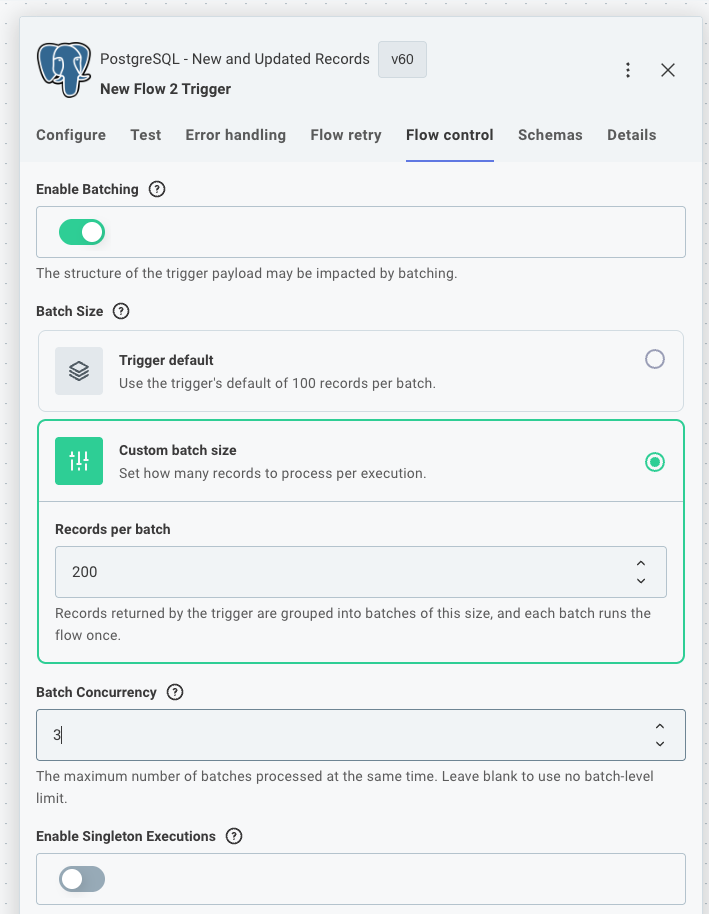
Define an onDeploy function to page through your source API on instance deployment, returning a paginationState cursor so each invocation picks up where the last one left off. Define an onTrigger function to handle incoming webhooks after the initial sync completes. Both funnel records into a single onExecution function, and batchConfig controls how many records arrive per call and how many batches run concurrently.

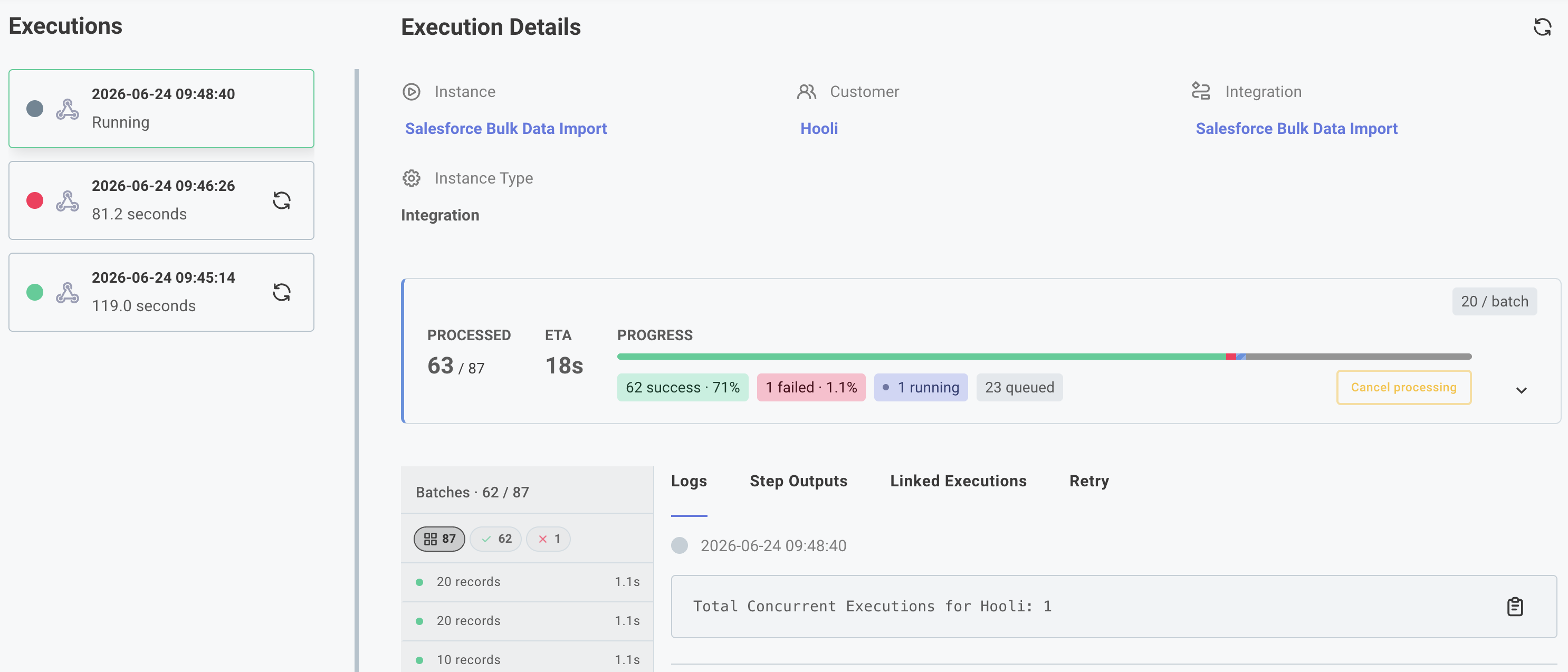
Large data sync execution results

See Large Data Sync for usage and examples and here for a video walkthrough.

Structured and dynamic object inputs for custom connectors

Custom connector actions now support two new input types that let you represent complex data directly on the canvas - no code step required.

Structured object inputs group related sub-inputs into a single named object. For example, a "Mailing Address" input can expose individual street, city, state, and zip fields rather than forcing builders to construct the object manually. In your action's perform function, the value is a plain object accessible by field name (e.g. inputs.address.city).

Dynamic object inputs show a different set of sub-inputs depending on which record type or configuration the builder selects. For example, a "Create Record" action can present Account, Lead, or Contact input fields based on the builder's choice, with inputs.record.configuration identifying the selection and inputs.record.values holding the corresponding field values.

See structured object inputs and dynamic object inputs for usage and code examples.

Open Source Public Components

The source for Prismatic-built components is now on GitHub. When one of our components is close but not quite what your customers need, you no longer have to rebuild from scratch. Fork it, add the behavior you want, and publish it as your own private component. You can also use our components as a reference for building net-new ones, or just read the source to see exactly how something works.

Check it out in GitHub.

Connection management has been streamlined

New connections experience in the Components section

We've refreshed how connections are set up and managed to make reusable connections a first-class part of building an integration.

A few things to know about the new experience:

  • Reusable connections are now created and managed from the Components section. Search for a component, open its Connections tab, and click + Add Connection.
  • You can also create reusable connections directly from the canvas - when picking a trigger, adding a step, or from a step's connection input field.
  • A pencil icon next to a step's connection lets you edit it without leaving the canvas.

Existing connections, integrations, and instances continue to work without changes.

Workflow Contexts for Embedded Workflow Builder

You can now define workflow contexts to give your customers a guided starting point when they create workflows in the embedded workflow builder.

A context pre-configures the trigger and its inputs and accepts runtime data from your application. For example, a "Create automation" button on a ticket page can create a workflow that is already wired to your "Ticket updated" trigger and scoped to that ticket's project - no blank-canvas decisions required.

Use the new prismatic.createWorkflow SDK method to create a workflow from a context, and prismatic.queryWorkflows to list workflows by context or external ID.

Additionally, you can dictate which components and actions are available to your customers when building workflows from a context, giving you more control over the experience and ensuring customers only use components that are relevant to the workflow they're building.

See Workflow contexts for setup instructions, SDK usage, and TypeScript typing support.

Prismatic Skills for Claude Code

Prismatic Skills is an open-source Claude Code plugin that provides your AI coding assistant with the context and tools necessary to be an expert on Prismatic.

Key skills include a code-native integration builder, custom component builder, embed advisor for embedding the marketplace and workflow builder, migration analyzer for migrating integrations from other iPaaS platforms, and Orby - a platform expert for querying your Prismatic environment and troubleshooting.

Read more on our announcement blog post and in docs.

New Components - April 2026

We are pleased to announce the following components have been recently added to the Prismatic library:

  • Redshift - Amazon Redshift is a cloud data warehouse service. Use the component to manage clusters, execute queries, load data, and monitor warehouse performance.
  • SAP ECC - SAP ECC (ERP Central Component) is an enterprise resource planning platform for managing core business processes. Use the component to manage business objects, transactions, and data across modules like finance, logistics, and human resources.
  • System Surveyor - System Surveyor is a visual documentation platform for physical security and IT systems. Use the component to manage surveys, sites, devices, and floor plans.

New Components - March 2026

We are pleased to announce the following components have been recently added to the Prismatic library:

  • Datadog - Datadog is a monitoring and analytics platform for cloud-scale applications. Use the component to manage monitors, events, metrics, dashboards, and incidents.
  • Salesforce Marketing Cloud - Salesforce Marketing Cloud is a digital marketing platform for managing customer journeys across email, mobile, social, and advertising channels. Use the component to manage contacts, campaigns, data extensions, and automations.
  • SurveyMonkey - SurveyMonkey is a leading online survey platform that enables organizations to create surveys, collect responses, and analyze feedback at scale. Use the component to manage surveys, collectors, responses, contacts, and webhooks.
  • UKG Pro - UKG Pro is a human capital management (HCM) platform. Use the component to manage employees, organizational structures, payroll data, and talent onboarding processes.