Changelog

Prismatic Changelog

Stay up to date with the latest changes and improvements to our product.

Spectral 2.x Released

Prismatic's custom component TypeScript library, @prismatic-io/spectral, has been expanded and updated to improve the developer experience for building custom components. Updated syntax for creating components, actions, and inputs helps to catch common errors at compile time (rather than runtime), and new utility functions help to guarantee that you pass the correct variable types to third party SDKs and APIs.

For info on upgrading an existing 1.x custom component to 2.x, see our Upgrade Guide. You can dive in to the Spectral code on GitHub.

Enhanced Versioning for Components, Integrations, and Instances

Versioning has been improved for components, integrations, and instances to give you more fine-grained control over exactly what code is deployed to customers.

Components are now assigned an integer version that increments each time the component is published. If a custom component is at "version 3" and you publish a new component definition, that new definition gets "version 4". This allows you to update or extend components without unintentionally impacting existing integrations that use them, ensuring your integrations remain stable. Integration builders can then update the component versions used in their integrations, or roll back to a previous versions when desired, and will be notified when newer versions of components are available.

Read more about Versioning of Components and Choosing Components Versions in Integrations.

Integration versioning has been improved, giving you more control over what versions of integrations you deploy to customers. When you publish new changes to an integration, similar to components, your integration is assigned a new version number. Then, when you deploy an instance to a customer, you can choose which version of the integration to use. That means you can have some customers on version 1, and others on version 2 as needed, giving you control over which customers have what, and allowing you to test a new integration version with a small subset of your customer base before deploying it broadly.

Rolling back an instance deployment is a breeze - if you deploy a new version of an integration to a customer and something seems off, you can easily roll back your instance to a known working version of the integration with a couple of clicks.

As always, updating customers' instances can be scripted, so you don't need to manually deploy a new version of an integration to each customer.

Read more about Publishing an Integration.
Custom Theming

Organizations with an enterprise plan can now create a custom theme for the Prismatic web application. This takes Prismatic's white-label capabilities to the next level by allowing you to customize the color scheme and other UI elements to match your branding. Once you apply a custom theme, it will be displayed for both your team members and customers.

For more information, see our custom theming docs.

Customer Self-Service

It's now easier for your customers to manage instances of integrations that have been deployed to them. Customer users with admin permissions can update config variables and credentials that are associated with their instances. So, if their config or credentials for a third-party service change, they can log in and make the change without needing your help.

For more information on customer user roles and permissions, see the users article.

Configure Instances to Run on a Per-Customer Schedule

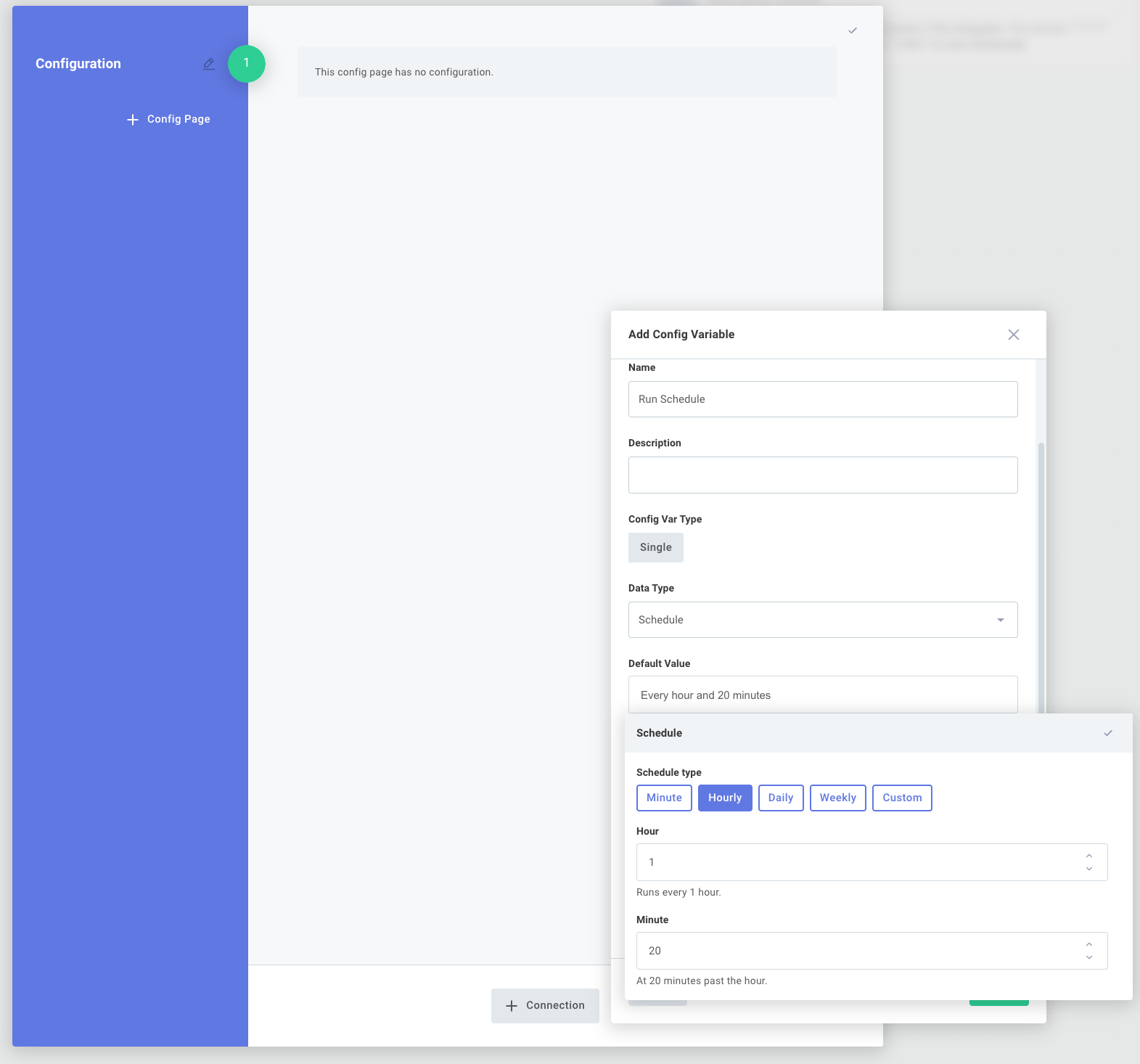
It's now much easier to configure instances of your integrations to run on a unique schedule for each of your customers. For example, Customer A could be set up to run the integration each day at 4:00PM, while Customer B could be set up to run the integration hourly, depending on their needs.

Configure instances to run on customer schedule via Prismatic app

For more information, check out our integrations article.

Intuitive Instance Deployment

Significant improvements have been made to credentials, integration configuration and instance deployment.

Integration builders now have the ability to create an easy-to-use configuration page for customer-facing teams. Builders can define config variable names, give hints as to what sort of data is expected, add headers, etc., giving their customer-facing teams an intuitive experience when it comes to deploying an integration.

Integration configuration and config variables via Prismatic app

This ultimately makes for easier and faster deployment of integrations, without the need for developer intervention. Read more about setting up config variables on our integrations article, and about the new instance configuration experience on the instances article.

Persisting Instance State

Small amounts of data (state) can now be stored between instance executions. This is handy if you want to save some information about one instance execution to use later in a subsequent execution.

Prismatic handles several common state persistence scenarios for you through the new Persist Data and Process Data components. Check out the Integrations article to learn how to leverage state persistence in your integrations, or read the Writing Custom Components article to incorporate state persistence into your custom components.

Terraform Provider

You can now publish Prismatic integrations and custom components using the Prismatic Terraform Provider.

This helps you incorporate Prismatic into your existing CI/CD pipeline, and push changes to integrations and custom components automatically when pull requests are approved.