Multi-Flow Integrations
Prismatic now provides full support for multi-flow integrations!
Integrations can now include multiple flows. (A flow is a trigger and a series of steps.) This enables you to provide your customers with a complex third-party integration that performs multiple related tasks, but is packaged and deployed as a single integration.
For example, you might integrate with an ERP that sends a variety of data via webhooks to your application (a webhook when inventory is updated, a webhook when customer info is updated, and so on). Rather than constructing integrations with complex branches or assembling multiple integrations, you can now create a single integration with flows that handle each type of webhook payload. You would create a flow to handle inventory updates, another flow to handle customer updates, and deploy all of those flows together as a single instance to a customer.
Each flow has its own trigger (so it gets its own webhook URL), and flows are tested and run independently of one another.
When customers or customer-facing teams deploy a multi-flow integration, they configure and deploy all of the flows at once using a single configuration screen.
Your existing integrations will continue to operate as expected. Please note:
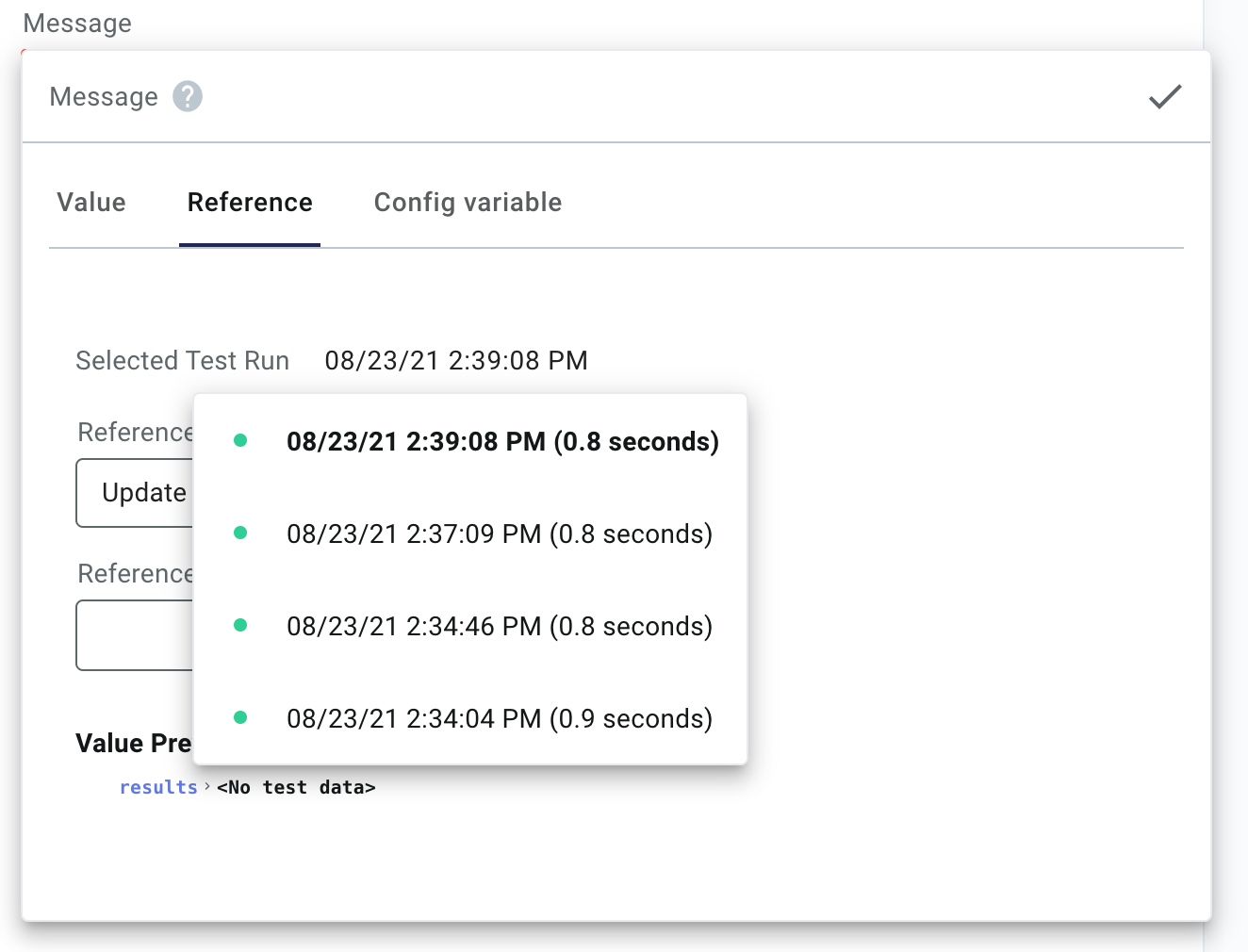
- The Selected Test Run dropdown has been moved to the input reference selector.
When configuring an input for a step, you can select which test run to preview outputs for within the Reference tab.
- Prismatic's CLI, Prism, has been updated to version 3.0.0 to account for this change.
To install the latest Prism, run:
npm install --global @prismatic-io/prism
- The YAML that defines integrations has been updated.
Check out our building integrations page for more information.